Free Computer Programming for Beginners with Microsoft Smallbasic - Microsoft Small Basic Command Example
Introduction
Readers about 35 years and older may recall memories of “10 PRINT “Jane” / 20 GO TO 10” or similar routines with their Sinclair and Commodore computers. To draw a line on the screen, you had to define beginning and end points with the command PLOT and then draw a line with the DRAW command. The language that we used to do all this was called BASIC
As you can see from these commands, this is a rather primitive form of communicating with a computer. At the times of Assembly, C and other low-level programming languages, this was something revolutionary. In fact, the main concept of the language was to be as simple as possible. Now, even today, the ease of this language structure is what still makes it the foundation of Visual Basic for Applications (Microsoft Office suite macro language), OpenOffice.org’s Basic and many other derivatives
Now, Microsoft has simplified this language once more and introduced Small BASIC, lowering the barriers to entry level programming for the beginner.
Small Basic
The installation of Small BASIC is simple and quick, but you need to have .NET Framework 3.5 installed as a prerequisite.
As an introduction, Microsoft has taken a subset of 15 commands from BASIC and rolled out Small BASIC. Do not underestimate this number; if you think about the combination of commands, you can easily see that you can pretty much do any combination of things to help you get a feel for coding structure and flow. Although we are not talking about writing an operating system or an office suite from the ground up here folks.
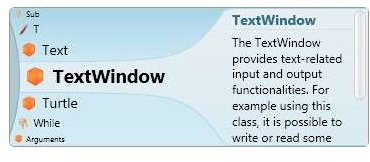
In addition, Microsoft has introduced a technology called “Intellisense” which helps you with commands when you are writing your code. Intellisense is a pop-up window that shows the possible commands that you can type, with their explanations. You can scroll up and down with the arrow keys and hit Enter to insert the command from Intellisense to your code.
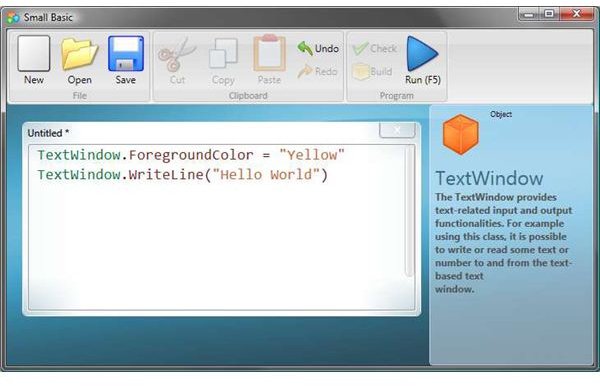
Microsoft has also embedded the basic programming functions that you will need, such as conditions and branching, If/Else statements, looping with For/Next and While, subroutines, and the like.
What is more, visual elements are not left behind. You can open up a window and manage it as you like: you can display information pertaining to the page, you can draw figures and even retrieve and display photos from Flickr. You can manage events such as mouse down, so that the window performs a specific action when the user clicks the mouse. If these are not enough for you, unleash your imagination: draw fractals, attempt to code a simple game, change your desktop wallpaper from the images you download from a website or camera. Any way you look at it, Small BASIC will help you take the plunge, because you have nothing to lose.
Conclusion
As an amateur user of BASIC for more than 20 years, I find the Small BASIC program a very nice fit for the newcomer. Do not be fooled by the simple interface, follow the Quick Start guide that Microsoft has placed on the product’s site (there is also a command reference available inside the program through Intellisense) and then look at the Small BASIC examples that the users have coded and uploaded. After some dedicated time you will not believe what you will be able to do in a couple of weeks.