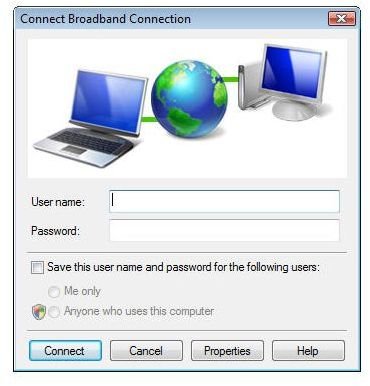
Are Internet Explorer and Firefox trying to open a new Internet connection even through you’re already connected? Here’s a tip for getting rid of that annoying “Connect Broadband Connection” box in Windows Vista.
The Problem
I recently bought a new Windows Vista PC, and I’ve been spending a lot of time trying to adjust the settings on the machine so that it operates in a manner in which I’m comfortable. One of the first things I did in this whole process was to perform a clean install of Vista Ultimate on the new PC.
After the installation, I had a little bit of trouble connecting to the Internet so I “experimented” a little with the connection settings. Although I managed to get my connection problem worked out, another very annoying issue “popped up” – literally. Each time I would open a new window or tab for Internet Explorer or Firefox, a Connect Broadband Connection box would appear asking for Internet connection information despite the fact that I was already connected via cable.
Even if the only problem this pop up box caused was annoyance, I would still want to get rid of it. However, it was also causing both browsers to crash intermittently as they continued to look for this other connection, ignoring the fact that there was already one in existence.
A Solution
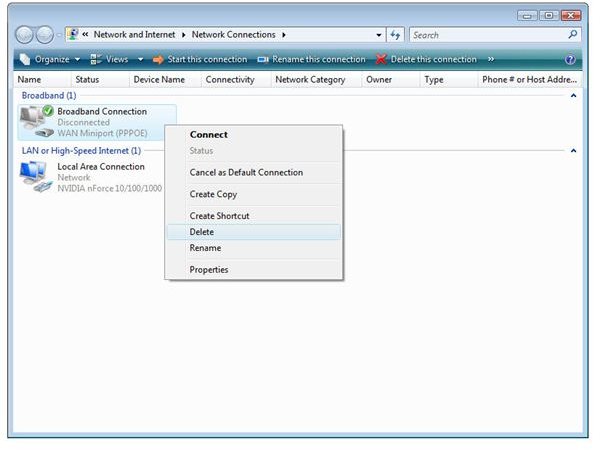
After thinking a bit, I remembered that when I was trying to correct other Internet connectivity issues that I had created an unnecessary broadband connection option in Vista. When I went to check my network connections, not only was this option still present, but it was listed as the default connection type. No wonder I was having such a problem.
After getting rid of this connection, the Connect Broadband Connection window stopped popping up. Here are the steps needed to take this action.
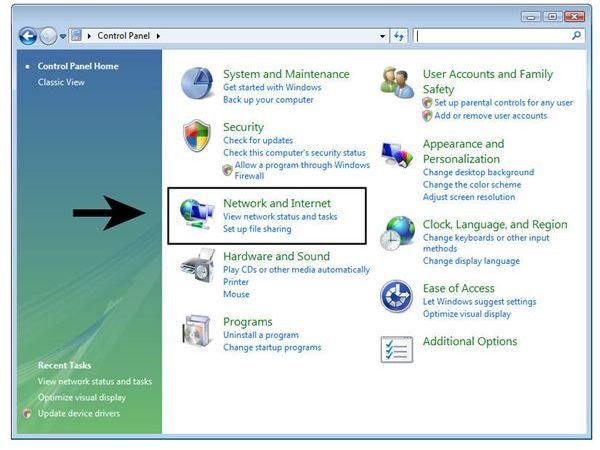
Step 1: Click on the Start button, open the Control Panel, and then select Network and Internet. (Click any image in this article for a larger view.)
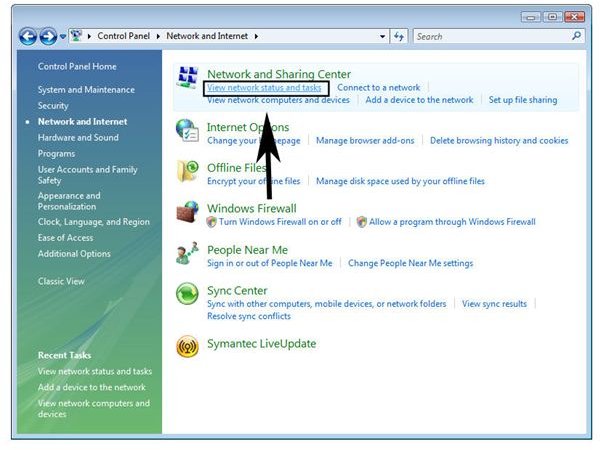
Step 2: From the Network and Sharing Center category, select View network status and tasks.
Step 3: Pick Manage Network Connections from the Tasks list on the left-hand side of the Control Panel window.
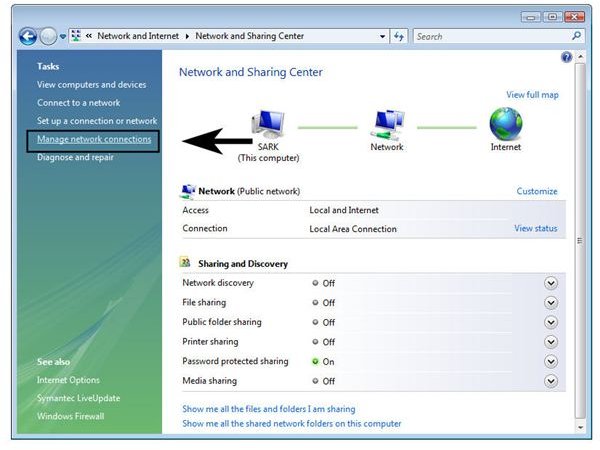
Step 4: Look for a disconnected broadband connection. Right-click on it and select Delete if this connection was just created in error. If you sometimes use this connection and don’t want to delete it completely, you can just choose the Cancel as Default Connection option instead.