Bit Torrent Explained
What is Bit Torrent?
Bit Torrent is a system for distributing files through a peer-to-peer network (where internet users share files with one another rather than downloading from a single location.) The system works somewhat like Willy Wonka’s explanation of television in Charlie and the Chocolate Factory: a file (or group of files) is divided into hundreds of smaller pieces and then reassembled on the user’s machine. This means a user can get different files from different users, which spreads the strain on internet connections. It also means that if one connection goes down (for example if a user goes offline), you can continue downloading files.
Is it legal?
Bit Torrent is simply a method of distributing files and is perfectly legal in itself. However, many (if not most) of the files people distribute through Bit Torrent systems are copyrighted material such as music, movies or software. You must make your own decisions about what is legal in your country and we at Bright Hub cannot tell you how to behave. It is, however, worth noting that using Bit Torrent means you are uploading data as well as downloading it. This means you may be considered as distributing the material rather than just downloading it, which can be a greater legal offence.
What are seeding and leeching?
‘Leeching’ is the name for downloading a file until it is complete on your computer. After this, continuing to share it is known as ‘seeding’. It is generally considered courteous to continue seeding a file until you have uploaded the same amount of data as you downloaded. To download a file and then immediately stop sharing it is known as ‘hit and run’ and is either frowned upon or outright banned by some sites which list torrent files.
Security
You should take particular care when downloading files through torrents to make sure they are what they appear. Some types of file, particularly .EXE, .ZIP and .RAR files, may carry viruses; this is a notable problem with files which supposedly offer pirated software. If you are ever in any doubt you should run a virus checker before opening any file you have downloaded. It’s also worth checking comments other users have left about a file on a torrent site as they may warn about viruses.
Using Bit Torrent
To download a file or files through a torrent, you download a torrent file. This is a small file (often around 10-20kb) which contains details which identify the actual files you want and help find other users which have the files available to share.
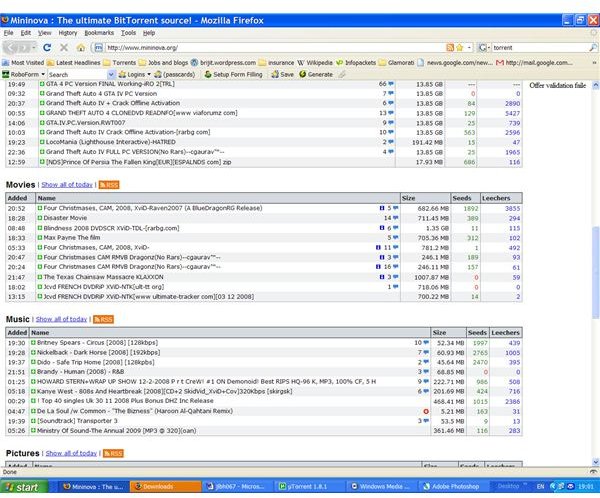
There are many sources of torrent files online, most of which list them in categories such as music, TV, movies, software and so on. These lists will usually tell you how many people are currently sharing the files (the more there are, the quicker it is likely to take to get the files) and may allow users to comment on the files, for example ranking the picture or sound quality on movie files.
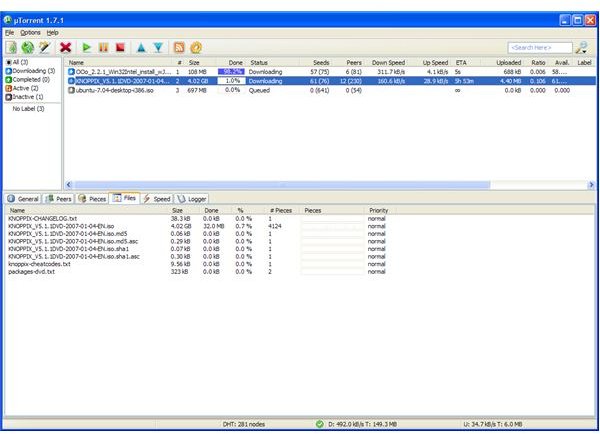
To open a torrent file and download the files you are after, you will need torrent software: some of the best known includes uTorrent and Vuze (formerly Azureus).
There are many settings on these programs and you should check the relevant help files. Some of the most useful settings include:
- The location you save the files to – In most cases you can set a separate directory to store completed files.
- Upload and download limits – You can set a maximum speed to download and upload information. Experimenting with these can help make sure you get files as quickly as possible without slowing down your other internet use.
- Scheduling – Some programs let you schedule files to download overnight, or have specific upload and download speeds for particular times of day. This can be useful if your internet provider limits the amount of data you can download or upload at peak time.
- Port forwarding – This can be a complex process and often involves changing your broadband router or cable modem’s settings, but can greatly increase the speed you can download files.
Images