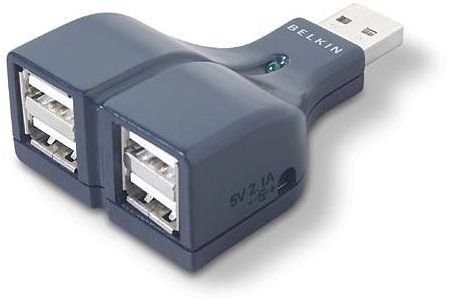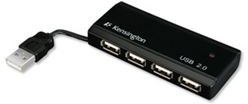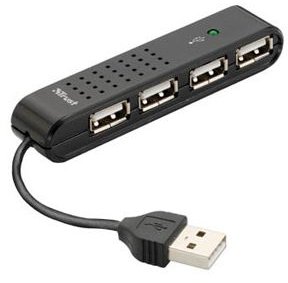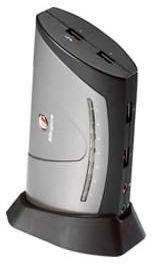
The USB Hub allows you to connect multiple USB devices to a single USB port. So if you are struggling for ports to connect your keyboard, mouse, camera, printer, network hub, etc, then a USB Hub is a must. This USB Hub Review looks at the best available from 2008.
Need more USB slots to connect your Keyboard, Mouse, Digital Camera , Memory Stick, MP3 Player, Camcorder, External Hard Drive , etc? Are you struggling for USB Slots on your PC, constantly having to disconnect and reconnect devices in the one or two slots you have? If so there is a far more cost effective way to obtain additional USB slot capacity than to upgrade your entire system. You should look at buying a USB Hub. Below is our definitive USB Hub review of 2008.
Targus Desktop 7-Port USB 2.0 Hub (5 out of 5)
The Good
-
Super lightweight and compact design, a great looking hub.
-
Brilliant plug and play connectivity for the Home or Business user.
Advertisement -
Excellent power levels when running high energy devices.
-
Connects all devices without conflict, whether heavily dependent on power or not.
Advertisement -
The 7 high bandwidth USB ports have best in class data transfer rates.
-
Has a novel top loading USB slot for quick and easy access.
Advertisement
The Bad
- Tested with some serious power draining devices and comes up trumps almost every time. Did struggle with high powered devices on a couple of laptops - Samsung Q45 and Asus U2E . Devices to watch when run together - Camcorder, External Hard Drive and Media Players.
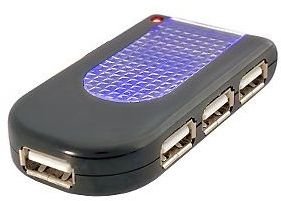
Belkin 4-Port USB 2.0 Travel Hub (5 out of 5)
The Good
-
Best in class for size/weight combination (the size of a credit card).
 Advertisement
 -
Excellent for portability with fast connectivity.
-
Built in cable management eliminates annoying wires hanging around.
Advertisement -
Faster transfer rate than LinkSys Compact USB Hub.
-
Best in class for a USB Hub that you will not notice or feel obstructed by.
Advertisement -
Works beautifully on Desktop, Laptop and Tablet architecture (Lenovo ThinkPad , Panasonic Toughbook and Toshiba Portege M700 .
The Bad
- None
D-Link DUB-H7 7-Port USB 2.0 Hub External (4 out of 5)
The Good
-
The most durable USB Hub reviewed, a very robust unit.
Advertisement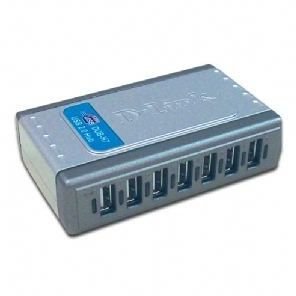
-
Simple setup and go technology, best in class. Tested on Fujitsu Siemens Lifebook .
Advertisement -
Connects without conflict to any devices used, Camcorder, Webcam, Media players, etc.
-
As with most multi-port USB Hubs (more than 4) you need to run it from the power adapter.
Advertisement -
Works supremely on Vista, XP, ME and 98.
The Bad
- The LED’s for active ports are very bright, it looks more like the Vegas Strip than a USB Hub when running in a darkened room.
- Devices can hinder each others performance, especially during multi-device data transfer.
- Can overpower the Hub when multiple high energy devices are connected in every port.
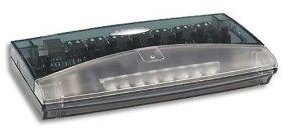
Belkin USB 7 Port Economy Hub (4 out of 5)
The Good
-
Award winning plug and play USB Hub with a simple, compact and uncomplicated design.
-
No hassle to install, easy user guide, as it says on the tin! - ’turns one USB slot into seven'.
-
Self powered and provides impressive shared power across multiple active ports.
-
Easily recognizes devices in seconds, connecting all major devices without conflicts.
-
One of the best 7-Port USB Hubs, tested on Lenovo ThinkPad and HP Compaq 2710P .
-
Works perfectly on Windows ME, XP and Vista (not tested on 98 but assume OK).
-
Competitive price considering the extensive high energy devices it can run simultaneously.
The Bad
- Flaky performance/poor data transfer rates with External Hard Drives and Media devices.
- Works perfectly with 1.0 and 2.0 USB but not at the full 2.0 rates.
- Can get quite hot when connecting more than 4 high energy devices. i.e. Camcorder, MP3
- Testing scenario with some laptops (HP Compaq 2510P ) demanded mains power to run.
- USB slots and Power Adapter are situated on the same side panel (front). Can get cluttered.
- The Belkin 5-Port USB Hub is just as good and cheaper, if you don’t need the extra 2 slots.
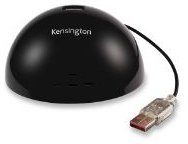
Kensington Hub 4 Port USB 2.0 Hub (4 out of 5)
The Good
-
Best looking USB Hub in class. Slick black ‘domed’ design, non slide and lovely weight.
-
Quick plug and play connectivity. Best in class ability to ‘daisy chain’ linking of devices.
-
Connects all major devices without conflict. Can struggle with ’no-name’ media storage.
-
Excellent data transfer rate, but rate reduces considerably if multiple devices are transferring.
-
Works supremely on Vista, XP, ME and 98. LED display clearly shows active and non-active ports.
The Bad
- Only 4 port extension, begs the question if you are buying extension USB capacity why not go with 5 or 7 slots. Especially as for the price you can get a 7-Port USB Hub.
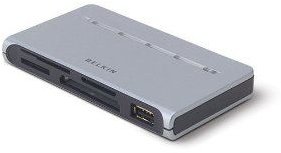
Belkin Hi-Speed USB 2.0 3-Port Hub and 15-in-one Media Recorder/Writer Card (4 out of 5)
The Good
-
A lovely looking USB Hub, compact but still ultra reliable.
-
Connects almost instantaneously with 1.1 and 2.0 USB devices.
-
Slick to drag and drop, multi-tasking and impressive transfer rates.
-
Card Reader component works with all major memory card technologies.
-
The Free Ulead Photo Editing software bundled with the Hub is worth a look.
-
Very quick to recognize active/non-active slots and devices connected.
-
More than just a USB hub, provides additional PC connectivity for Media and Card Readers.
The Bad
- Can be temperamental when unplugging devices. i.e. have known of system lock-ups and even some card readers failing when simply unplugged without a right click and close.
- Only 3 USB ports, begs the question, if you are buying extension USB capacity why not go with 5 or 7 slots.
- As with other Belkin USB Hubs, it requires the power adapter to power the unit effectively. Doesn’t work so well with old motherboard chipsets.
Read on to find out about 3 more USB hubs worth considering.
Startech 4 Port USB 2.0 Self Powered Hub (4 out of 5)
The Good
-
Simple compact design, robust and portable. You will hardly notice its presence.
-
Rapid data exchange and works seamlessly with Windows 98 and up.
-
Self powered unit elimates the need for mains power connectivity, great for mobile users.
-
Works great with both new and legacy hardware types, 1.1 and 2.0 USB.
The Bad
- Due to self powering does struggle to power the most battery intensive devices such as Camcorders and External Hard Drives.
- Only 4 USB slots, but probably adequate for the mobile user.
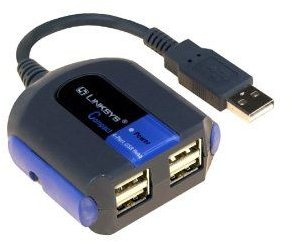
LinkSys Compact USB 4-Port Hub (3 out of 5)
The Good
-
Specifically designed for PC architecture.
-
A great little USB Hub, compact design and stylish casing.
-
Quick to detect devices, instantaneous plug and play USB Hub for mobile or static PC use.
-
A very good price, great value for a basic USB Hub.
-
Great when speed of data transfer is not such a crucial issue.
-
Used in conjunction with Motion F5 and Dell Latitude XT Tablet PC’s and it works well.
The Bad
- Works well with Mice, Keyboards, Webcams, but seriously struggles with External Hard Drives, Digital Camera’s and Camcorders as it has a slow data transfer rate.
- Dependent on power adapter for high energy devices such as PDA’s, Routers, etc.
- Not the best LED indicators for active and non-active port use. Often needs devices to be manually stopped for proper disconnection.
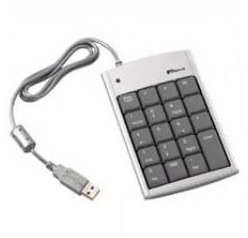
Targus USB Mini-Keypad with USB Hub (3 out of 5)
The Good
-
Solid build design with non slip ‘feet’, great keypad feature is excellent for laptop use.
-
Works impressively with Windows 98 and up.
-
Delivers impressive performance on various Desktops and Laptops - such as the Toshiba Portege R500 and Dell XPS 1330.
-
Integrated 2-Port USB Hub delivers excellent transfer rates.
The Bad
- 2 USB slots. Surely not enough for those in the market for extensive USB Hub capacity?
- Not for the mobile user, but excellent for the static PC.
- Big and bulky Keypad makes the USB Hub somewhat cumbersome compared to others.
USB Hub Review: Best of the rest
- Belkin Hi-Speed USB 2.0 4-Port Thumb Hub.
- Dynamode 4-Port Passive USB 2.0 Micro Hub.
- Kensington PocketHub Mini USB 4-Port.
- Trust HU-440P 4-Port USB2 Mini Hub.
- Strand USB 4-Port Hub with Mains Adaptor.