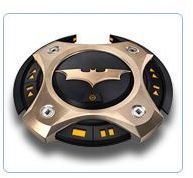
Tired of basic black and boring blue? Customize the look of your Windows Media Player by downloading and applying new skins. Read on to find out more.
Overview
Variety is the spice of life and the same goes with Windows Media Player. This article defines the process of changing skins and explores some of the most interesting and creative skins out there.
Switching Skins in Windows Media Player 10 or later
- Open Windows Media Player.
- Select View Full Screen.
- Ensure that Classic View is enabled by clicking CTRL + M.
- On the menu bar, select View > Skin Chooser.
- Select a skin from the side pane and click Apply Skins. If you do not see a skin that you want, click More Skins. If you are connected to the internet, this link will take you to the official Windows Media Player website where you can view and download other skins that are more suitable for your needs.
Top Picks
Holy Batman! The Dark Knight returns to your desktop in a sleek, media-playing package. Download it for free from the official Windows Media Player website. https://www.microsoft.com/windows/windowsmedia/player/skins.aspx

Add a touch of grunge to your Windows Media Player. This skin comes with two sliding boxes: one for your playlist, and the other for your videos. Download it for free from the customize.org website. https://customize.org/wmp/skins/51597
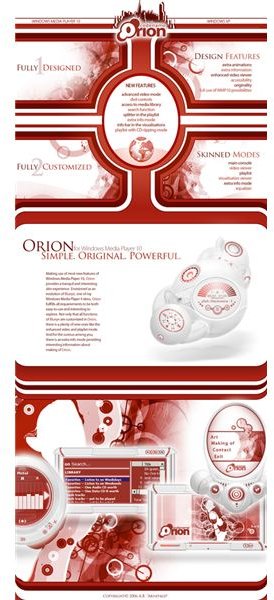
True to its tagline, the Orion Windows Media Player skin is small, original, and powerful. It comes with enhanced everything ranging from playlist and video to information mode. Even if the main console is hidden, you can still control videos directly from the window frame. Download it for free from the customize.org website. https://customize.org/wmp/skins/44403 .
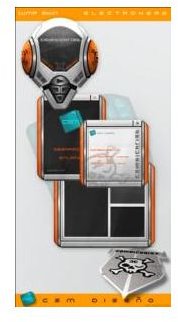
The Electrohead Windows Media Player skin is futuristic yet functional and definitely catches the eye. Download it for free from the WinCustomize website. https://www.wincustomize.com/skins.aspx?skinid=806&libid=9
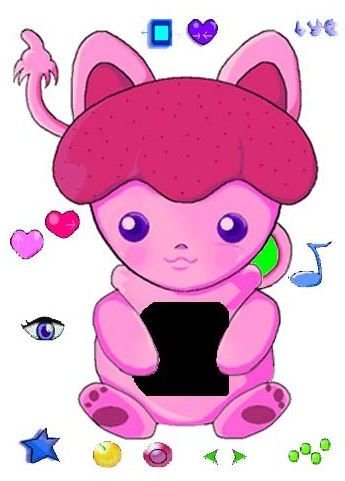
The audience for the “Kidz” Windows Media Player skin is pretty self-explanatory. Unlike the dark color-schemes of most skins these days, this one is bright, cheery, and more importantly, child and family-friendly. The eyes, tails, and ears of this little creature are animated and blink and wiggle accordingly. Download it for free from the Howard University website. https://www.howard.edu/skins/challenge/gallery.htm

If you’ve ever wanted to know what it’s like to fly, this skin will provide you with a bird’s eye view. Download it for free from the skinz.org website. https://www.skinz.org/skins.phtml?category=23&offset=5&sort_order=desc&sort_by=timestamp_updated&skins_pp=5


