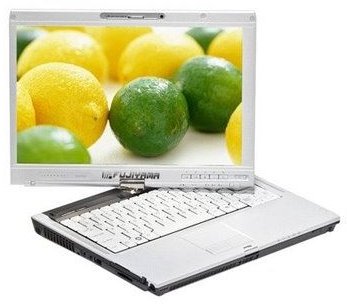
The advent of UMPCs and Netbooks has taken everyone by storm. It never occurred to anyone that mini laptops with average (even below-average) performance could be so attractive. Here’s some things you can do (and buy) to maximize your experience using your mini portable PC.
Netbook Tips
Here are some things you can do to make your experience with netbooks more enjoyable.
1. Don’t upgrade the operating system
Unless it’s necessary, upgrading the embedded OS is not advisable. You can, however, downgrade it to gain some increase in performance. Since netbooks are designed for ultra-portable computing, they are not equipped with the fastest processor. So, downgrading from Vista to XP - for example - can give a performance boost.
2. Invest in a good laptop bag
Yes, I know you already got the matching sleeves when you purchased the machine. However, it can’t accommodate your charger and other accessories that I mention next. Sure, it will still be useful for light traveling, but if you’re really serious in making it your day-to-day companion, a decent laptop bag is the way to go. Since the market is pretty big now, well-known laptop bag manufacturers will already have specific models for netbooks. As an alternative, you can opt for 12-inch laptop bags.
3. Buy a bigger capacity or secondary battery
A higher capacity battery may not be for everyone; however if you do much traveling, it’s a blessing. If you don’t like the fact that you’re shelling out more cash, select the model with a hi-cap battery which can last around 4-6 hours. Do remember that extended batteries sometimes protrude from the body, so netbook sleeves may not be able to be used. See no.2 for the solution.
4. Set up a bigger monitor for home use
The screen size in netbook ranges from seven to ten inches, and that’s pretty small. If you often use the netbook at home or at the office, setting up an bigger external monitor is a good idea. Your eyes will thank you for that.
5. Don’t run a lot of applications in the background
Netbooks are made for ultimate portability and aimed to be a second computer, so it’s very different than your average desktop PC. Of course it’s good to have all the applications that you usually have in the desktop here. However, it will put a toll in the performance. Be more selective and choose which apps run in the background, or uninstall ones that you rarely use.
More Netbook Tips
6. Get a good keyboard and mouse
The ultra portable size comes with a price, and it’s the less spacious keyboard and touchpad. The most practical solution is to buy an external keyboard and mouse. Do remember that netbooks can only use USB keyboards and mouses. If you travel a lot, you can consider fold out keyboards and notebook mice that are smaller and easier to bring.
7. It’s a portable media player
With the new models packing large hard drives, it’s time to ditch your portable media players. To transform your netbooks into a true PMP, you’ll need to install several multimedia applications. For music, you can’t go wrong with iTunes, or just use the installed Windows Media Player. For videos, K-Lite Codec Pack with Windows Media Player Classic is a reliable and free application that doesn’t hog your system. Of course, you can always stream any videos or musics if an Internet connection is available.
8. Buy an external optical or hard drive
Even with multiple gigas, everybody just can’t seem get enough storage nowadays. External optical drives and external hard drives are getting cheaper everyday, so it’s not considered an extravagant upgrade. If you still need to read CDs or DVDs, buying an external optical drive is a viable option. If you often switch between computers and need to carry your data with you, an external hard drive is the best way to go. Both peripherals can be found anywhere for less than US$100.
9. Give your netbook a distinctive appeal
Since it’s relatively cheap, why not give your netbook a distinctive personality? You can add stickers or notebook tattoos that separate your netbook from tens of millions of others. After all, it is not Clone Wars (yet). Be sure to choose stickers that can be peeled off easily and without leaving a mark.
10. Your netbook is a game center
OK, let’s be very careful with this bragging. You won’t be able to play the latest 3D games with the current models. However, if you’re a bit of retro games’ lover, this baby can satisfy your gaming urges. To play DOS-based games, install the DOSBOX application. For 3D games, you might want to install the 3DAnalyze application, which can run 3D games in machines without separate 3D graphics chips.


