VIPRE Antivirus Premium Review
Overview
<img src="https://img.bhs4.com/a5/0/a50b405b43a85f45b073e0a060326a9475db2823_large.jpg" alt="Logo">
VIPRE Antivirus Premium is the new product offering by Sunbelt Software. The program was made available on March 2, 2010 and has gotten into many computers already when it was given-away for free to Twitter users who shout about its released. VIPRE Antivirus Premium includes antivirus, antispyware and a firewall protection. Sunbelt Personal Firewall (formerly known as Kerio Personal Firewall) has been integrated in VIPRE Antivirus + Antispyware.
Features of VIPRE Antivirus Premium (5 out of 5)
VIPRE Antivirus Premium 4.0 is designed to protect your computers in real-time against viruses, Trojans, spyware, rootkit, worms, adware and other types of malware. The program provides more than just a malware protection:
- E-mail Protection – VIPRE Antivirus Premium 4 and VIPRE Antivirus 4 will scan incoming and outgoing messages for harmful messages. It will scan every email attachments for malware and viruses.
- Two-way Firewall – Sunbelt Personal Firewall is now in VIPRE Antivirus Premium offering two-way and rule-based firewall protection. Simple and Learning modes is available to running the firewall so any type of user is accommodated. The firewall in VIPRE also offers Boot Time Protection that protects the computer before Windows has a chance to open.
- Web Filtering and Anti-Phishing Protection – block advertisements, phished or fraudulent websites, malicious URL filtering, script and ActiveX blocking and filter third-party, persistent or session cookies.
- Host Intrusion Prevention (HIPS) – prevents exploits and injection by another process or application to another program.
- Intrusion Detection System (IDS) – blocks exploits and prevents any attacks in your computer or network.
- Block Traffic – VIPRE provides handy command to immediately block all internet traffic in case of attack. This option is quite useful to people using more than 1 computer and seeing an attack on some computer but not on other PCs.
- Incremental Updates – VIPRE Antivirus Premium and VIPRE Antivirus is now updated many times a day with incremental updates to its detection signatures against malware.
- Task Scheduler – schedule a scan or manage how often VIPRE will check for risk definitions are one of the options in using VIPRE. There is a Power setting for VIPRE allowing the program to wake up the computer for scheduled scan.
- Scanning of USB upon insertion – this is a new option in using VIPRE in addition to scanning removable or external drives.
- Custom and On-demand Scanner – In addition to Active Protection, the real-time protection engine by VIPRE. An on-demand and custom scan is an option.
- System Tools – VIPRE also offers system tools to clean the computer’s history to prevent spyware in getting private data. PC Explorer is also available to manage and explore what’s on your computer.
Installation and System Requirements (5 out of 5)
VIPRE Antivirus Premium 4.0 was made available to add support to 64-bit edition of Windows 7, in addition to 32-bit edition of Windows XP, Vista and Windows 7, Server 2008, Server 2003 and Windows 2000 SP4. The install process of VIPRE continues to be straight-forward. The firewall and antivirus of VIPRE is fully integrated to Windows Security Center and Windows Action Center in Windows. It disables Windows Defender, if installed or enabled. VIPRE Antivirus Premium will only use 25.9MB of hard-disk space and require a PC restart after installation. A setup wizard is presented after the system restart to guide you in setting up VIPRE. The installer will not automatically detect what email client is installed but you have the option to select which email program is in use. After installation, the program will download the necessary risk definitions to start protecting the computer. Note that the Active Protection by VIPRE is disabled until the risk definitions has been downloaded and applied.
Performance and Memory Usage (5 out of 5)
VIPRE Antivirus Premium boasts its low memory usage which is true. It only uses 40MB of RAM to run its protection and other components. There is no more browsing performance issue in VIPRE Antivirus ever since it was fixed earlier this month. The only issue that I found is the failure to retrieve newsgroup messages using Windows Mail in Vista, if the email protection for the said email client is enabled. This issue occurs with earlier version of VIPRE as well.
Firewall and Malware Protection (5 out of 5)
VIPRE will protect your computer against malware and to test that, I initiated a transfer of malware samples. VIPRE has detected 196 out of 205 malware executables and a perfect score on 66 compressed malware files. That’s 96 to 97% of protection by VIPRE.
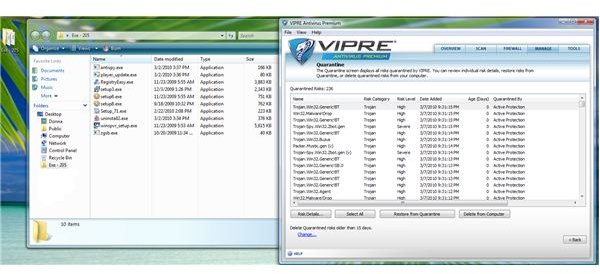
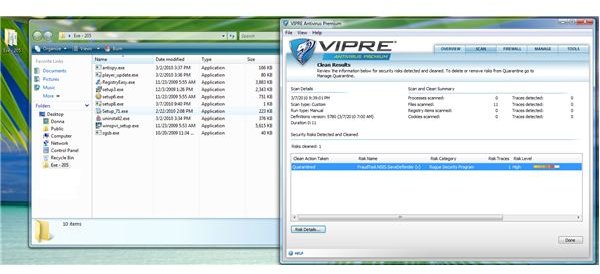
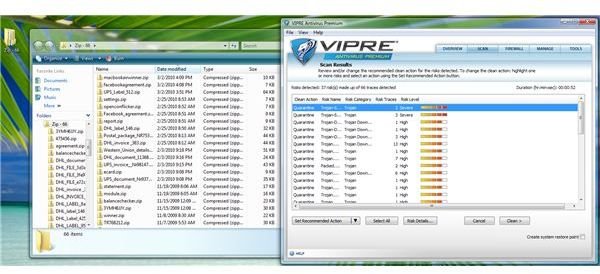
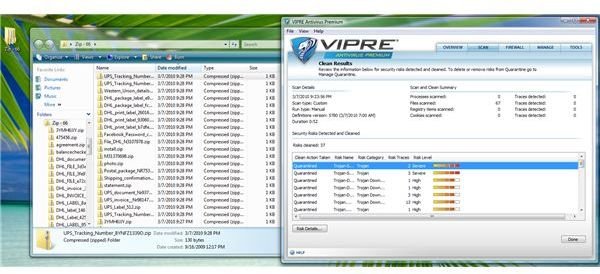
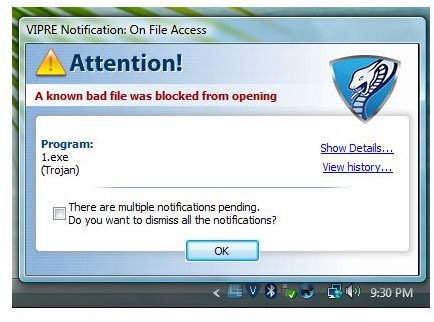
To test its firewall protection, I visited pclank.com and tried running several leak tester. The firewall in VIPRE Antivirus Premium has passed the Advanced Port Scanner and Exploit Test using PCFlank. It also passed Firehole, Tooleaky and GRC’s Leakage Tester. Note that you need to exclude Tooleaky and Firewall in VIPRE’s detection for it falsely identifies the two programs as Trojans. Many antivirus programs will falsely detect risks on those tools.
Pricing and Support (5 out of 5)
An unlimited home site license of VIPRE Antivirus Premium costs $70 only. If you have single machine, you’ll only pay $40. Are you using Virtual Machine system? If so, you don’t need to pay for extra license.
Conclusion
VIPRE Antivirus Premium is an excellent tool offering protection against malware and intruders. Sunbelt Software provides great product support, as well. VIPRE is unique. There’s no unnecessary add-ons, no toolbars, and no third-party search engines that several antivirus vendors have added in the software. Highly recommended!