Any program designed for XP but not compatible to Vista or Windows 7 is possible to run with the required administrator privileges using VistaUACMaker.
Overview
Microsoft has introduced User Account Control (UAC) in Vista and Windows 7 and not all software developers are ready to re-design their software by making it UAC-aware. The goal of UAC is to limit the permission of some applications in using higher privileges. Malware as we all know will take advantage of administrator account in damaging the system but if you really have to run an old program in Vista and Windows 7, you will have to change the way it runs. There are some work-around in using an old program for Vista and Windows 7 and one of them is by using VistaUACMaker .
System Requirements and Installation (5 out of 5)
There is no need to install VistaUACMaker. The program is a standalone tool and can be use in XP, Windows Server 2003 and Vista.
Options and Usage (5 out of 5)
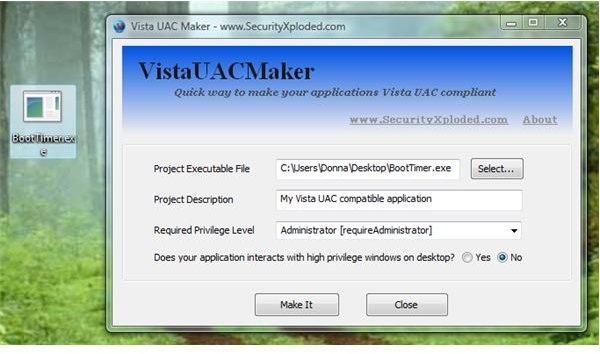
VistaUACMaker is quite simple to use in making an XP based application to run with the required UAC permission for Vista and Windows 7.
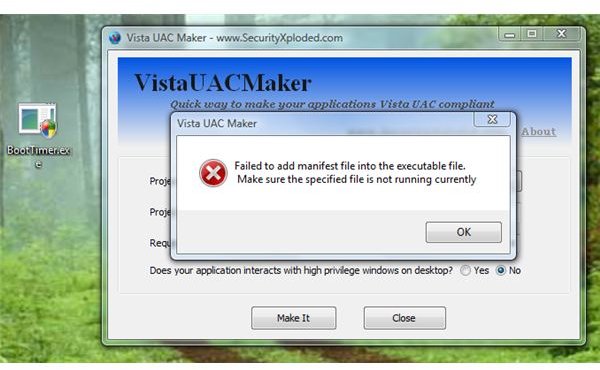
An example is BootTimer that is not compatible to Vista or Windows 7 yet. Using VistaUACMaker, you don’t have to wait for the developer to update BootTimer so it will run in Vista or Windows 7. The screenshot at the right shows the executable is not compatible to UAC in Vista and after I use VistaUACMaker to modify the privileges of the said executable, the program is now UAC-compatible:
You can configure VistaUACMaker to modify the application using the following privileges:
- requireAdministrator : Run as administrator
- asInvoker : Run as same privilege as parent process
- highestAvailable : Run with highest privilege available for user
Tips: Other method to run an old program in newer operating system is to take advantage Compatibility Mode feature in Vista and Windows 7. You can even choose to run the program using Windows 95, 88, ME, XP and so on and if you really have to run the program with admin permission, simply right-click the application’s shortcut or executable and choose “Run as Administrator”. You can view the guide in Microsoft website . Use VistaUACMaker if the Compatibility Mode option in Vista and Windows 7 will not help. Be careful though: Always make sure that you trust the executable before running it using administrator permission.
Price to Value (5 out of 5)
Free to use. What else can I say?
Conclusion
VistaUACMaker is another handy and quite useful tool by SecurityXploded. Recommended tool especially if “Program Compatibility” features in Vista and Windows 7 does not help.


