With a tremendous increase in the number of cyber threats, it has become important to protect you r system against viruses, Trojans, spam, etc. Thus, it is necessary to provide a shield to your computer to safeguard itself from such threats. Lavasoft Personal Firewall provides your system shield…
Lavasoft Personal Firewall 3.0 provides your system the necessary shield it requires to safeguard itself. It helps you perform the safer transactions online, save important files, etc.
Installation (4 out of 5)
The installation is quite simple but requires some prior experience with installation of other applications. The only time a user faces problem is when he/she is asked to select a profile: Advanced or Normal. Users should opt for Normal profile that selects the most basic settings for the application. Expert users can opt for Advanced profile, where they can customize the settings according to their choice.
It took me around 10 minutes to install the application using the Normal profile. Once the installation is complete, you will be asked to restart your system. The application is ready for use, after you reboot your system.
Features (4 out of 5)
- Monitors and controls both in-bound and out-bound traffic.
- Monitors and blocks malicious code from stealing your information and sending over the internet.
- Block access to unsafe and restricted websites or websites that have already been blacklisted.
- Automatic detection and action on attacks.
- An Auto-learning feature that allows the application to learn from your activity. You can set the time for the learning mode, say a week.
- Simple and easy to use.
- It supports multiple languages like English, German, French and Spanish.
User Interface (5 out of 5)
Lavasoft Personal Firewall 3.0 is a very simple and easy to use application but provides a number of features to safeguard your system against several threats like hackers, key loggers, eavesdroppers and other malicious attempts to your system.
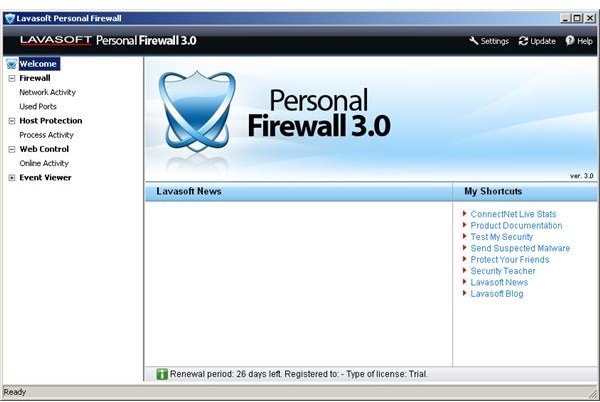
When you first run the application, you will be taken to the home page of the application, where you can find shortcuts for quick operations, located on the bottom right side of the application screen. On the left are the options that a user might be interested in.
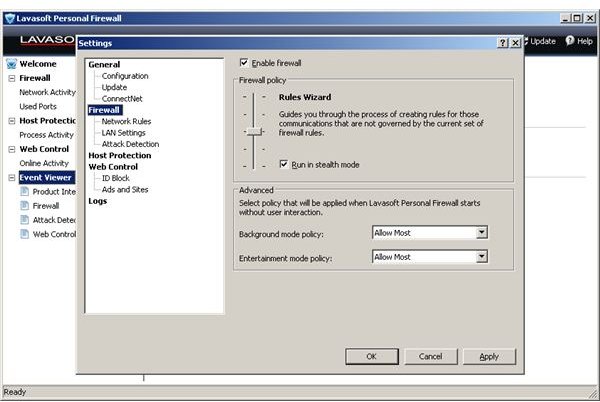
Click the Firewall option to check the status of the Firewall on your system. By default, Firewall is set to Enabled mode, so you will notice the status as Enable. To change the rules for the firewall system, click the Rules Wizard option, and there you can set the slider to the appropriate level you require for your system. Do not set the slider below the default level, in order to ensure safety of your system. Under the Firewall option, you can check Network Activity and the used ports on your system.
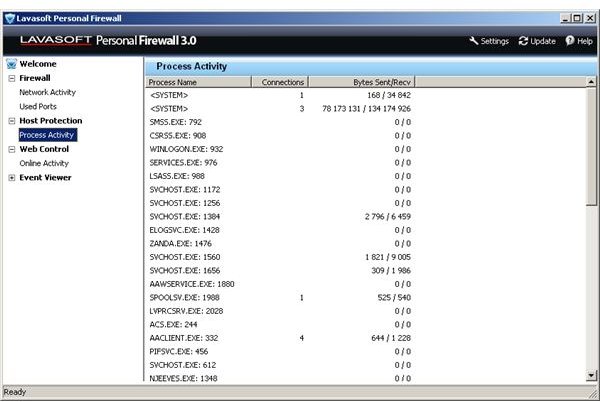
You can also check the Host Protection status. The host protection feature protects your system from different malicious attacks and other known and unknown threats. Under the Host protection option, you can view the process activity on your system, the process name, number of connections active and the amount of bytes sent and received.
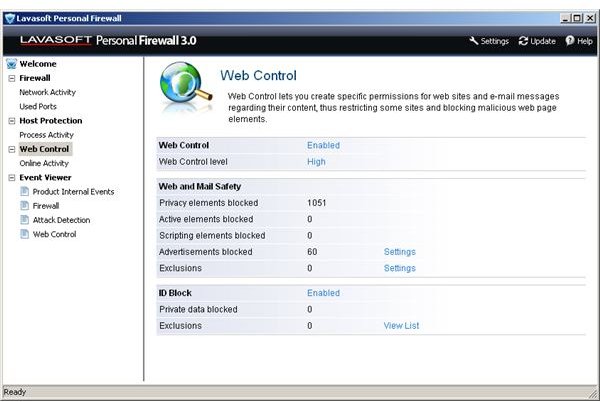
To set permissions for specific websites and pages, you can check the Web Control option. If you have third party antivirus or other protection software installed on your computer, you will find that the option is disabled. This is done to ensure compatibility with the existing software. This is a very nice feature that must be present in all protection software’s.
Conclusion (4 out of 5)
Overall, the Lavasoft Personal Firewall 3.0 application is quite good and looking at the features it provides, it is a must have application for any computer user. I will rate it 4 out of 5.
Images


Images Credit
Lavasoft Personal Firewall 3.0 Application Screenshots by Lavasoft


