Lavasoft has released new editions of Ad-Aware Anti-Malware by introducing new detection technology, tools and features. Find out if the new version is worth upgrading or using.
Overview
Lavasoft is a well-known security company providing free anti-spyware tool that will scan and remove known spyware. They continue to provide the free version each time they release a new and improved version of Ad-Aware. Earlier this month, the new Ad-Aware has been released and we’ll take a look if it’s worth using.
System Requirements, Editions and New Features of Ad-Aware 8.1 (5 out of 5)
The new Ad-Aware comes in three flavors again: Ad-Aware Free Anti-Malware, Ad-Aware Plus Internet Security and Ad-Aware Pro Internet Security. The Pro and Plus editions include antivirus protection. Network drive scan, game mode, toolbox, command line support and Ad-Watch Live! Expert is only available in Pro edition. Ad-Aware will run in Windows 2000 Pro, XP and Vista.
I’m surprised that Lavasoft has removed command line option in free edition of Ad-Aware. It’s important option that most administrators would love to have. This option is available in earlier edition of Ad-Aware Anniversary Edition .
New Features in Ad-Aware 8.1
- New Detection Technologies: The three editions is now using Genotype detection technology and Behavior-Based Heuristics Detection
- New Advanced Removal Tool: The new version features The Neutralizer to remove nasty malware (those malware that will try to restore itself after system reboot) and this feature is all editions of Ad-Aware.
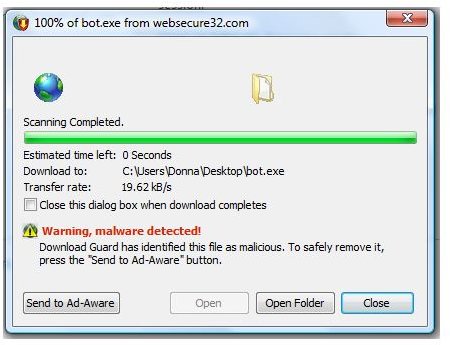
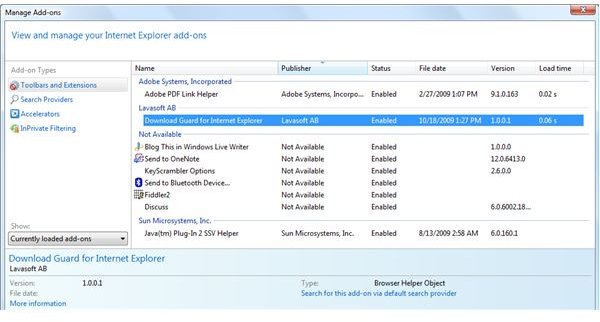
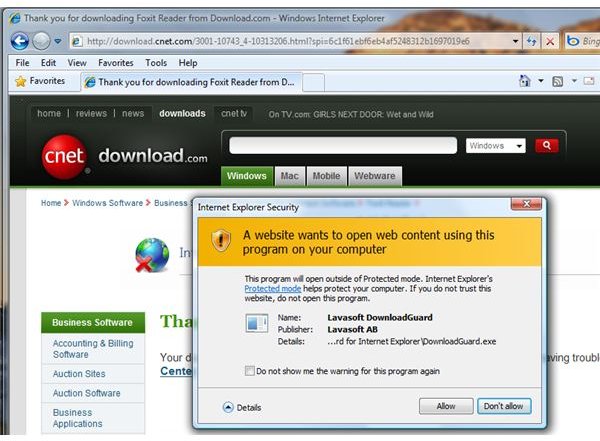
- New Protection: Download Guard for Internet Explorer is additional protection in Ad-Aware (all editions). This is a browser helper object only and not a toolbar.
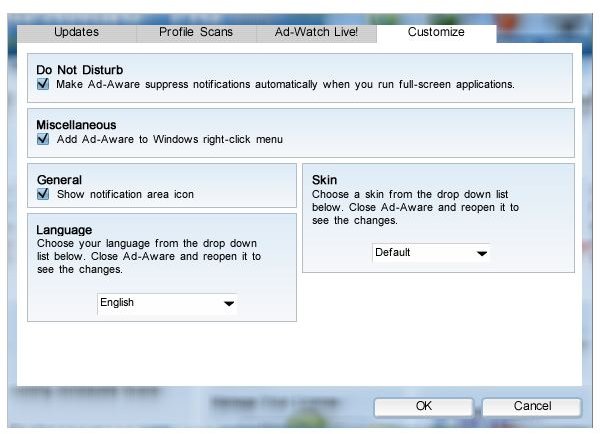
- Mode in using Ad-Aware: You can now decide which mode to use because there is now simple, advanced and do not disturb modes in using Ad-Aware Pro Internet Security. Do Not Disturb mode is for gamers.
- Consumer and Developer Plug-ins: All Ad-Aware customers can now customize the skin and language by creating your own. Developers are allowed to create plug-ins for Ad-Aware.
Protection (5 out of 5)
The Download Guard for Internet Explorer is similar to SmartScreen Filter in Internet Explorer 8. This Browser Helper Object of Ad-Aware is useful to people using earlier version of IE. I test the add-on by Ad-Aware by downloading a positive malware and it able to detect fast the file is not safe:
Ad-Aware Pro Internet Security includes anti-virus engine by Avira AntiVir and we know already the detection ability of AntiVir which has been tested by independent testing labs. I’ve put Ad-Aware to simple test by installing a backdoor Trojan. Ad-Aware did not only catch it in real-time but has removed the installed malware file. When I reboot the PC, Ad-Aware is able to detect the registry entries added by the said Trojan and I ended with a clean PC without using other tools to remove any remnants or active malware.
Installation and Performance (4 out of 5)
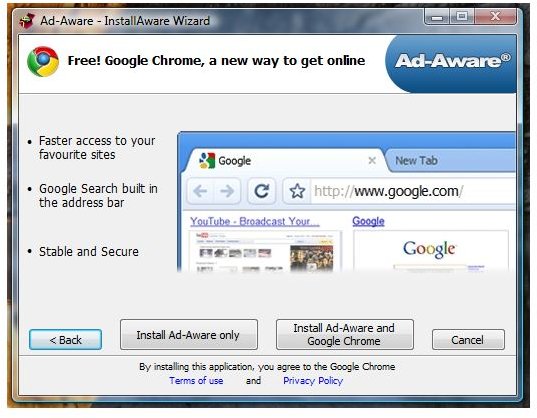
The version of Ad-Aware in this review is the Pro Internet Security edition. The installer is similar to its Anniversary edition that bundles Google Chrome browser, as optional install and not required in using Ad-Aware. The program will offer to restart the PC after installation but you need to ensure that internet connection is active because the Update Manager will connect to Lavasoft servers to download the program and definition updates before the PC will reboot.
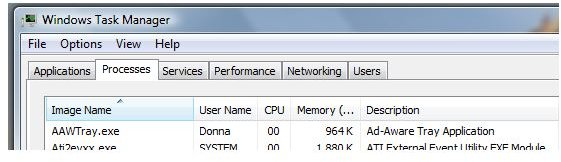
Ad-Aware tray icon and its service are using 28MB of memory while it is idle. The scan timing of Ad-Aware is fast: SmartScan has finished in 149 seconds. It finished a full system scan in 53 minutes (hard-drive is 320GB).
Two issues: I found Ad-Aware installation will often fail to run or load Ad-Watch Live! if the program is installed on a PC that have other anti-malware e.g. Windows Defender and Outpost Firewall Pro. This is because Ad-Aware service will not set to Automatic as startup. Disabling or removing these programs before installing Ad-Aware will not show the said issue. I suggest to check with the vendors the compatibility issues prior installing Ad-Aware Free or the paid editions and make sure to remove other antivirus program if you plan to use the Pro or Plus editions of Ad-Aware. Another issue is the Download Guard for Internet Explorer will fail to scan a downloaded file if
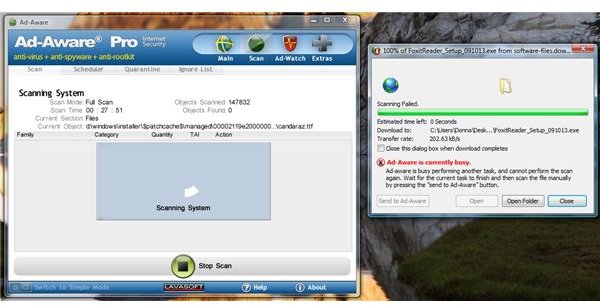
. It means, you can’t take advantage of its Download Guard if you are busy scanning the systembut you have the option to send it to Ad-Aware program for a manual scan.
Images
Price to Value (5 out of 5)
At $39.95, Ad-Aware Pro Internet Security is a good deal. If you own more than 1 PC, you will only add $10.00 to have Ad-Aware Pro on 3 PCs. Existing customers with active subscription can take advantage of free upgrade and if you want to try, 30 days fully functional is available.
Conclusion
I recommend using Ad-Aware Pro Internet Security if you want to take advantage of complete malware protection using both malware detection signatures (provided by Lavasoft and Avira). The options in using the new Ad-Aware Anti-Malware cater any type of end-users – from gamers, beginners and advanced-users. Thumbs-up to Lavasoft for providing new and improved version of Ad-Aware!


