Privatefirewall: A rule-based and behavioral firewall protection for Windows 7
Introduction
Privacyware’s Privatefirewall is rule-based firewall software that will monitor not only the incoming and outgoing connections made from/to your network and PCs but also, will monitor the processes and registry. Check below section for more information about Privatefirewall from security company that has been established since 1999.
System Requirements and Installation (5 out of 5)
It’s quite impressive to see software vendors who think security as essential by ensuring that their product will work with the latest available system. Privatefirewall is one of the software that will work in Windows 7, Vista and Windows XP. It also has support for 32-bit and 64-bit of these operating systems.
When I first install Privatefirewall, I thought I will have to go thru several steps (many clicking!) but I’m wrong. It only took 3 clicks to install the program! The installation is quick and it requires a system reboot before you can start protecting the system. It also reported its status in Windows Security Center and automatically disabled the built-in firewall (you don’t need much firewall software running at the same time!).
User Interface and Options (5 out of 5)
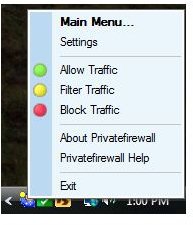
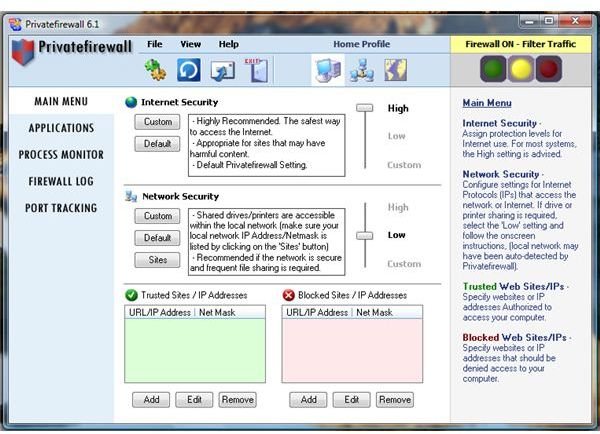
The UI of Privatefirewall is nothing to be scared of. It’s neat and the available options require no digging at all: from the UI or from its notification icon.
With Privatefirewall, you have many options but below are the important settings that I believe you would like to know:
-
Customized the level of internet and local network zone. The default level for internet zone is set to High which is important.
-
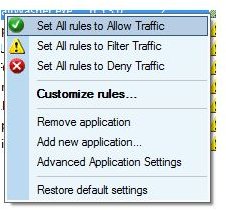
Add or Modify application and process rules – a firewall is not very effective if you do not have this option.
-
Add/Remove trusted and blocked sites – I wish though for an option that blocked sites/IP to be imported and exported.
-
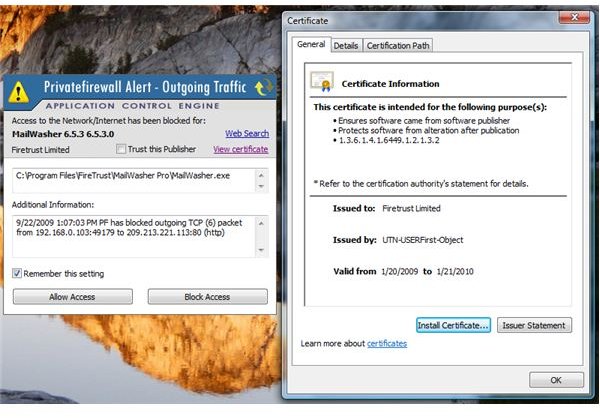
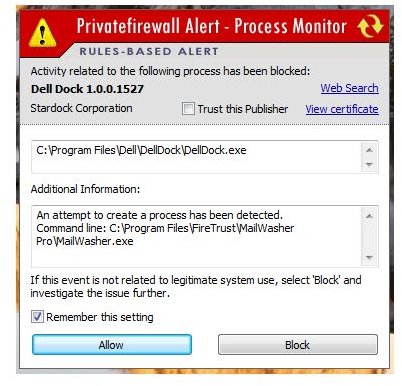
Allow or Block unwanted processes or network access – the program will alert you on any attempt to run a process or application by existing software or processes. Think about injection or malicious modification by some programs, Privatefirewall’s behavioral defense will help you to know who and which will attempt to run and modify anything on the system.
-
Advanced Log Reporting
-
Port Monitor
-
An interesting feature:
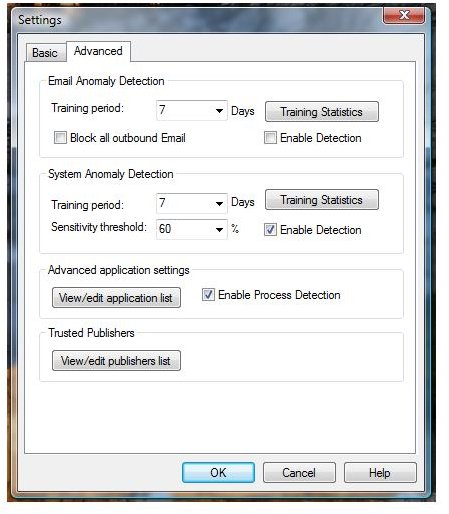
– think of malware who automatically send emails to your contacts. Privatefirewall will monitor e-mail activity and let you allow or block before anything is sent. Note that this feature is best to use with training period so e-mails you are sending and receiving will not trigger an alert.
Performance (4 out of 5)
17MB only is the memory usage by Privatefirewall which is considered acceptable. No slow-down during startup and there’s no conflict with other security tools e.g. anti-malware and anti-spyware real-time protection. Privatefirewall is not bloated because it does not include unnecessary components or modules.
The only issue I found with Privatefirewall is automatically added some legitimate applications and allowed some processes. This is not big deal because you can always start from scratch but it will be nice if there is an option whether Privatefirewall should automatically add running processes or before each application has firewall rules added. Another wish list is by offering the end-user (during installation) on what type of firewall policy to use: Standard or Manual Policy.
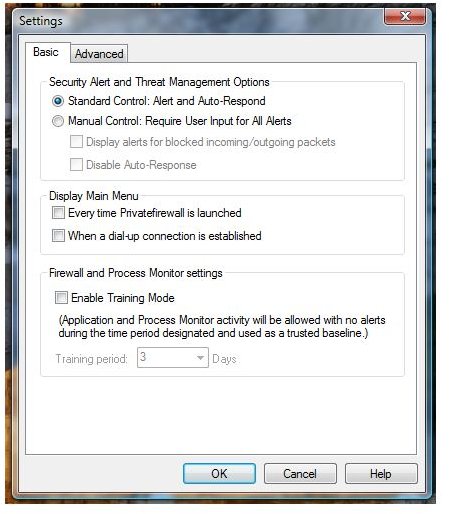
Note that Privatefirewall is by default using the standard control which means you are allowing it to automatically respond to alerts. This is useful to people who has less experience in managing firewall software or do not want deal with alerts. For people who want full control, the Manual control in the program is definitely the choice because you will be asked to allow or block any items that the firewall can monitor.
Effectiveness (5 out of 5)
Matousec’s Proactive Security Challenge on firewall software reports that Privatefirewall has passed some test and able to earn 88% score with 10+ level. The performance of Privatefirewall on their test obviously beat the popular firewall software by Symantec’s Norton, ZoneAlarm and many others. A quick test I’ve done is to use the popular Leak Tester software by GRC.com and to run the online port scanner. If you will set Privatefirewall to use Manual control, you will pass the leaktest. The program is able to
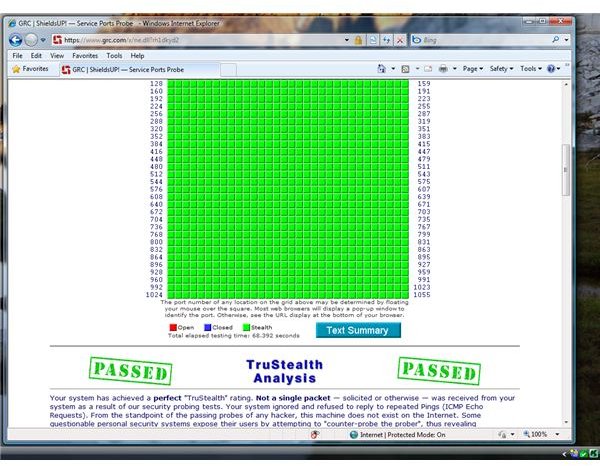
!
Images
Price to Value (5 out of 5)
Privatefirewall is completely free.
Conclusion
A behavioral and rule-based firewall protection for your Windows that is easy to manage? Privatefirewall has it. Highly recommended!