Ever wonder if what we type in a browser, email, chat, password managers and other popular application is safe from keyloggers or snoopers? In this article, I’m reviewing a product called KeyScrambler Professional, anti-keylogging protection and put it into action using Anti-Keylogger Tester.
Do we need anti-keylogging protection?
While I’m writing this article, I have installed KeyScrambler Professional by QFX Software and what I’m seeing is KeyScrambler encrypts what I type so no keylogging software (also known as keyloggers) will intercept my keyboard’s input. What if I’m on the bank’s website or any website requiring important login credentials? What if I’m entering my credit card details in any website? What if a website try to snoop on me? What if a new malicious trojan with keylogging abilities sneaked-in? Will KeyScrambler be able to protect my information? These questions can only be answered by putting KeyScrambler into action and hopefully after trying KeyScrambler, we will see the importance and advantage of anti-keylogging protection. Note that KeyScrambler does not offers keylogger detection and will not remove keyloggers that you may have installed - instead, it simply scrambles your keystrokes so that they cannot be captured or intercepted.
Installation (5 out of 5)
I choose to download and install the KeyScrambler Professional because it covers more application than its free edition, KeyScrambler Personal. The installer of KeyScrambler Pro is 1.09 MB only and the installation process is quite easy. There’s no other method of installating the program other than the default. KeyScrambler prompted me to restart the computer and when the desktop is loaded after the restart, the KeyScrambler registration window is display. A connection is required to verify the registration details.
A KeyScrambler icon have been added in the notification area (also known as systray) and the status is “active” because one of the covered program, Internet Explorer was opened by KeyScrambler Professional to show the program’s documentation. When I closed Internet Explorer, the status icon changed to yellow.
Usage, Features and Options (5 out of 5)
I did not have to read the manual or documentation to start using the program. I find it’s easy to use! I do not have to configure any application that KeyScrambler Professional will cover because the program will automatically detect if you’ve opened a program that it can protect. Firing up any of the covered program automatically changes the protection mode of KeyScrambler from “Inactive” to “Active”.
KeyScrambler Pro simply sits in the notification area of Windows XP or Vista and you’ll see it in action when the covered program is opened or while you are typing anything! It do not require huge amount of memory to keep the protection active. It will turn the KeyScrambler icon to

- if no covered applications are running or not minimized,

– if any of the covered programs is in use or open and

– if you disabled the KeyScrambler protection.
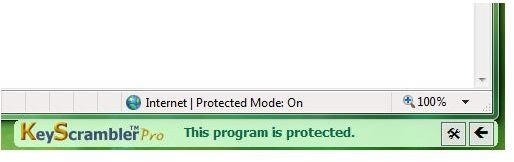
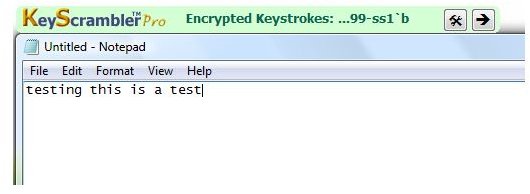
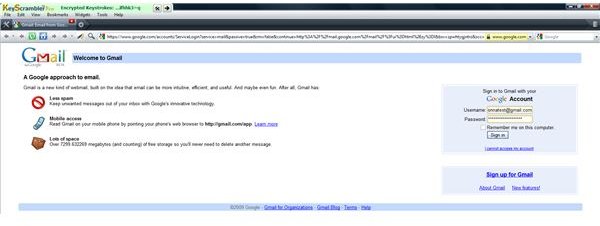
While typing, the KeyScrambler will display the KeyScrambler menu or it’s User Interface (UI). The UI is not obtrusive because it is positioned outside the program’s window and you can position the KeyScrambler’s UI at the left or right and below the program’s windows. You can do that by clicking the arrow (up, down, left, right) within the program’s UI.
Disabling or enabling the protection of KeyScrambler is simply done by right-clicking the icon or simply press Control + Shift + K on your keyboard. You can opt to load KeyScrambler at Windows start-up and to automatically check for updates. You can also change how you want KeyScrambler to open the UI - expand, fade, roll, or slide.
The only issue I found with KeyScrambler is it does not have self-protection. I tried ending the KeyScrambler process (keyscrambler.exe) using Task Manager, it was successful but the protection is still active because the UI in the covered programs continue to appear. The problem is when you run another covered program; it is no longer protected by KeyScrambler. However and for the record, even popular malware scanner’s self-protection can be defeated by some nasty malware so I will let QFX Software pass on this area. And before I forget, I talked to Qian Wang of QFX Software about self-protection. They are aware of it but decided to not to take away from users the ability to control KeyScrambler. He has a point! When a PC is infected anyway, even the self-protection of popular antivirus can be shutdown so there’s no point in self-protecting an application if the PC will still become infected. The real-time protection and detection of malware scanners should do its work by detecting before any file or action is done to the system or hard-drive.
Protection in Action and Protected Programs (5 out of 5)
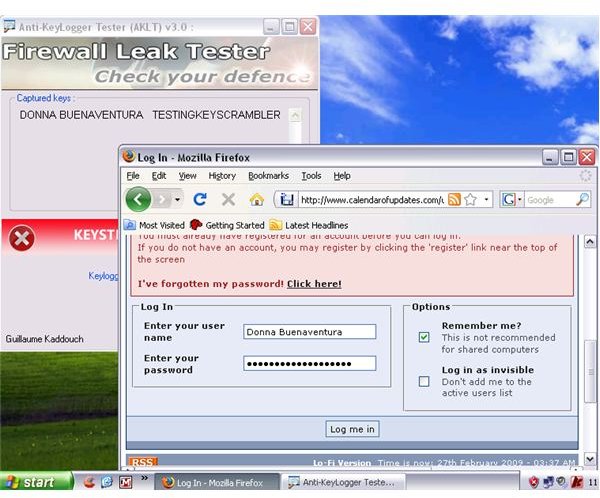
Many users want to see anti-keylogging protection in action and like those users, I want to see it too! So I download the free Anti-Keylogger Tester by firewallleaktester.com and as you can see at the left image, without KeyScrambler or if I turned off the protection by KeyScrambler Pro, everything I type have been intercepted. Imagine a malicious and even commercial keyloggers can do to you and your credentials if we do not have anti-keylogging protection!
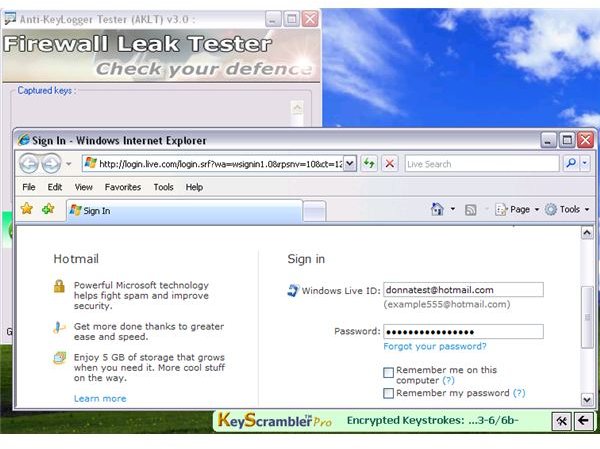
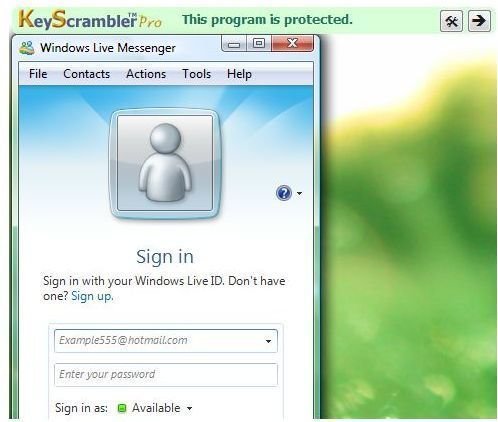
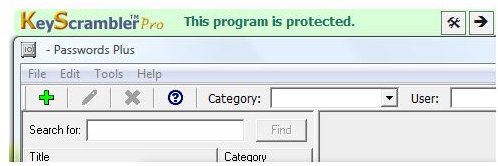
I enabled the protection of KeyScrambler Pro and as you can see in the image at the right, there is no captured keystroke. I tried using Internet Explorer, Opera, Firefox, Password Plus by Dataviz.com, Windows Live Messenger and I get the same result while running the test using the Anti-Keylogger. Simply put, KeyScrambler Pro will really protect all your inputs in IE, Firefox, and Flock, and nearly 80 other browsers and applications.
KeyScrambler requires no internet connection unless you let it check for updates and when it verified your registration information the first time. It does not communicate to the internet or it is not phoning home. It is simply doing its job by encrypting what we type on covered programs. Below are some of the covered programs by KeyScrambler Professional:
- Web Browsers
- E-mail Clients
- Instant Messengers/VoIP clients
- Password Managers
- Online Games
- Zip Programs
- Text Editors
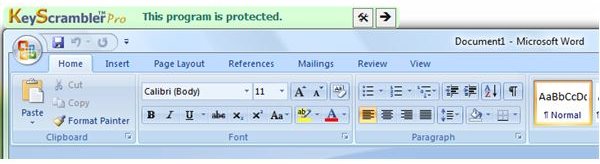
Some of the Covered Programs by KeyScrambler Professional
Price to Value (5 out of 5)
The edition on this review is KeyScrambler Professional with a price tag, $29.99. The price is affordable and acceptable as the covered programs is the widely-used applications (from browsers, e-mail clients, instant messengers, VoIP, online games, text editors, compression programs and even the popular password managers).
QFX Software is also offering a free and Premium editions of KeyScrambler. The free edition will only protect few applications while Premium edition will protect over 100 programs, including business-oriented programs like accounting, tax, office, encryption, file managers and Windows Logon and UAC in Vista and I’m sure they are working on protecting also the UAC on the upcoming Windows 7 that is currently in its beta stage!
KeyScrambler Professional and Premium edition include free 1 year of update and if you are existing Pro user, you can upgrade to Premium edition by paying $12.99 only.
Conclusion
Anti-malware and firewall protection programs are enough to protect us from known malware and intruders but those protections are not enough to protect our privacy and credentials against keyloggers. The tricks by bad guys attempting to steal information are becoming increasingly aggressive which means we need to be aggressive too! Remember that not all anti-malware program can catch every type of malicious software and then there are security vendors that will remove detection to known spyware who is maybe intercepting on what you type! If you frequent forums, you’ve seen post from users that their bank account information or e-mail accounts have been stolen or someone is now using their email address posing as the owner. Using KeyScrambler together with trustworthy anti-malware and firewall will add extra layer of protection against malicious and known keyloggers. KeyScrambler will scramble whatever you type so information that is sent online will not be stolen. No one can steal your credentials if you are using KeyScrambler.
More Reviews!
Would you like to read more reviews? Look around Bright Hub and you’ll find reviews of numerous other leading security solutions including Zemana AntiLogger , Norton Internet Security , Kaspersky Internet Security , ESET Smart Security , McAfee Total Protection , Blink Professional and ZoneAlarm Internet Security Suite .


