There’s no shortage of internet security software these days. The market is a competitive one. Panda Security which was founded by Mikel Urizarbarrena in 1990 in Bilbao, Spain. Panda’s latest offering is Internet Security 2008 - a solid, user-intuitive security suite with great configurability.
INTRODUCTION
With so many options for an internet security suite available, how does one choose the right package for their needs? Try them all of course! In keeping with that very spirit, I recently tested Panda Internet Security 2008. A nicely designed GUI and configuration options make this a great option for the home user or small business.
TEST MACHINE
The following specs are for the test machine I used for this review:
- Dell XPS 410
- Intel Core2 6600 (2.40GHz)
- 2.00GB RAM
- 250GB Hard Drive
- Microsoft Windows XP Media Center Edition (SP3)
- Browser: Mozilla Firefox v. 3.0.3
- Email: Google Gmail
INSTALLATION (4 out of 5)
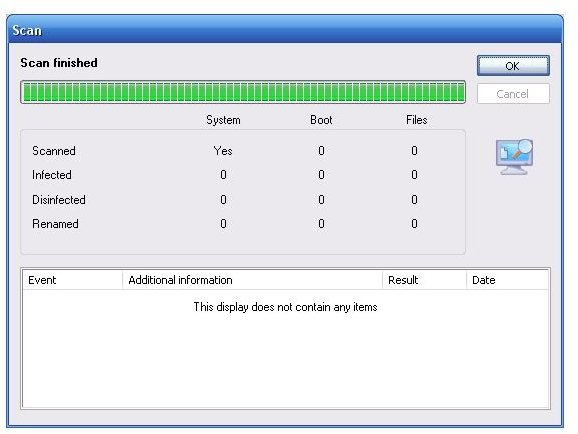
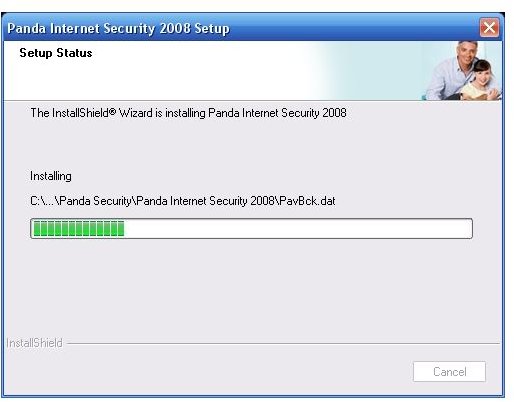
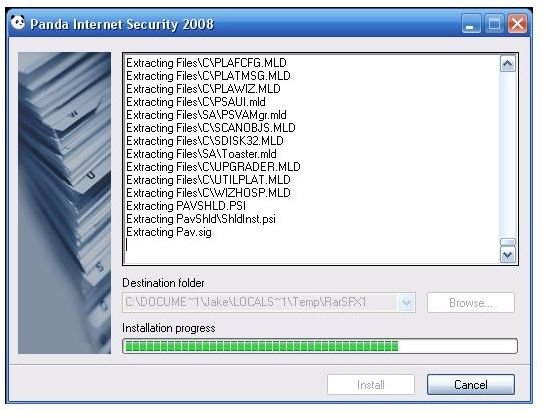
Installation was quick and easy. The installation file was a single executable just over 91MB in size. It first extracted a number of files and then began the software setup process. No user input was required during this process. The setup phase completed with an initial system scan (which seems typical of most internet security software these days) and a quick check for software updates. A reboot was then required and upon reaching the desktop post-reboot, the Panda IS 2008 main screen appeared.
USER INTERFACE (3 out of 5)
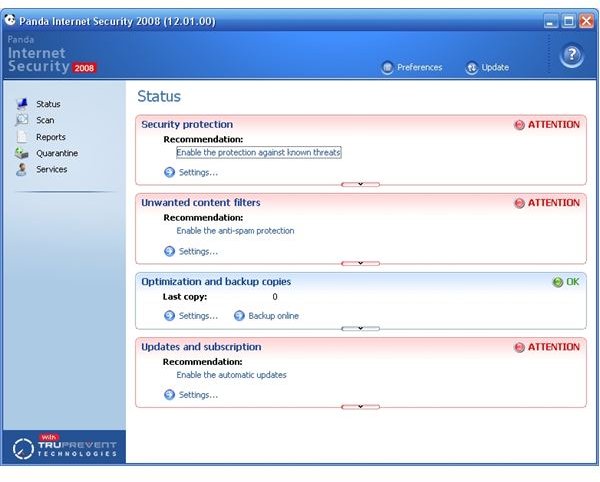
While not the flashiest I’ve seen, it gets the job done. After all, sometimes less is more. I would argue this point considering navigation is simple making settings and options very easy to find. As stated above, the Panda IS 2008 main screen was automatically displayed after reboot. There are five menu categories to choose from which are displayed in a frame on the left side of the main screen. These categories are as follows:
- Status
- Scan
- Reports
- Quarantine
- Services
The rest of the main screen real estate displays category details and additional settings and options for user configuration. Navigation between the different categories is snappy and responsive. Category sections include brief descriptions about what that section offers, making things easier to find for novice users that may not be familiar with internet security terms.
PRODUCT FEATURES (5 out of 5)
What follows is the feature set (i.e. category group) for Panda Internet Security 2008:
Status
- The Status category is split into four sub-categories: Security protection, Unwanted content filters, Optimization and backup copies, and Updates and subscription. Each is configurable and covers a different aspect of the malware detection and content filtering ability of the software.
Scan
- The Scan category gives you all of the typical scanning options to include email scans and scan scheduling.
Reports
- The Reports category allows you to view event reports that track updates as well as firewall and scan activities.
Quarantine
- Fairly self-explanatory, the Quarantine category lists the items that have been quarantined for cleaning/removal.
Services
- The Services category contains a downloads area, rescue disks tool, suggestion box, and various tech support options.
SPECIAL FEATURES
The main focus of Panda IS 2008 is malware protection, identity theft protection, and safe internet browsing. I believe they’ve met and exceeded this due to the useful configuration options listed in the Preferences General tab. In addition to the quick scan performance (a full system scan took just under one hour), the following options really sold me on the security strength of the product.
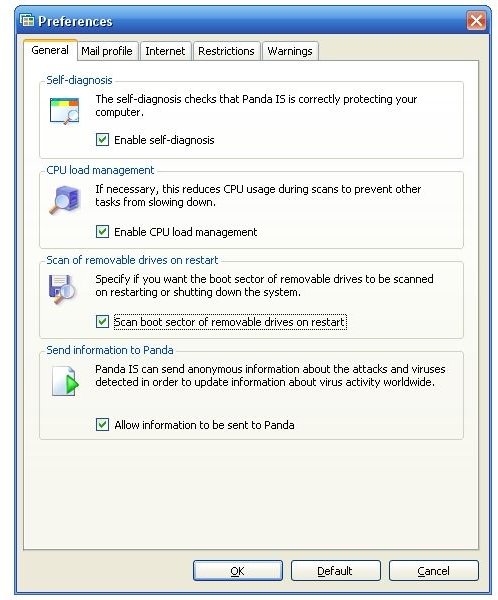
CPU Load Management
- This feature enables CPU usage to be reduced during scans to prevent slow-down of other tasks and options that may be running. I tested this option by running multiple browser windows, synching my iPhone via iTunes, and watching a handful of movie trailers in Quicktime with no noticeable slow-down in any of these applications. Impressive.
Scan of removable drives on restart
- This feature allows you to specify if you want the boot sector of removable drives (think USB flash drives) to be scanned on when your system is restarted or shut down. A very useful task if you use removable media on a regular basis for booting into an alternate OS environment such as Linux.
VIRUS ENCYCLOPEDIA (5 out of 5)
While many internet security software companies offer this feature, I have yet to see this feature as easily accessible as it is in Panda IS 2008. Simply click on the ? Help icon in the top right hand corner of the main screen and a drop down is displayed. The Virus Encyclopedia option will redirect you to this portion of the Panda Security website where a comprehensive encyclopedia of current viruses, malware, spyware, and any other type of malware you can imagine is catalogued. Each entry gives the following information, tabbed making it very user friendly and simple to find the information you’re looking for:
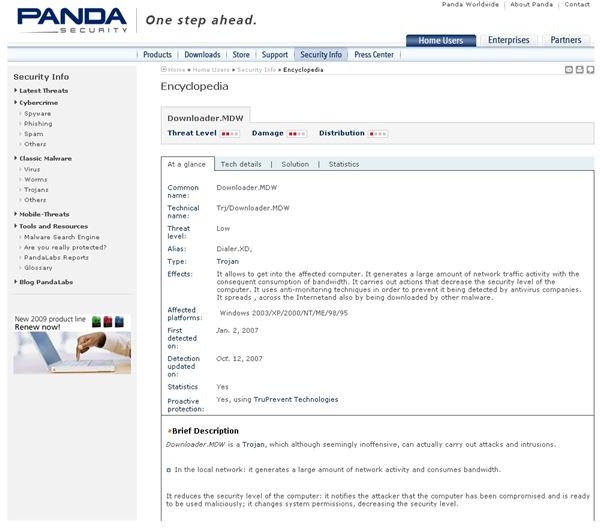
- At a glance
- Tech details
- Solution
- Statistics
This feature makes troubleshooting extensive infestation a much simpler task for advanced users and IT support professionals.
PRICE TO VALUE (4 out of 5)
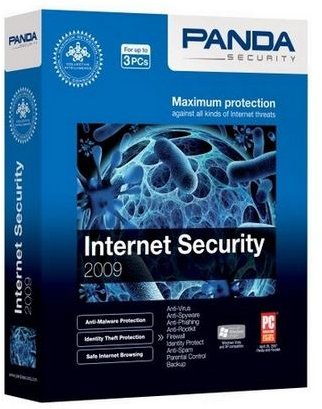
Panda Internet Security 2009 (I reviewed 2008) has just been released and is competitively priced at $79.95 for a 12 month license that can be used for 3 computers. There are other internet security suites that offer more “bells and whistles” but to tell you the truth, I’m not sure how much those additional features are used by the common home user or small business. Everything included with Panda Internet Security 2008 is useful and better yet works as advertised. In my opinion, a great value.

CONCLUSION
As I continue to produce product reviews on security software, I find little gems in each suite that stands out against the rest of the feature set. For Panda Internet Security 2008 those features are the CPU Load Management and Scan Removable Drives on Restart options. Both would be especially useful in the small business environment given the requirement of employees to multi-task and use removable media in their day to day activities. For a solid, user-intuitive security suite with great configurability check out Panda Internet Security.
More Reviews!
Would you like to read more reviews? Look around Bright Hub and you’ll find reviews of numerous other leading security solutions including Norton Internet Security , Kaspersky Internet Security , ESET Smart Security , McAfee Total Protection , Blink Professional and ZoneAlarm Internet Security Suite .


