Blink Personal Edition: Top-Notch Security At An Affordable Price
An Overview of Blink Personal Edition
Blink Personal Edition is an eEye Digital tool that provides integrated protection for home users. It can remove worms and other Malware, along with protecting from hackers taking control of the system. It can be controlled at the Blink Home Page that the user will be quite familiar with. The setup of the application is quick, and only needs a small amount of hard drive space for all of the functions it performs.
Installation (5 out of 5)
Installing Blink Personal Edition was hassle-free, and Blink can be quickly set up on a computer with the correct requirements. The software will prompt the user to choose the location they would like to install the software. It is usually to C:/Program Files/eEye Digital Security\Blink, however there was an option to choose another directory.
For a hassle-free installation the following system requirements are recommended by eEye Digital Security:
-–Intel Pentium II CPU (minimum)
-–64 MB RAM (or minimum required by XP or Vista)
-–Windows 2000 Professional, Windows XP, or Windows Vista
-–Windows 2000 Server, Windows Server 2003, Windows Server 2008
The software will also need at least 50 MB of hard drive disk space to complete installation.
During the installation process, it is possible to set an Administrator password to make changes to your preferences in Blink. After agreeing to the license agreement and privacy policy, a new window will open allowing an Administrator’s password to be typed in. Blink will then ask for the serial number for the software license. This is available from Blink’s online client portal on the www.eEye.com/clients Web site.
When Blink Personal Edition has gone through the initial installation and it is registered, the software will prompt the user to use auto-update to download the necessary software components or updates. A summary of all the components updated will be displayed at the end.
Blink Personal Edition can be used straight “out of the box,” or configured to obtain the maximum protection for your personal computer. Configuring Blink allows the user to specify what “install states” they would like to turn off or on. For example, “Firewall Protection” can be enabled, and “Intrusion Prevention” disabled.
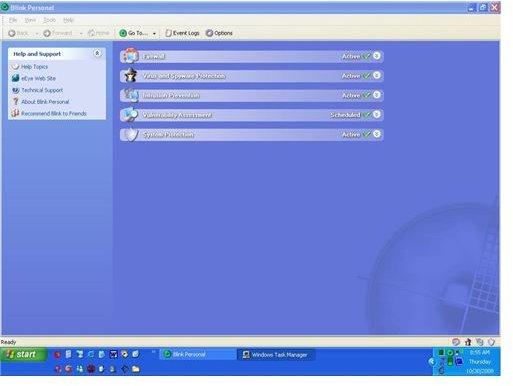
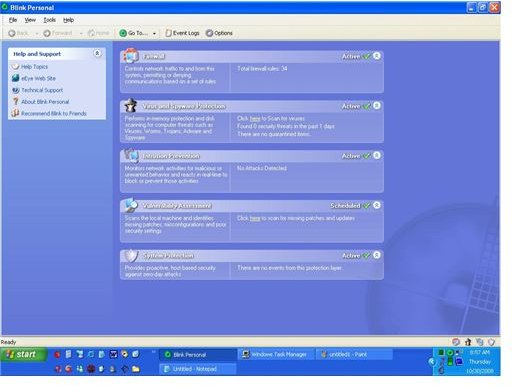
After Blink Personal Edition is installed, the user is transferred to the Blink home page.
Screenshots
How It Protects (5 out of 5)
After Blink Personal Edition is installed, there should be no problem in using this software application. It has a simple home page that lets the user select any of the following categories:
~Firewall
~Virus and Spyware Protection
~Intrusion Prevention
~Vulnerability Assessment
~System Protection
The software works to provide protection to the three main areas on the computer system that protects files when they are run, any registry entries, and the application itself.
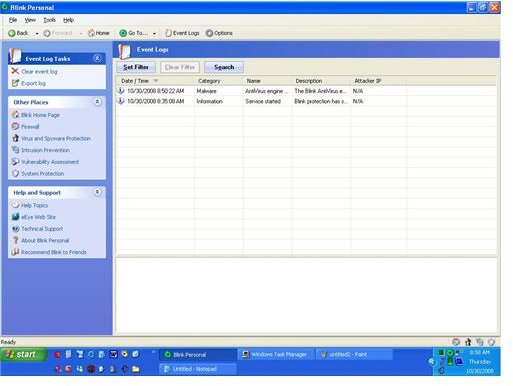
It is a fully integrated system that allows the home user to scan for vulnerable areas, or viruses and Spyware. A report is then generated to view the status of the scan.
Value For Money (5 out of 5)
Blink Personal Edition is available as a free trial for one year if in the United States or Canada, or for thirty days outside of these locations. It can be purchased on a paid subscription at $25 for one computer or $35 for three computers. This is quite affordable compared to the majority of the other security software available.
Purchasing a license allows the user to install Blink on at least three different computers. In regards to the type of protection it offers, Blink Personal Edition will allow the user to receive their value as it integrates a firewall, anti-virus, anti-spyware, and intrusion prevention in the same “box.”
Overall Recommendation
While Blink may not be as well-known as products such as Norton Internet Security or McAfee Internet Security, don’t let that put you off. And don’t let its low cost put you off either. This is an extremely well designed product which, despite its bargain basement pricing, provides absolutely top notch protection. Highly recommended.