New Avira Premium Security Suite Product Review
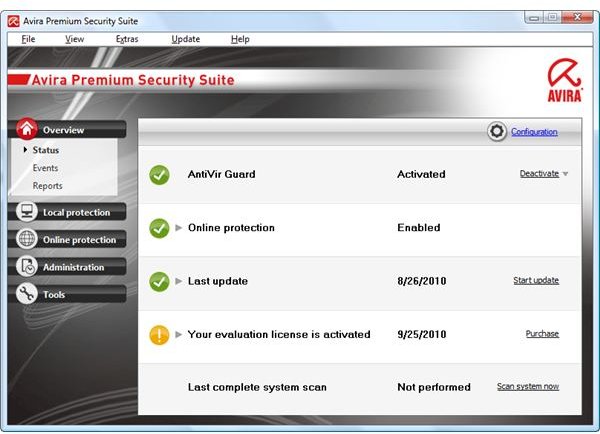
Full Protection by Avira
Avira Premium Security suite is Avira’s full protection software. It includes anti-virus, anti-spyware, anti-rootkit, anti-bot, anti-drive-by, anti-spam and anti-phishing. The program also provides firewall, e-mail guard and parental control. A simple back-up tool is integrated in Avira security suite. The newest technology in Avira Premium Security is AntiVir ProActiv and GenericRepair technologies. AntiVir ProActiv is the cloud-based protection and detection by Avira while GenericRepair technology provides smart and fast repair for detected malware. In this Avira Premium Security suite product review, we’ll check how it performs and if the features are doing what it has to do.
Installation and System Requirements (4 out of 5)
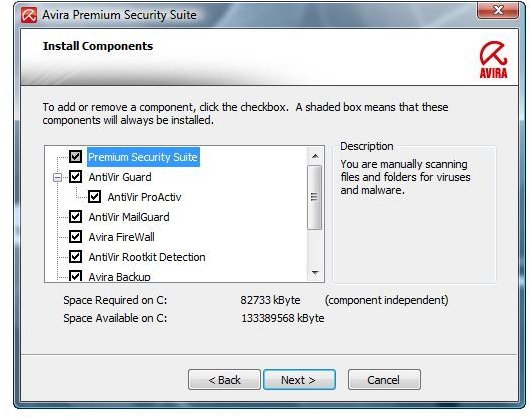
The security suite by Avira runs on 32-bit and 64-bit editions of Windows 7, Vista and XP. It will run also in the unsupported Windows 2000 operating system but until July 13, 2011 only. 64-bit users of Windows will not be able to enjoy AntiVir ProActiv due to kernel integration that 64-bit edition is known not to allow.
Installing Avira’s security suite is a quick process and a system reboot is required which is strange because other security suite software does not require a system restart to start protecting the computer. Even their standalone AntiVir 10 don’t require a system reboot. Nothing wrong in rebooting but with the technology nowadays and if others can start protecting the computer without a reboot after the install, there is no reason for Avira to not implement the same in its security suite software.
The total hard-disk space that Avira uses after the install is 125MB but it will also install Microsoft Visual C++ 2008 Redistributable v9.0.30729.4148 which is not a vulnerable version. Spyware Doctor, for example, installs a vulnerable version of Visual C++ Redistributable.
The program will add the following services and start-up item in Windows:
- Start-up item: AVGNT.EXE, the Antivirus system tray tool of Avira.
- Services: AVFWSVC.EXE, AVMAILC.EXE, SCHED.EXE, AVGUARD.EXE and AVWEBGRD.EXE. These are the services by Avira Firewall, AntiVir Mail Guard, Scheduler, AntiVir Guard and AntiVir WebGuard, respectively.
The good news is that there’s no add-on in the browser to guard web browsing but AntiVir WebGuard service will monitor any browser the user chooses. This means you don’t have to be a Firefox or Internet Explorer user only but with any web browser you will be protected while you surf the net.
When you install the security suite of Avira, you have the option to customize the install process by enabling secure start mode that will protect the computer before getting to the Windows logon. An optional quick system scan after the install is available and the program checks for updates before scanning.
Local Protection: AntiVir Guard and Scanner Module (5 out of 5)
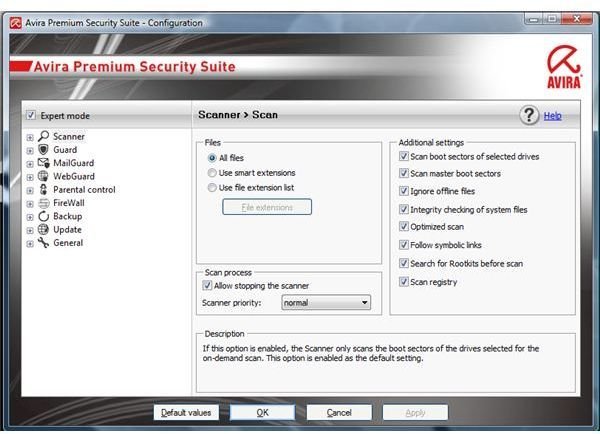
The local protections provided by Avira Premium Security suite are to scan and guard the activity in the computer in real-time. By default, AntiVir Guard and the scanner component will scan infectable files only. An option to allow both modules to scan and guard all files is available but only use the setting if you have plenty of RAM in the computer.
What is neat with AntiVir is that it does not only provide quick, full and custom scanner but context-menu and drag and drop file scan. How drag and drop file scan works is simply drop any file in the user interface of AntiVir and it will be scanned for malware or viruses.
Extra Tools in Avira Premium Security Suite: Backup, Boot Scan and Manual Update (5 out of 5)
Avira Premium Security suite includes a data backup, boot record scan and an option to install the program and definition updates manually, automatic and scheduled. AntiVir Backup lets you store important data in another partition or removable drive. The boot record scan will run on-demand or whenever you run a system drive or full scans.
Updating the program is not a problem because the servers that provide updates for paid customers are different from free AntiVir users.
Online Protection: MailGuard, WebGuard, Firewall and Parental Control by Avira (5 out of 5)
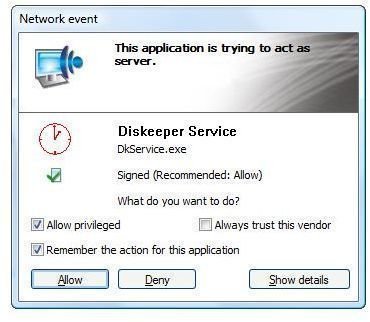
In this Avira Premium Security suite product review, I have enabled AntiVir WebGuard, MailGuard, Parental Control and Firewall protections. All of these are doing what it has to do. The firewall protection properly detects trusted vendor’s applications but continues to firewall other applications, signed or not signed software. Its neat alert (see image at the left) that will not confuse AntiVir customers for it displays if the application making the connection is a signed application. Note that any unsigned applications means you need to ensure that you are familiar with the program that is making a connection. It could be malware so don’t rush in allowing the connection if AntiVir firewall shows an alert. Some malware will use stolen or fake certificates so be careful in allowing anything that Avira Firewall does not trust yet. The alerts by the firewall are non-obtrusive and the connection is not allowed unless you make your selection.
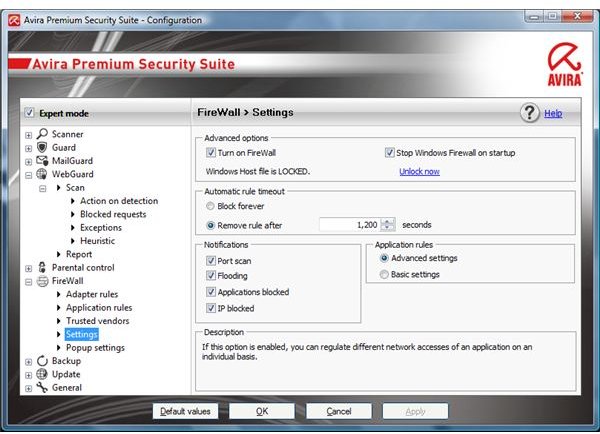
You can use AntiVir firewall to lock the hosts file in Windows that malware often hijacks to redirect or prevent you from visiting legitimate and trusted websites. There is an option to show blocked data from IP addresses, port scans, flooding and applications blocked.
The MailGuard or anti-spam in Avira did not detect all the spam I allow it to check, but it impressed me for not giving a false detection on good emails which means I did not lose important messages from my contacts or new emails that are not in my contact list.
Parents and guardians can take advantage of the parental control in Avira for it provides easy configuration. You have the option to block harmful or adult websites so the kids in the house are protected from such contents. You can also restrict the surfing time when the logged-in user is a child.
AntiVir WebGuard is impressive for it blocks unwanted, rogue and malicious websites. Any links you try visiting or click are checked for malicious content, including safe or unsafe downloads. It’s not perfect, but WebGuard catches a lot of rogue and malicious pages.
Malware Detection and Protection (4 out of 5)
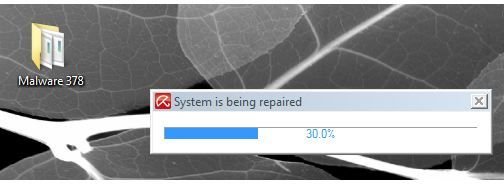
AntiVir Guard and WebGuard provide real-time protection for Windows. The new GenericRepair technology in Avira works great with AntiVir Guard and its scanner modules. A good example is when I transferred 378 malware samples to the system in which Avira is protecting for malicious file or activity, AntiVir Guard immediately caught 348 out of 378 samples. The GenericRepair technology in Avira quickly repairs the system from detected threats:
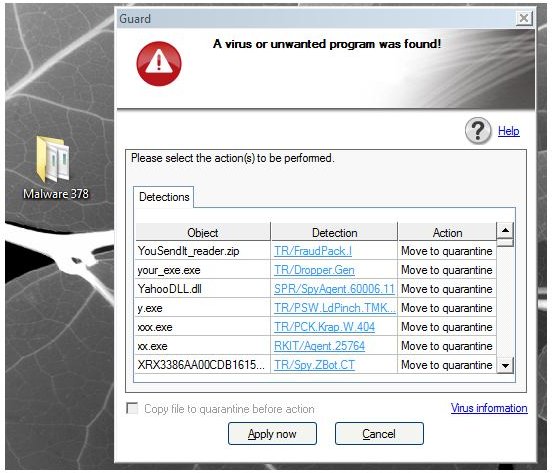
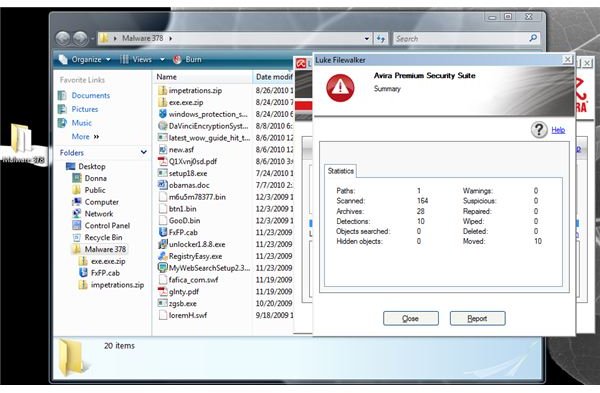
Note that I configured AntiVir Guard and scanner to use an interactive mode for any detection which means AntiVir will wait for my decision on how to handle the malware files that I’m testing. I allow AntiVir to run an on-demand scan on the remaining 30 malware in this test and it detected another 10 threats, leaving the computer at risk from 20 malware:
The WebGuard of AntiVir works fine. If it detects malicious content or websites, the page will not load but a warning message is displayed:
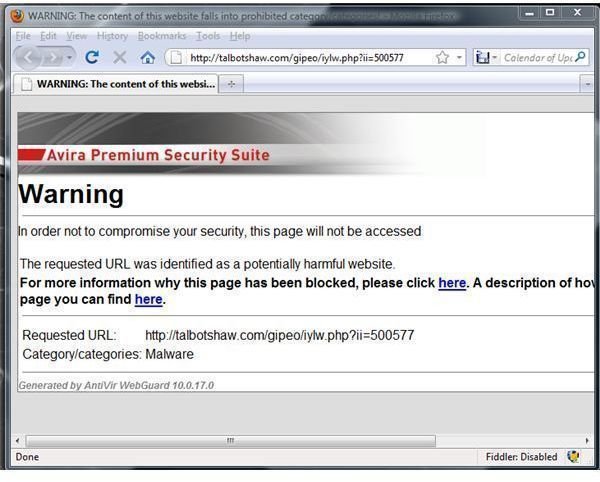
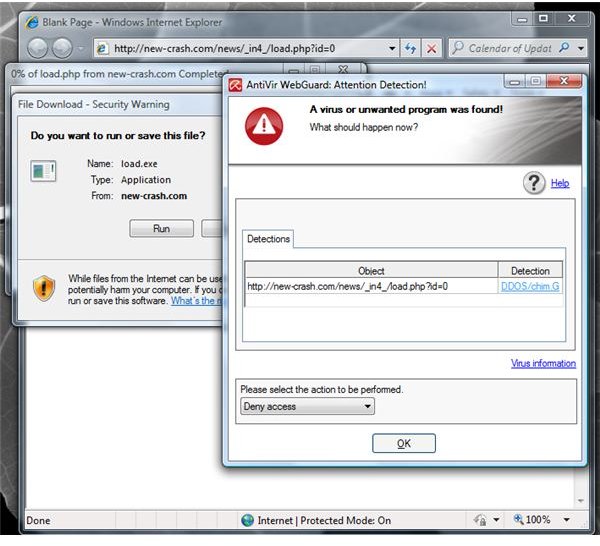
The above is page which a fake AV will be downloaded and below is an unsafe download, a rootkit trojan file:
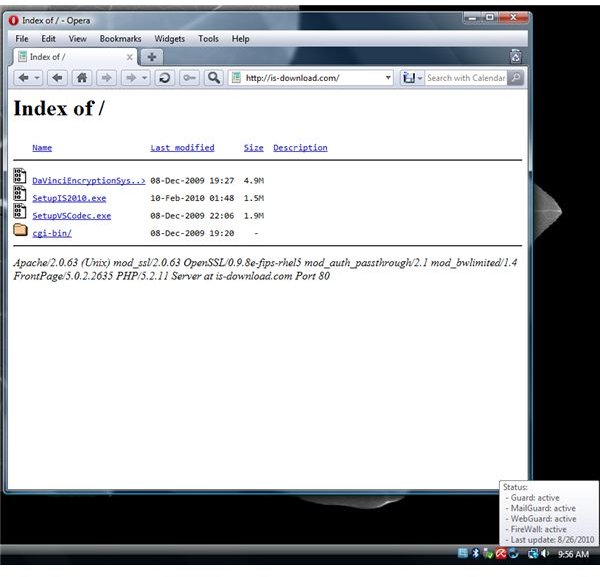
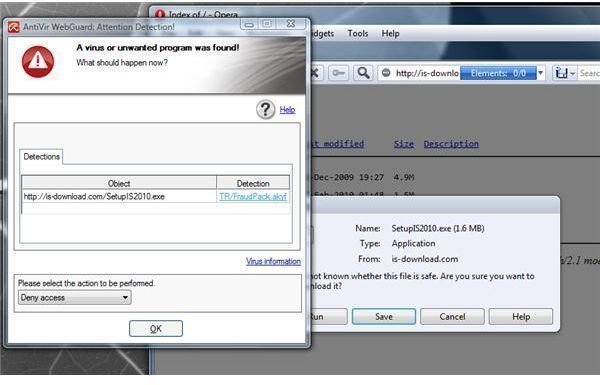
If a website is not flagged yet by AntiVir, the page will load but if the content or download is malicious, AntiVir Guard blocks it. An example is a website that distributes a rogue program like the fake AV scanner called Internet Security 2010:
Conclusion
Overall, the Avira Premium Security suite is an impressive security suite for Windows, offering up to 97% of protection with the help of its AntiVir Guard and WebGuard. Note that WebGuard is not included in the free edition of AntiVir Personal Edition. The only issue that I noticed is they could do better with the install process by eliminating the reboot requirement. Also, a better backup technology should be included and free online storage for Avira customers.
Image Credit: Screenshot taken by the author.