Installing Windows Update is crucial to the system; however, what to do when a windows update fails to install?
Majority of us who have computers at home download and install Windows update regularly. Why? This is to ensure that our computer has up-to-date files. Are we able to download Windows updates without any problem every time we download? No…sometimes windows update fails. What to do when windows update fails?
Locating the Windows Update Error Message
There are lots of solutions available to solve windows update failure; however, what is it that we need to as soon as windows update failed. One has to find the error that is associated with this windows update failure. How to do this?
1. Click Start > All Programs > Windows Update.
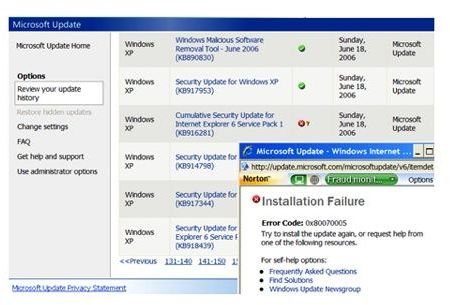
2. Click “Review your update history.” You can see a new window opening up. This will show you a list of programs along with their status, that is, updated or not updated. (Ref. Fig 1 - Review update history)
Image Source: digitallanding
3. Click the column that says “Status.” Find out which update was not installed successfully and click the red “X.” You can now find the error code.
4. With the help of this error code, appropriate actions can be taken to install the windows updates.
Solutions to Windows Update Failure
Various solutions one can take before reformatting the system are discussed here. Use these steps to solve the windows update failure issue.
Deleting temporary internet files:
1. Open Internet Explorer.
2. Click Tools > Internet Options
3. Click Delete under Browsing history
4. Choose “Delete All” and clear temporary internet files.
5. Try downloading and installing windows update now.
Enabling wups2.dll file:
1. Click Start > Run
2. Type cmd and press
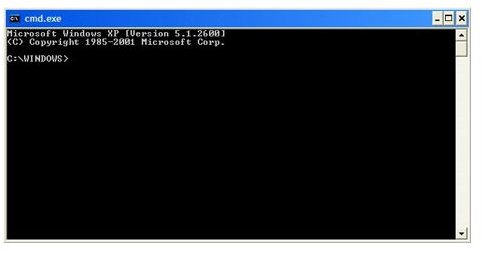
3. Command prompt window will now open up. (Ref. Fig 2 – Command Prompt)
Image Source: contech
4. Type
net stop wuauserv
5. Press
6. Type
regsvr32 %windir%\system32\wups2.dll and press
If you are using Windows XP Professional x64 edition, type
regsvr32 %windir%\system64\wups2.dll and press
7. You will receive verification messages. Click Ok.
8. Now, enable automatic updates services. To do so, type:
net start wuauserv
9. Type Exit and press
After performing the above steps, download and install Windows update agent. To do so, visit Microsoft website and download install Windows update agent .
For more information, visit the following links:
https://support.microsoft.com/ph/6527#tab0
https://support.microsoft.com/kb/906602
You should now be able to install windows updates without any problem.


