SUPERAntiSpyware Vs Malwarebytes Anti-Malware: Find out Which is the Best!
Updates and Upgrades: Winner – SUPERAntiSpyware
MBAM does not automatically check for program and definition updates whenever you start the program. You have to manually check for updates if you want MBAM to scan the system for threats. The free version of SAS let you check for program and definition updates and upgrade each time the product is started. You are also notified by SAS every number of days (default is 5 days) to check for definitions update (in case you turned off the PC for some days, SAS will remind you that it requires updating).
Installing program update of SAS does not require a system reboot but will automatically restart itself after the installation of new version or build has finished. MBAM free, as per some reports requires system restart. Note: I have not personally seen the free edition of MBAM to require a system restart after a program update. I have seen it to require a system restart when using the paid edition of MBAM.
Program update in SAS allows you to download and install it or you can do it later while MBAM will automatically download and install the upgrade to MBAM when checking for definitions. The method by MBAM has advantage: to ensure that you have the latest program build. However, not all people want to upgrade the program until they have seen what’s new or what has been fixed.
After upgrading to new build or version of SAS, you will receive an option to view what has changed or improved in the program. The same with definitions update, SAS will automatically display the added or updated definitions.
Both vendors of the program is serving manual download of detection signatures. You can download MBAM detection rules from here and here, for SAS.
Scanning Options and Extra Tools: Winner – SUPERAntiSpyware
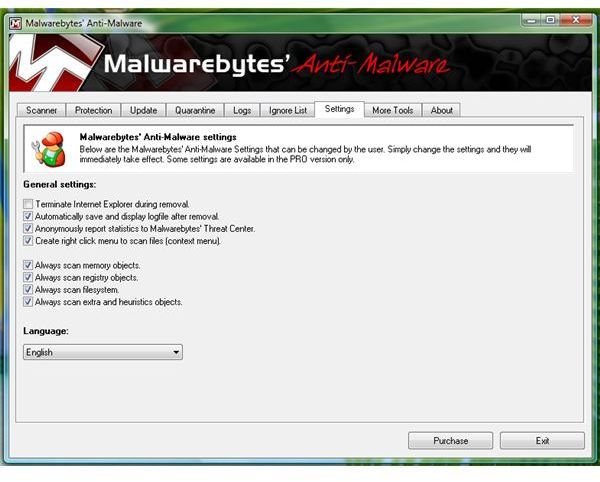
MBAM’s scanner can terminate IE during removal process, scan memory and registry objects, run a quick or full system scan, an option to scan all local hard-disk or selected drive/partition, the scanner offers extra and heuristic method of scan, manage quarantine items, ignore a detection by sending it to Ignore List, pause and stop the scanner and to send the scan result to its Threat Center for statistical purpose.
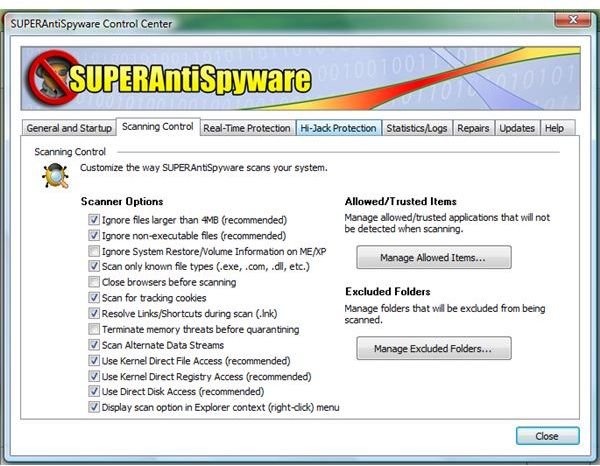
SAS scanner is more customizable than MBAM because it has all the options that MBAM scanner can do and the following: report false positive within the program after a scan, ignore files larger than 4MB during scan, ignore non-executable files, scan only known file types and tracking cookies, scan for ADS, resolve shortcut links during scan, customized scan by not scanning memory, registry, cookies etc while scanning a folder or partition, and option to exclude file or path to scan.
SAS is offering a lot of repair tools while MBAM is only offering one tool: FileASSASSIN. FileAssassin will delete files on reboot and available a standalone tool for users who do not have MBAM. The repair tools in SAS are quite useful if the malware has changed or removed system settings.
Performance: Winner – Malwarebytes’ Anti-Malware
MBAM’s quick scanner is faster than SAS. It will finish the quick scan in less than 4 minutes and it able to scan more files than SAS. A total file scanned by MBAM’s quick scanner is 84,910 while SAS finished scanning in 15 minutes and only scanned 17,022 files.
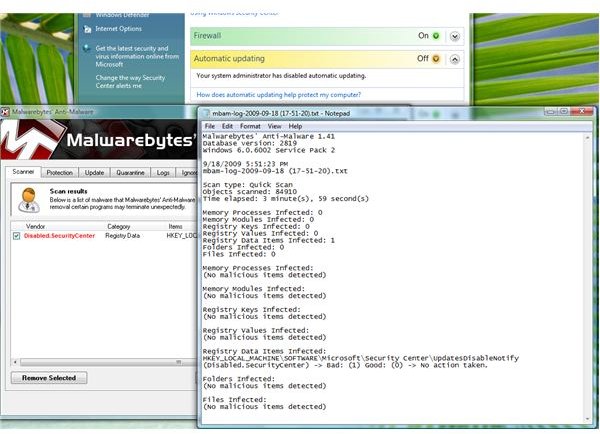
SAS full system scan lasted by 13 minutes and the total file scanned is 28,203. It found no problem in the clean test system. MBAM discovered a security risk but not infection after running a full system scan in 27 minutes and the total file scanned is 178,169. The discovered risk by MBAM is not an infection because it’s only the Windows Security Center settings on my test system in which I have set to disabled:
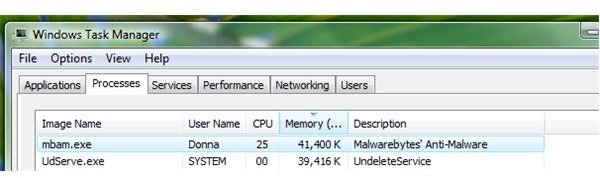
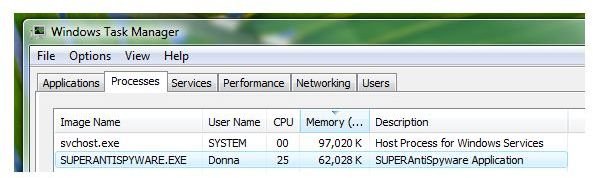
MBAM will use 40MB only of memory while scanning the system. SAS on the other hand is using 60MB of memory during a scan. If SAS is configured to load during Windows startup, the program is only using
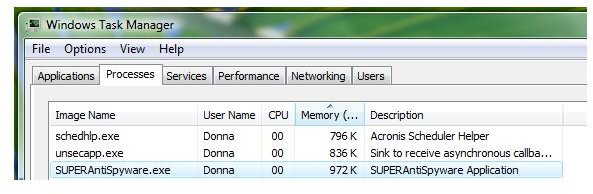
. That’s amazing low usage of memory.
Malware Detection: Winner – Malwarebytes’ Anti-Malware
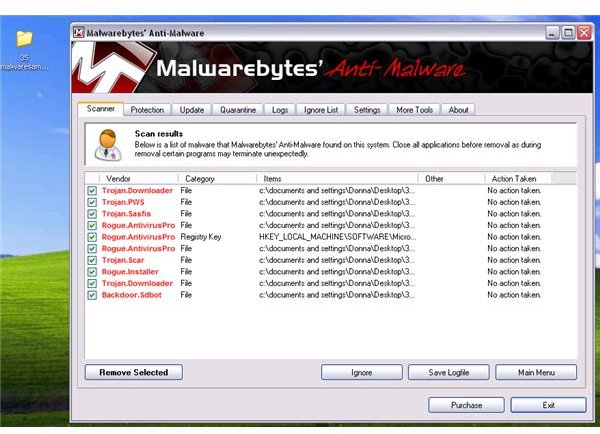
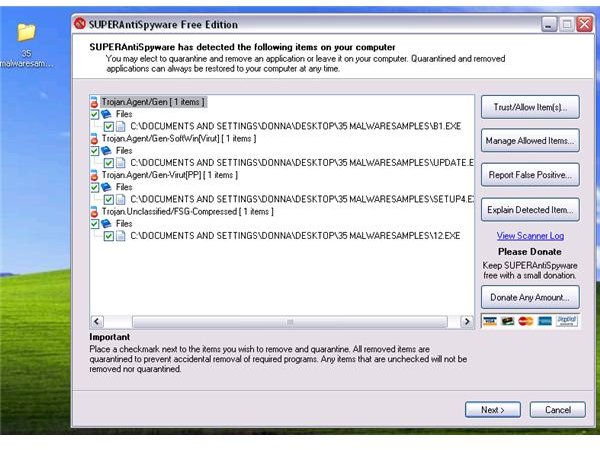
Because both freeware programs do not monitor the system in real-time for malware, I will only compare the total number of its detection against positive malware that is in the wild. Out of 35 malware samples, MBAM detected 9 malware samples and 1 registry object while SAS detected 4 only.
We’re all aware that there’s no single scanner that will detect all types of malware. But reviewing the detection result by MBAM shows its scanner is good in detecting malware in the registry that was added by the malware during download (note: none of the malware was executed).
Note that MBAM failed to detect 3 malware samples that SAS is able to detect while SAS failed to detect some malware that MBAM is able to.
Images
Conclusion
SUPERAntiSpyware has useful bells and whistles but the scan performance by Malwarebytes’ Anti-Malware is unbeatable! Installing SAS and MBAM is recommended because both programs can detect items that another could not. Free anti-malware that will help remove unwanted and malware… what else you can ask for?
This post is part of the series: Malwarebytes’ Anti-Malware Vs SUPERAntiSpyware
If you frequent discussion forums, you may notice that there are two popular freeware malware scanners and remover - MBAM and SAS. Let’s compare its features and performance.