In Windows 7 and Vista system files and folders are owned by the Trusted Installer. Not even members of the Administrators group can modify these objects or change permissions unless they first take ownership. Here’s how to take ownership and assign full control to the Administrators group.
In Windows 7 and Windows Vista system files and folders are owned by the Trusted Installer, which sometimes prevents you from making changes. Even the Administrator or members of the Administrator group cannot modify these objects or change permission unless they first take ownership. This tutorial will show you both, how to take and grant ownership of system files and folders to the Administrators group, as well as how to assign full control permissions to them. Sticking with best practice ownership will always be assigned to (the group of) Administrators.
For demonstration purposes the file Windows Balloon in C:\Windows\Media\Raga\ will be used as placeholder for any Windows 7 system file or Windows Vista system file. Along the same lines has C:\Windows\Media been chosen as dummy object for Windows 7 as well as Windows Vista system folders.
How to take Ownership of a File
Change ownership of a file or executable to Administrators as follows:
1. Right-click the file and select Properties
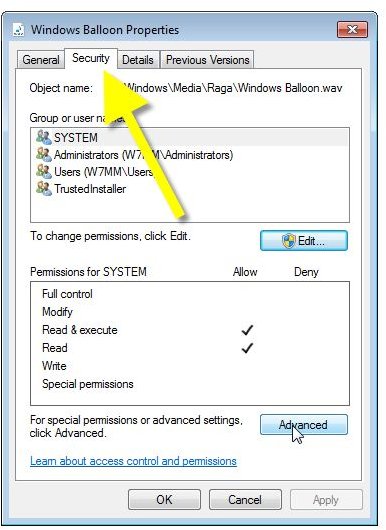
2. Switch to the Security tab
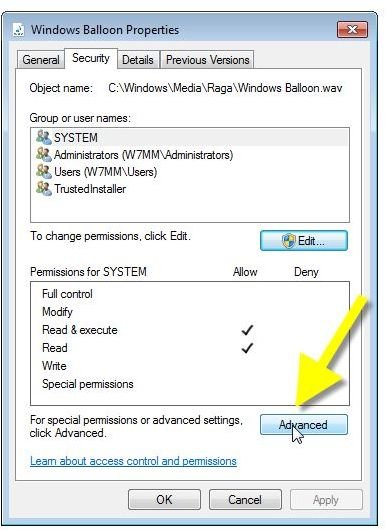
3. Click Advanced
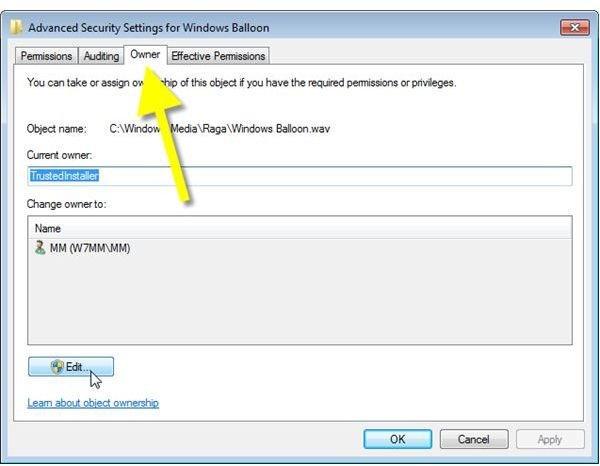
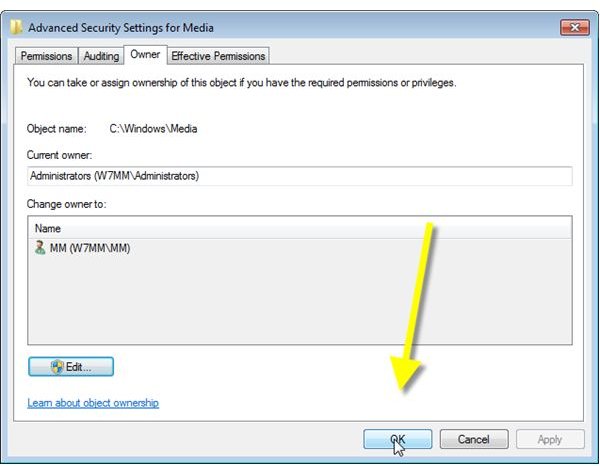
4. Switch to the Owner tab
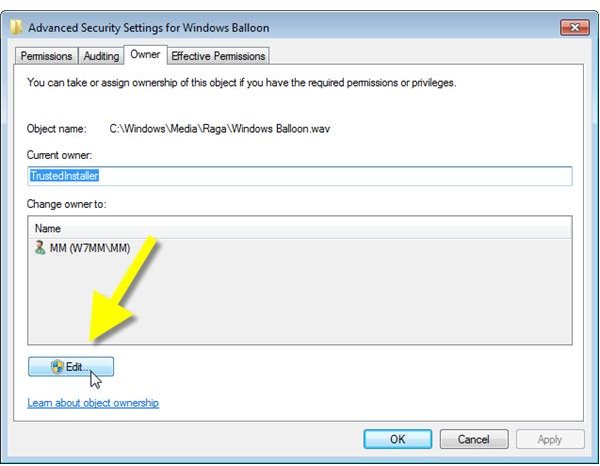
5. Click Edit
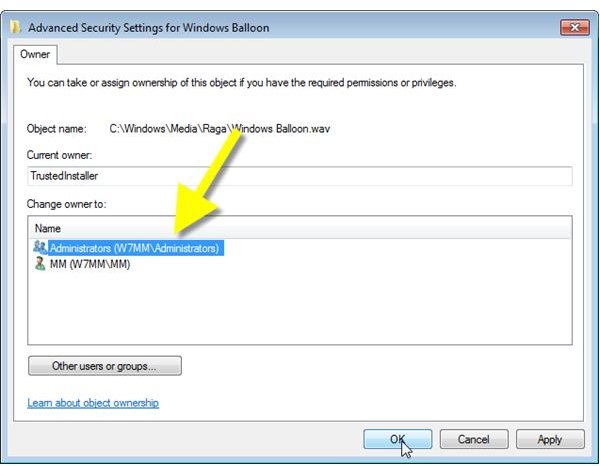
6. Select Administrators
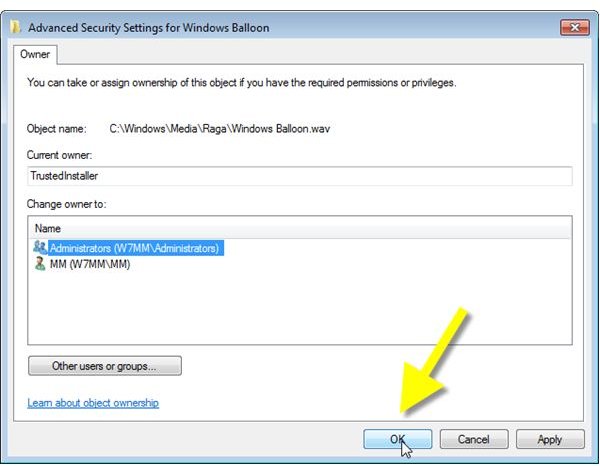
7. Click OK
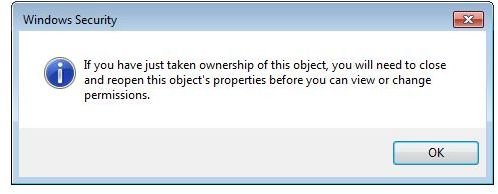
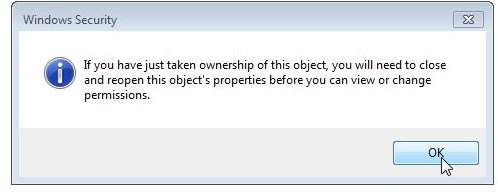
8. Click OK to close the Windows Security information popup message
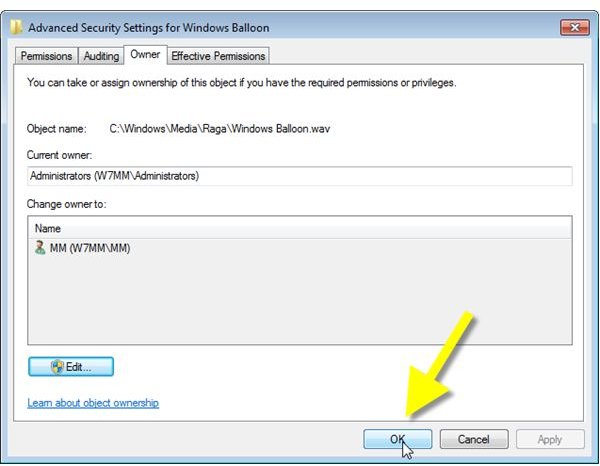
9. Click OK
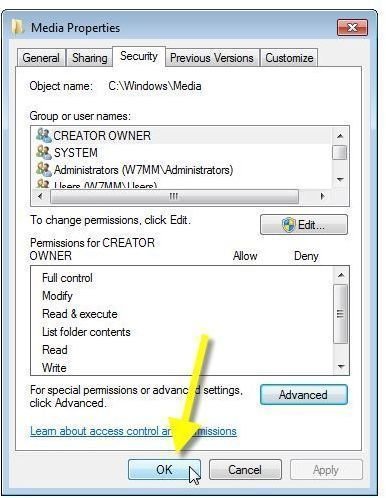
10. Click OK to close Properties
These steps are depicted below.
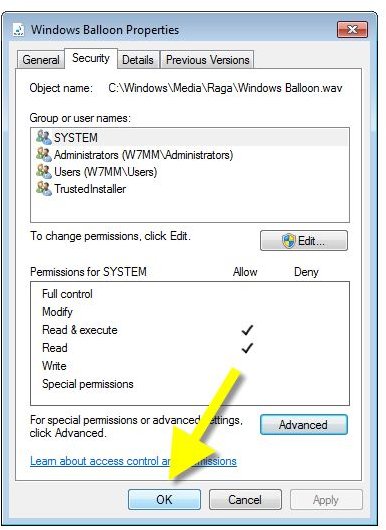
Takeown Command
If, for some reasons, you cannot take ownership by this method then try running the takeown command from the administrator command prompt. Right-click the command prompt item in the start menu, then click Run as administrator. Type takeown /? for the syntax of the command.
How to Grant Full Control Permissions for a File
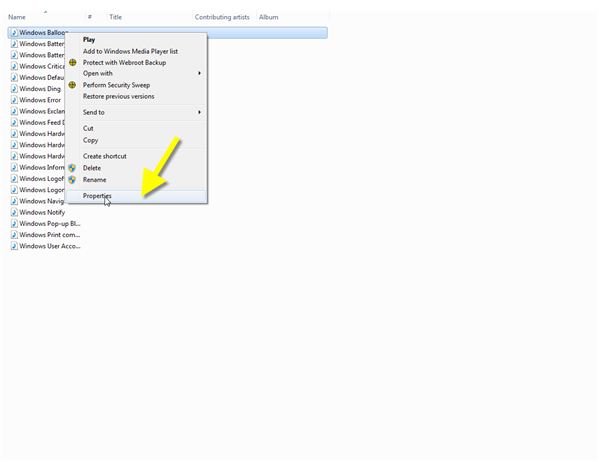
1. Right-click the file and select Properties
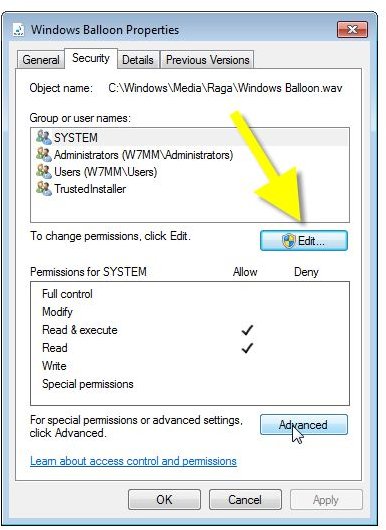
2. Switch to the Security tab
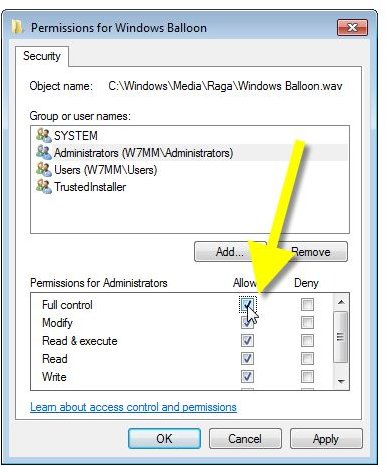
3. Click Edit
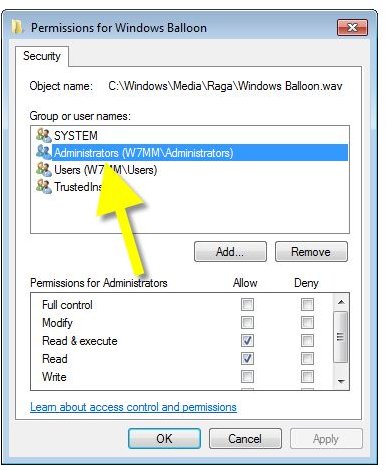
4. Select Administrators
5. In Permissions for Administrators click Full Control in the Allow column
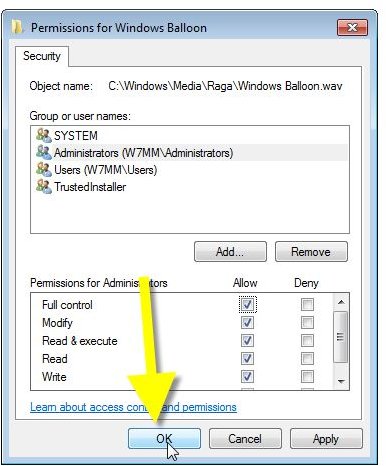
6. Click OK
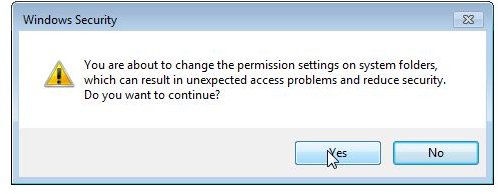
7. Click Yes to close the Windows Security warning message
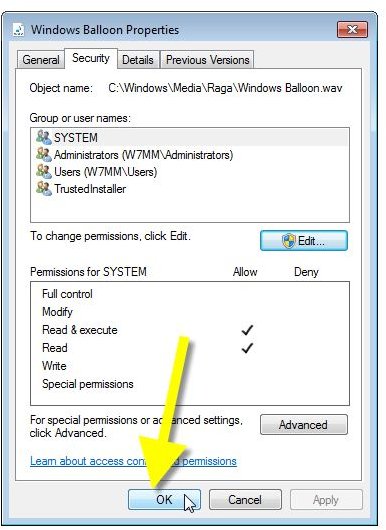
8. Click OK to close Properties
The steps are depicted below:
How to take Ownership of a Folder
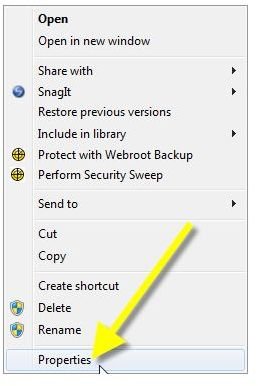
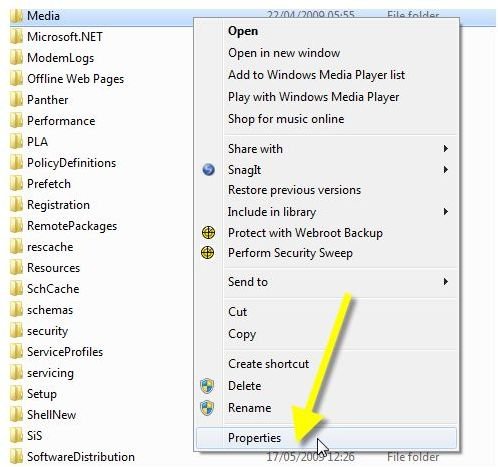
1. Right-click the folder and select Properties
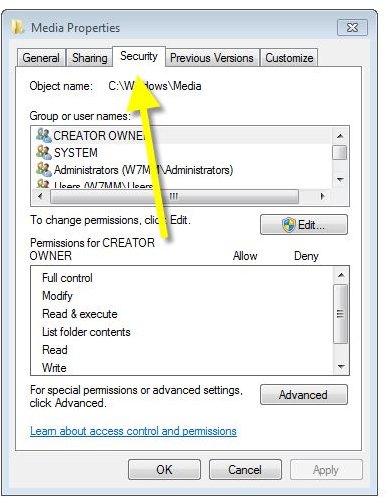
2. Switch to the Security tab
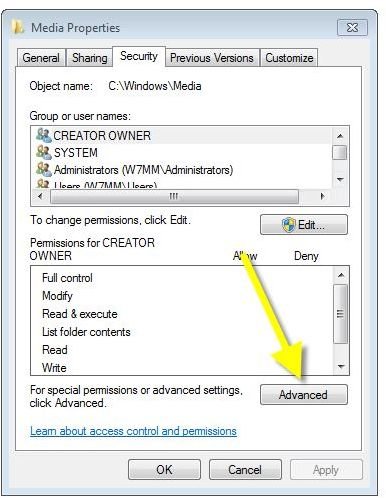
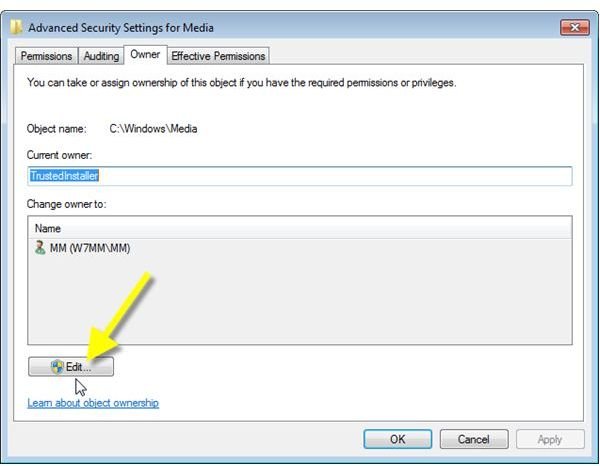
3. Click Advanced
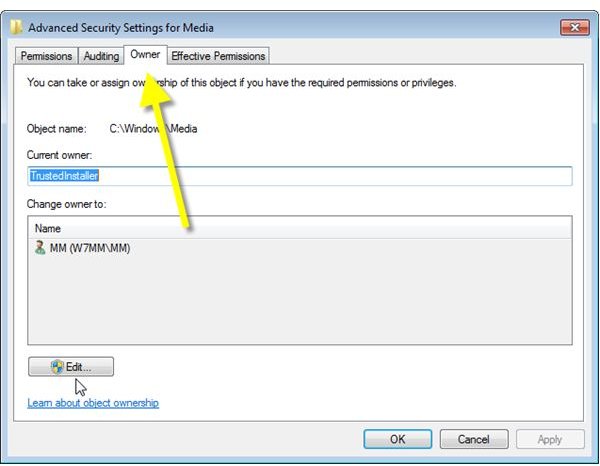
4. Switch to the Owner tab
5. Click Edit
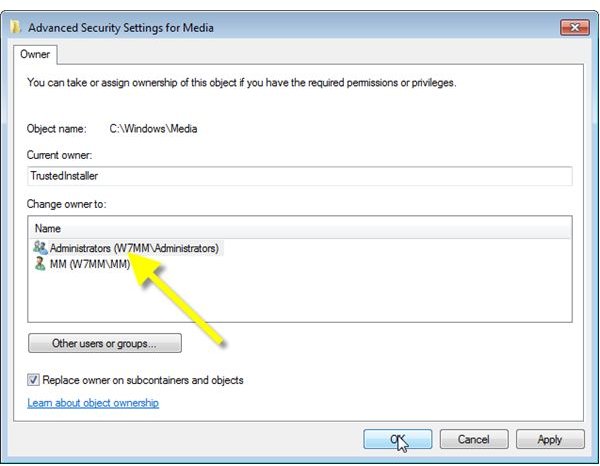
6. Select Administrator
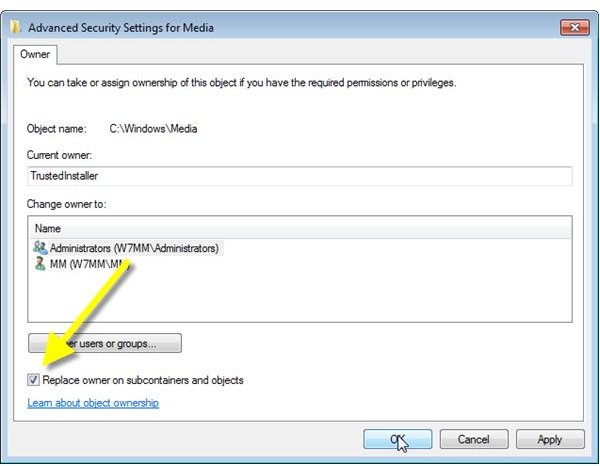
7. Tick Replace owner on subcontainers and objects
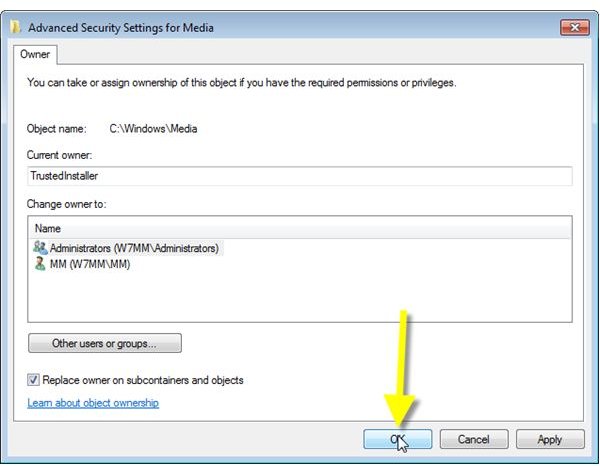
8. Click OK
9. Click OK to close the Windows Security information pop-up
10. Click OK
11. Click OK to close Properties
Please find the process depicted below (In rare cases this doesn’t work try the takeown command described above):
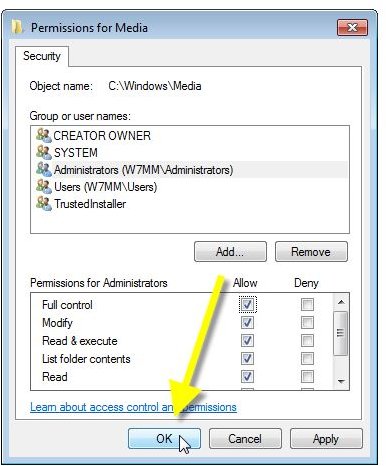
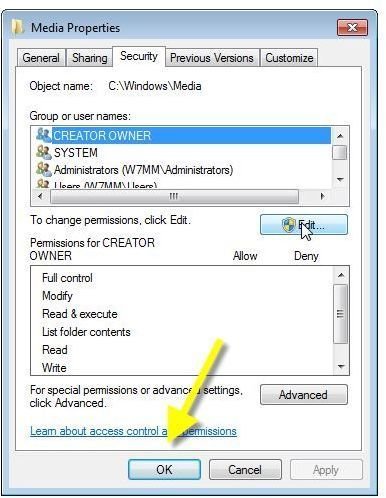
How to Grant Full Control Permissions for a Folder
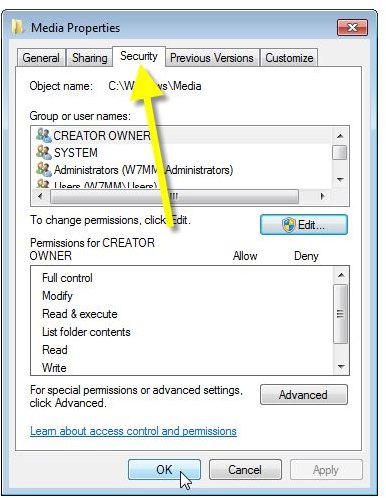
1. Right-click the folder and select Properties
2. Switch to the Security tab
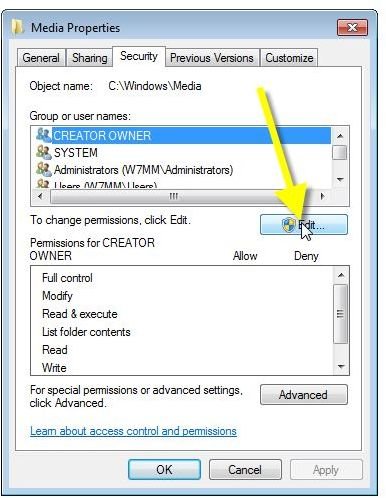
3. Click Edit
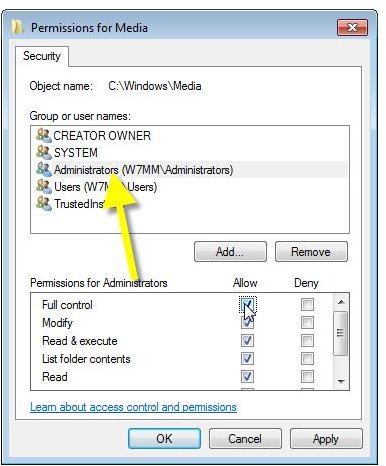
4. Select Administrators
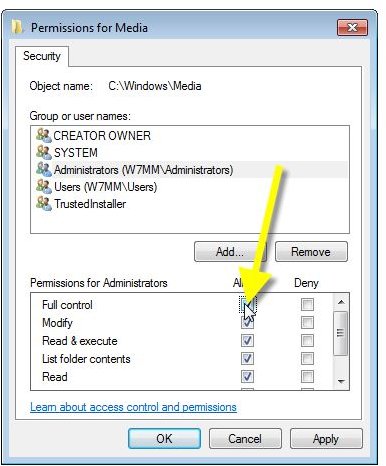
5. In Permissions for Administrators click Full Control in the Allow column
6. Click OK
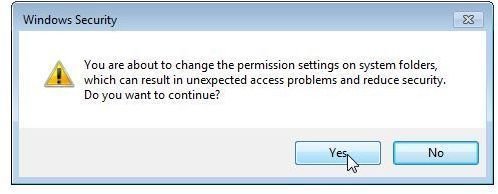
7. Click Yes to close the Windows Security warning message
8. Click OK to close Properties
The steps are depicted here:
References
- Author’s own experience
- Screenshots by the writer


