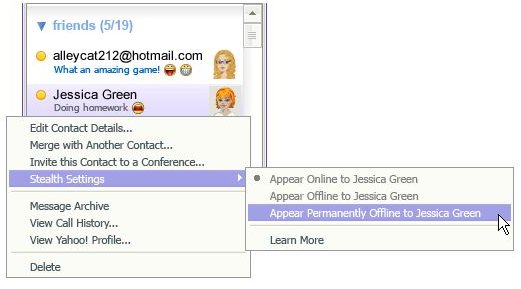
Unwanted messages or spam can be truly frustrating at times; no one wants to be irritated with uninvited guests. In this article, learn how to block instant messenger (IM) spam.
Sending/receiving instant messages or IMs is among the simplest methods of online communication, at par with e-mails. In fact, Instant Messaging tends to be a bit faster than communicating through e-mails and IMs aren’t saved in the usual manner of e-mails. There are various IM clients:
- Windows Live Messenger (formerly called MSN Messenger)
- AOL Instant Messenger
- Yahoo! Messenger
One similarity that e-mailing and instant messaging share is the problem of unwanted messages or spam. Unnecessary messages among IMs are called ‘spim’ and can be a source of viruses and could even breach your security. It is possible to block-out the problem of receiving unnecessary messages in each of them by following some simple instructions.
Blocking Unwanted IMs in Windows Live Messenger
There are basically two methods of accomplishing this:
- Refusing your name to be added in other people’s contact list
- Making sure that your receive messages only from those listed on your contact list
Ensuring that others can’t add you to their contact list:
- Go to the Tools menu > Click on Options
- Click on the Privacy tab
- Select (tick mark) the checkbox situated next to ‘Alert me when other users add me to their contact lists’
- Click OK
Selecting this option ensures that every time someone tries to add your name to his/her contact list, your permission is sought. You then have the option of selecting the checkbox against ‘Block this person from seeing when you are online and contacting you’ or giving your consent.
Ensuring that you receive messages only from those mentioned in your contact list:
- Go to the Tools menu > Click on Options
- Click on the Privacy tab
- Select ‘All others from My Allow List’
- Click on Block
Choosing this option translates into anyone who isn’t on your contact list being rendered unable to send you any messages.
Blocking unwanted IMs in AOL Messenger
- Click on the Buddy List tab
- Click on My AIM tab> Click on Edit Options
- Click on Edit Preferences
- Select the preferences (detailed below for blocking IMs) according to your choice
- Click OK
(List of Preferences)
- Allow only People on my Buddy List: Only the screen names that are mentioned in the Buddy List can send messages
- Allow only these users: You have to type-in names of the people whose messages you want to receive
- Block only these users: You have to type-in names of the people whose messages you don’t want to receive
- Block Internet Users: This preference will allow only AOL (using AOL’s software) to send you IMs
- Block All: You appear offline to everyone and every instant messages gets blocked
Blocking unwanted IMs in Yahoo Messenger
The simplest way is to ignore the contact from the Messenger List. Upon ignoring, you always appear offline and escape being messaged, your status can’t be viewed and you won’t receive any messages. A maximum of 100 names from the List can be ignored at a given time.
Ignoring a contact listed in the Yahoo! Messenger List_:_
_
- Click on Menu in Yahoo! Messenger
- Select the ‘Preferences’ tab
- Click on the ‘Ignore List’
- Select the option of ‘Ignore only the people below’
- Click on the ‘Add’ tab
- Type-in user ids (Yahoo) of the unwanted contacts
- Click on the ‘Ignore’ tab
- Click OK
Ignoring people who aren’t on your Yahoo! Messenger List:
- Click on Menu in Yahoo! Messenger
- Select the ‘Preferences’ tab
- Click on the ‘Ignore List’
- Select the option reading — ‘Ignore anyone who is not on my Messenger List’
- Click OK


