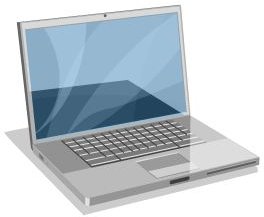
If you’re bored with the default icons that come with your MacBook, you can download fresh new macbook pro icons!
Replace Your Tired Desktop Icons!
Customizing your MacBook is a must if you have any interest in styling it to reflect your personality. As with backgrounds and desktop widgets, new MacBook Pro icons can be downloaded from the web.
These downloadable icons can be used to give your MacBook Pro an interesting new look or they can even be used by standard MacBook or other Mac users to get the best visual upgrades from Apple onto their computers.
Several online locations provide a selection of downloadable icons that can easily be setup on your Mac as alternatives to the default icons, and by using a very useful free tool, you can swap your existing Mac icons for new ones!
Sources for MacBook Pro Icons
If you’re looking for a great selection of new MacBook Pro icons, some of these links should help you out.
Over 50 free MacBook icon sets have been collected together and are available at Hongiat.com , and this is a huge selection that will take you some time to get through.
MacBook Family Icons can be downloaded from www.macupdate.com , while there is a great selection of “old-school” Mac icons available at www.d-point.org .
Another top section of icons is available at www.iconarchive.com where you will find MacBook icons for a range of different purposes.
Probably the best source of new icons available anywhere online can be found at www.deviantart.com . This is a fantastic selection comprising 745 icon sets which should keep most people more than occupied!
(Image from www.iconarchive.com )
Applying new MacBook Pro Icons with IconDroplet
If the above method doesn’t work for you, the free app for PPC and Intel Macs, IconDroplet, will let you switch icons on your Mac with the minimum of fuss. Visit www.macupdate.com/icondroplet to download your copy of this very useful app.

Once downloaded, unzip the IconDroplet program so it is added to the Dock, and then find the icons you have downloaded and drag them to IconDroplet. This will create a new image file on your desktop that you will come back to in a moment.
Next, find the MacBook Pro icon you want to change in Finder, right-click and choose Get Info. Copy the file that was saved to your desktop and go back to the Info screen for the icon you wish to replace. Finish the process by selecting the icon at the top with a single mouse click and paste your replacement icon into its place!
You don’t even have to do all this though, to be honest – with the latest version of IconDroplet, you can drag new icons onto your applications as they’re running, saving a lot of messing about with cut and paste!
(Image via author)


