
iTweaX is a System Preferences interface for hidden features burrowed deep into Mac OS X. In its most recent update, it’s now Snow Leopard compatible giving you the ability to tweak Mac OS X the way you want it to work for you.
Hidden System Preferences
Snow Leopard is no different from its previous versions. There are hidden preferences not directly available to you in the OS, but you can still manipulate them via Terminal codes, or with the help of third party apps. While most of our favorites, like Titanium Software’s Deeper , work just fine in 10.5, unfortunately (at this writing) Snow Leopard broke its usability and we are still waiting for updates of apps like this to come.
Luckily, the developers of iTweaX pulled out their freeware app to help us by providing a simple and friendly interface for us to play around with to tweak our way in our favorite new OS from Apple.
iTweaX reveals hidden preferences in Mac OS X allowing you to switch them on or off with simple clicks. This eliminates the need to use the Terminal to force Safari to be in single window mode, or to lock the dock to avoid having to accidentally remove icons - breaking your muscle memory.
Tweaking With iTweaX
iTweaX is one of those apps that were born out of the need to make things easier for the common user. This app comes free and is a small download that can make a big difference for you.
Once installed and launched iTweaX will ask for your system password to validate the changes you are making in the system. Of course system changes are somewhat risky, and you need to make sure that what you set in your OS is a change you’re familiar with.
Although it’s great that iTweaX also provides maintenance, cleaning, and restore tools, where it shines most is by its namesake: tweaks!
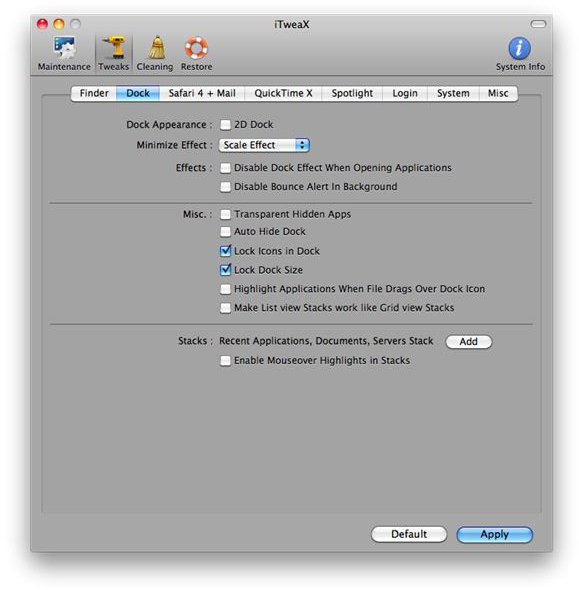
iTweaX supports the following apps available for all Mac OS X users:
- Finder
- Dock
- Safar 4 and Mail
- QuickTime X
- Spotlight
- Login
- System
- Misc
For Finder, you can set iTweaX to disable icon animations, enhance the finder by enabling the paths to show in the title bar, and you can hide or show elements in the system menu bar.
For the dock, you can set it to be 2D even though it’s in the bottom, use a secret dock minimization animation called the “Suck Effect”, you’ll be able to disable dock animations and lock icons and the dock’s size.
Safari 4 can be tweaked to be in single window mode, and you can limit the history kept by the browser. Mail can be set to force emails to be displayed as plain text, and you can even completely disable data detectors if you want to make it speedier.
iTweaX can make Quicktime X to auto play movies when opened and you can force the controller to show all the time instead of disappearing after sometime.
You can make further changes with this app, even with Spotlight, where you can opt to hide the Spotlight icon completely, and disable some Spotlight functions, like searching in the dictionary and the calculator function.
Tweaking Bliss, Plus Goodies!
It’s great that apps like iTweaX exist out there, most especially, it runs on the latest OS from Apple: Snow Leopard, making tweak junkies happy. Also, the app’s easy to check or uncheck interface makes things quick and simple to do.
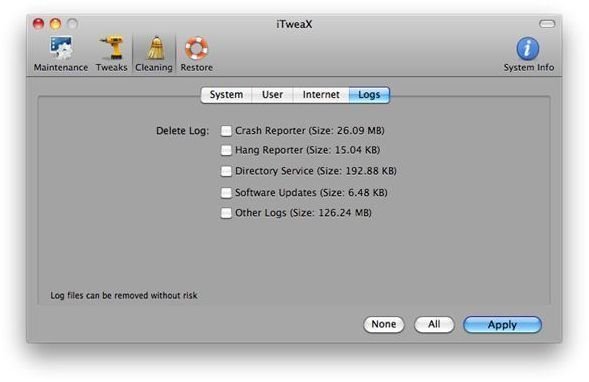
Surprisingly, it is also more than just an app that allows you to enable and disable hidden features in Mac OS X, it also provides a lot of maintenance tools for the obsessive-compulsive in all of us.
iTweaX is distributed free on it’s official website and you can use this very nifty app to make your Mac work just the way you want it.
Enjoy!


