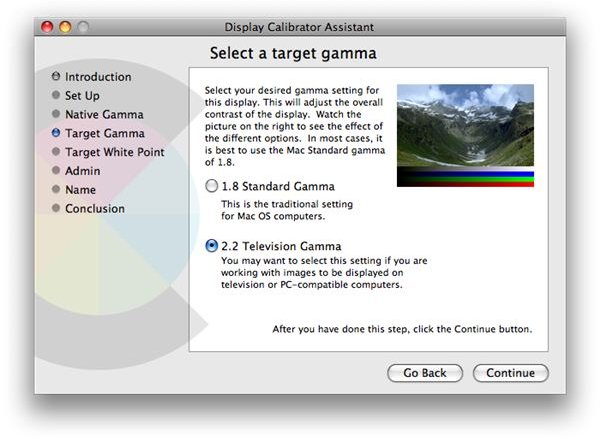
Mac OS X Leopard allows you to change the way colors are displayed on your screen. Generally there are two kinds of settings - the 1.8 Standard Gamma or 2.2 Television Gamma. Snow Leopard defaults to the 2.2 Television Gamma. So if you’re still on Leopard, here’s how to set it to 2.2.
What’s All This Gamma Talk?
Let’s keep it simple. 1.8 is the standard display set with all Macs using Leopard, 10.5. 2.2 Television Gamma is considered to be a better choice if you are particular about images and color if you are going to display it on TV, or PC-compatible computers, or if you want to mimic the gamma used by new Macs that ship with Snow Leopard.
Snow Leopard is set, by default to the 2.2 gamma.
But if you’re not on Snow Leopard yet, you can calibrate you display to be in 2.2 and see for yourself how images on your screen is deeply enhanced.
Some might ask why there is a need to do this. If you are particular with how the display renders images and color, or simply want a visually deeper and richer screen to look at, you may want to try out 2.2 and experience the vast difference between the two.
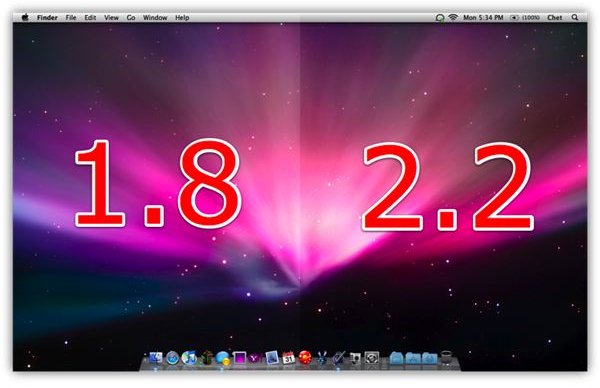
The image above shows you how the desktop appears at 1.8. This is not bad. But when you switch on 2.2, you’ll see that your display will show deeper blacks and richer colors - which is important when you are editing photos in iPhoto, or creating your movies with iMovie.
The 2.2 Television gamma allows you to experience a more sophisticated viewing and output from Mac OS X displays, giving you a deeper color range as opposed to the standard 1.8.
How To Set Gamma To 2.2 In Leopard
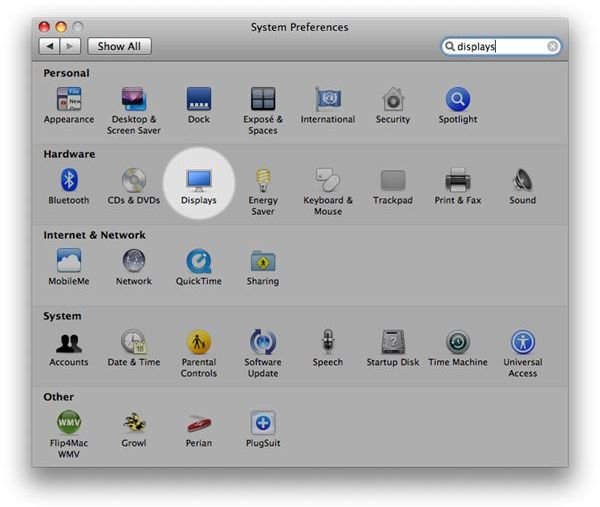
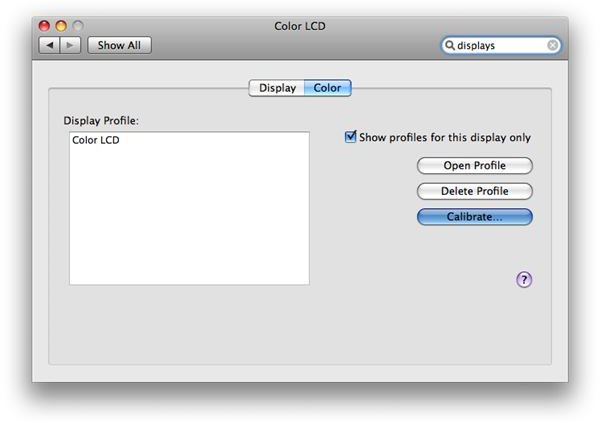
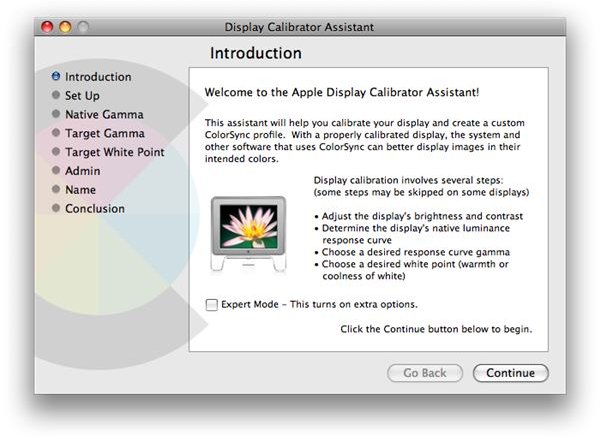
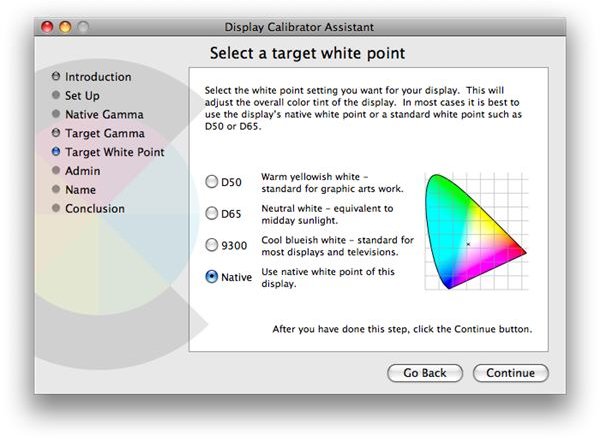
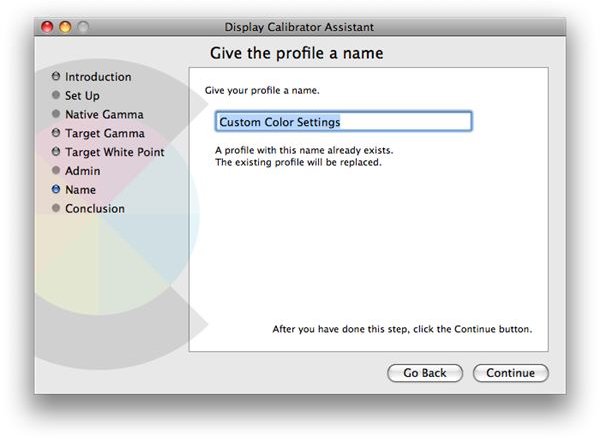
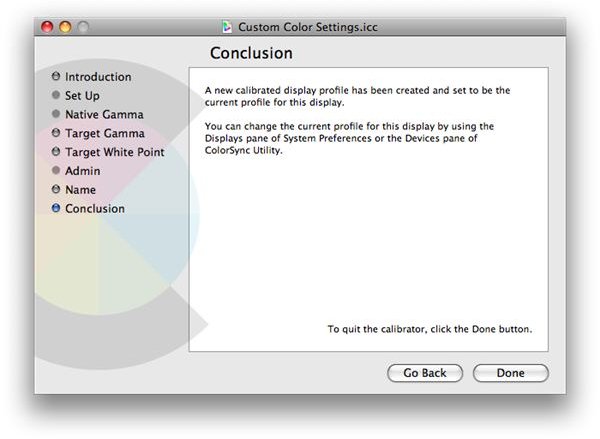
This is a fairly easy thing to do. Simply go to the System Preferences and select Display. Select the Color tab and press the Calibrate button, and a Calibrate Assistant screen will appear to guide you through the process.
You can follow the step by step screen shot instructional guide below to help you with the set up process. There are advanced features that you may enable, giving you more power on how the display is configured, but this is something you can leave to the veterans who like to commandeer every aspect of the color correction on your screen.
However, for an easier set up, you can follow the visual instructional guide below to keep the process simple and quick.
Visual Instructional Guide