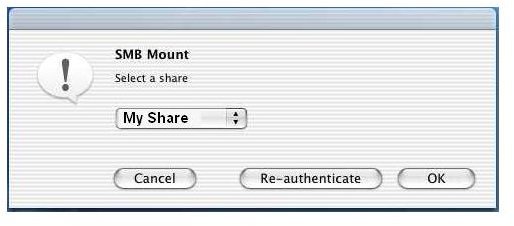
Sometimes you need to share your documents between your Mac and PC. The procedure for sharing the files between the two computers on a local area network is very easy, read on to find out how you can do this.
Set Up a Windows Share
You can share any Windows folder with Mac over a LAN. Let us see an example how you can share a user’s My Documents folder in Windows. The procedure for sharing any other folder will be the same:
-
Right click on the folder you wish to share then select Properties.
Advertisement -
Click on the Sharing tab then select Share this Folder. Next, give your share a name in the Share name box.
-
Click on the Permissions button. Add the users you wish to share folders with and set their read and write permissions.
Advertisement -
Click on Apply and then OK.
Open A Windows Share File From Your Mac
These are the steps you need for connecting your Computer from Mac OS X
-
Go to the Finder.
-
Select Connect to Server from the Go menu then wait until the list shows all the items.
Advertisement -
Select your PC from the shown list.
-
Select your Windows share.
Advertisement
Set Up Mac Sharing
Mac folders can be shared with Windows computers through SAMBA utility (A WINS Server that also provides disk and print shared) included in your Mac OS X. Users who whish to connect to Windows File Sharing must’ve user accounts on the Mac OS X. Here are the steps for setting up Mac sharing:
- Go to the System Preferences Internet & Network Sharing. Now select Windows File Sharing. Note down the IP address shown at the bottom of the screen. Windows users will need it to log into your computer.
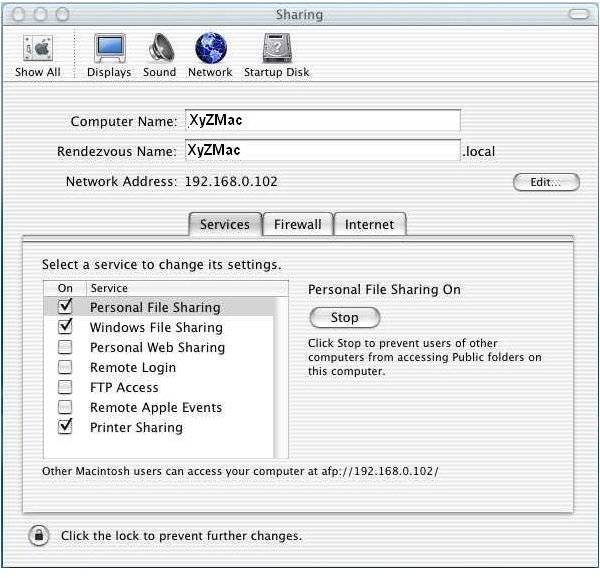
- Go to System Preferences Accounts. Now edit the desired user then check the box Allow user to log in from Windows.
Open a Mac Share from the PC
From your Windows PC, create a network place; here are the steps to do this:
1. Click on the Windows Start button and click on My Network Places.
2. Select Add a Network Place under Network Tasks from the left-hand side menu
3. Click on Next
4. Select “Choose another network location” and click Next
5. Enter the Mac IP address or computer name. Prefix it with two backslashes and follow it with a single slash and the short user name.
6. Enter a name for your connection in the text box then click Next.
- In the end, click Finish
8. Go to the Network Places again and double-click the Mac share you want to open.


