
How To Clean Install Snow Leopard, Part 2

Written by:  • Edited by: Rebecca Scudder
Updated Sep 4, 2009
• Related Guides: Snow Leopard | Clean Install | OS X

This article is part 2 in the series tutorial on how to install Mac OS X Snow Leopard.

Intro Snow Leopard

http://www.doobybrain.com
click to enlarge

Many Mac users are not aware that you do not have to upgrade Leopard to Snow Leopard. You can clean install the entire operating system. This would be a great option for OS X Tiger users who are unable to upgrade directly to Snow Leopard. Apple officially released Snow Leopard to be an upgrade only. However, Snow Leopard can be clean installed.

I asked an Apple representative if you could clean install Snow Leopard before I even decided to purchase it. They told me no you cannot, and I purchased it anyways. But, I wanted to do a completely clean install, as I always do with a new operating system. And it turns out that you can clean install Snow Leopard the old fashion way.

Clean Install Process
http://orchardspy.com
click to enlarge
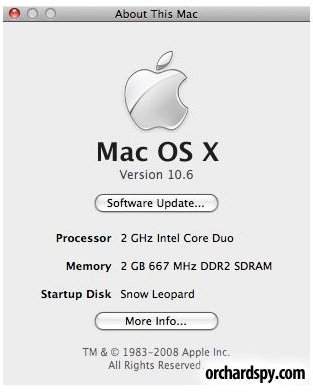
You will have noticed that when you insert your Snow Leopard 10.6 disc into your Mac, it does not give you an "erase and install" option. This option was available on previous OS X releases such as Tiger and Leopard, but not available on Snow Leopard. Some reviewers say that the option was removed to prevent some Mac users from deleting all of their information by accident.

The clean install:

To start the clean install, insert your OS X Snow Leopard disc into your Mac and restart the computer. As soon as you hear the chime of the computer restarting, immediately hold down the "c" button on your keyboard. This will force the Mac to boot from the disc. As soon as you see the Apple logo with the spinning wheel, you can release the "c" button. You may have to wait a couple of minutes for OS X to load the disc.

The first screen you get will say "Welcome to OS X Snow Leopard". Click continue to proceed to the next screen.

Now, move your mouse cursor towards the top of the screen and the OS X menu bar will appear. You should see a drop down list for "Utilities". Click "Utilities" and select "Disk Utility". Disk utility should now be opened and visible on your screen. You will see your hard drive listed along the left side of the disk utility window. Click it once to select it. Next, click the "Erase" tab located in the center of the disk utility window.

You will see three options: erase free space, security options, and erase. If you want to erase your hard drive securely with no chance of data recovery, click security options and select Zero out disks. If you just want to erase your hard drive and install Snow Leopard, click erase. The "Erase" button is the much faster option.

OS X will then ask you to verify that you are going to erase your hard drive. Make sure that the drive format is set to "OS X Extended Journaled" and type in a name for your hard drive. By default, the name would be Macintosh Hard Drive. Click erase. You have now erased everything on your hard drive. Now, you need to install Snow Leopard.

Click on the disk utility tab located on the top navigation bar, and select "Quit Disk Utility". OS X will now go back to the install screen. Select your new hard drive, agree to the license, and click install.

Installation will take approximately 30 minutes since you are doing a clean install. After it is done, you will need to fill in your personal info, location, wireless internet info, etc.. That's it you now have a clean install of OS X Snow Leopard.

Note: You will no longer have iLife on your computer. However, you can use the same discs that came with your computer to install iLife. Eject Snow Leopard, and insert the first disc that came with your computer. It should say something like Macbook Install Disc: 1. After Snow Leopard automatically detects the disc and opens the window, you will see an option to install bundled applications only. Double click this icon, type in your password and let it install. Half way through, it will ask you to insert the 2nd disc to continue. Insert the 2nd disc that came with your computer and let the installation finish.

Restart your Mac and you should now have a fresh install of OS X Snow Leopard plus your iLife software!


Comments

Showing all 83 comments
 
Lisabethshaw Nov 17, 2011 8:42 PM
RE: How To Clean Install Snow Leopard, Part 2
Thank you.  Just what I was looking for!
Brad Sep 21, 2011 8:14 AM
Installing "macbook install disc"
so im getting a macbook from my friend for free and i have the snow leopard disc but not the macbook install disc would i need to get it or is it a bunch of "apps" that i could flash drive over like ical, photobooth, safari , etc. NEED QUICK RESPONCE PLEASE!
dfres May 10, 2011 5:21 AM
Best article on the subject as of yet.
As I write this, i am in the process of clean installing Snow on my 2007 Macbook Pro. May or may not work, but I wanted to chime in and say that this article has been the most helpful and easiest to follow. Thanks again. I am holding my breath.
Gerry Mar 14, 2011 4:08 AM
You are a GENIUS!
After I read this article, I tried it on MacBook Late 2007 (White) - 13.3"/D2.2G/2x512/120/SD-DL. I've lost the recovery DVD. I got newer MBP (late 2008, Alumunium) with Mac OS X SL Upgrade. Followed from this articles and voila! Worked like a charmed!

Cheers
Gerry
P.KENNEY Mar 1, 2011 12:46 PM
CLEAN INSTALL
I HAVE A DUAL BOOT PC W/ SNOW LEOPARD, WHICH DOES NOT BOOT.

CAN I CLEAN INSTALL ON THE EXISTING SL PARTITION ?

HOW?
Peter Feb 27, 2011 10:02 AM
RE: How To Clean Install Snow Leopard, Part 2
Hi can someone help me clean install Mac os X 10.6.4 onto my macbook pro.. it's about 3 years old..Core 2 Duo 2.33

when i tried to upgrade from 10.4.11 to 10.6.4.. it says cannot open or something.. then i deleted everything - someone said to format the drive in GUID not master boot record..

now i have nothing on my laptop but just a 10.6.4 dvd.. what to do??

thanks
Anonymous Jan 4, 2011 5:17 AM
RE: How To Clean Install Snow Leopard, Part 2
I have installed win Xp using VMware Fusion. setup is succesful but i can't install my nvidia graphics card driver. i have macbook pro i5. Need to play games.
Peter Jan 1, 2011 8:56 AM
Diconnecting a mighty mouse
How to disconnect/remove a wireless mighty mouse completely from one computer and connect it with a new computer?

Thanks
Sair Dec 1, 2010 7:58 PM
Help needed
I have an old MBP with 10.4 on it which I've just sold. I've lost the original Tiger discs but do have the start up discs for my new MBP.

I insert the first disc, press 'C' and get the 'Mac OS X can't be installed on this computer' message.

All I want to do is erase my hard drive so that the new owner cannot access my personal data. Can someone please help? Thanks!
doctor fresh Nov 28, 2010 12:20 PM
Thanks
Thanks for publishing this = very useful
Maita Oct 2, 2010 6:03 AM
Not Working :(
I have a macbook with a tiger. And I tried erasing my hard drive, and doing a clean installation with snow leopard. After a while, it still said that it failed installing. What am i doing wrong? I did all of the steps mentioned in the article. Please help.
Bijan Oct 2, 2010 5:29 AM
Reinstalling applications after clean install
I was wondering, if I do the clean install, is it possible to transfer certain applications from a Time Machine backup using the Migration assistant?Also, would I be able to selectively transfer only a few applications using migration assistant? I'm concerned about Microsoft Office2008 and iLife8. I want to do a clean install and get rid of extra junk, but I do not have my disks as they are all displaced and lost.
Thank you.
Bijan
Ian Carr Sep 15, 2010 4:51 PM
RE:HOW TO CLEAN INSTALL SNOW LEOPARD, PART 2
Thanks for the info posted by ALL!

Hope someone can help with my query, which is instead of installing the iLife applications from the 2 disks after installing Snow Leopard, can it be done from a cloned copy of your hard drive?

If so what are the steps?

Has anybody done this from Tiger 10.4.11 and had a successful outcome?

Your comments most appreciated!
Hornet Montana Sep 14, 2010 10:31 PM
RE:
Didn't wait for a response and went and installed it on said Core Duo, and it installed just fine (erased HD first).

Apparently the only things a Core Duo will miss out on are 64 bit usage, Grand Central Dispatch, and probably OpenCL.
Hornet Montana Sep 8, 2010 6:16 PM
Core 2 Duo
Nicholas, you say "you need a Core 2 Duo Processor for it to work... not a core duo processor."

What would happen if an attempt was made on a plain core duo one, say the 2.0 GHz, 2GB RAM MacBook Pro?
la2051 Aug 12, 2010 2:32 PM
iLife install: restore files first?
Should I restore files (pictures, movies, etc.) before reinstalling iLIFE or after? I thought by installing ILife after restoring the files I might avoid duplication of default folders.

Does it make a difference either way?
Joshua Jul 1, 2010 9:53 PM
Snow Lep
Just wondering if i do this and install the new OS clean will my mac be like new? as in will i have photo booth, I chat stuff like that.. please get back soon thanks.
spooge May 27, 2010 9:30 AM
wha?
That's not a clean install. It's a complete wipe of your hard drive.
A clean install should leave your hard drive intact and just install a clean version of the system software.
Lance May 9, 2010 5:21 AM
Family pack
People pay extra for a Family Pack because they are honest. Almost any software is available free by torrent nowadays. Yes, there is the rare iWork Trojan horse, but in general, all is well. People buy an Apple OS X DVD because they are honest. Same with a Family Pack. It's an honor system.
Lance May 9, 2010 5:09 AM
Terminology
Apple coined the term "clean installation" for a scripted process of renaming the system folder(s) in order to allow a clean system to be installed WITHOUT erasing the drive (erase is typically only needed to fix drive structure). It was a clean installation, not a clean drive. Apple used the term "Archive and Install" in 10.1 to 10.5.8 installers to mean the same scripted process. No such scripted process exists in the 10.6 installer that also halts when Tiger is detected. That's why erase, partition, or renaming of system folders in target disk mode are the only three ways to install 10.6 on a non-Leopard drive.
Andrew Norton Apr 30, 2010 4:06 PM
RE: How To Clean Install Snow Leopard, Part 2
I have inserted the Mac OS X Snow Leopard disc into my MacBook (which has Tiger on it), restarted the computer, and pressed "c" to start up from the disc, but it never gets pass the Apple icon and the spinning cursor. I have waited 30+ minutes and it won't do anything. Happened multiple times. What do I do?
Dan Kaplan - periscopeUP SEO Apr 30, 2010 10:17 AM
Thanks
Thanks a ton for posting these clear directions and answering everyone's questions. A great help to know I could do a clean install of Snow Leapord. It was suggested to me by a security expert to do a clean OS install once a year.
Ismail Apr 25, 2010 10:57 AM
RE: How To Clean Install Snow Leopard, Part 2
If I do the clean install, how are my iPod Touch or iPhone applications purchased in iTune being preserved?
Daniel Apr 19, 2010 11:43 AM
Problem?
Hey!
I'm doing the steps from your article as you say them and the error message '' can't be installed on this computer'' comes again and again.
I have a 2 G intel processor Macbook Pro 3 years old running with Tiger.
What can i do to install snow leopard? à

Thanks!
Nicholas Apr 6, 2010 11:36 PM
@Swami
yes its possible. you need a good processor though.

http://www.brighthub.com/computing/mac-platform/articles/64489.aspx
swami Apr 6, 2010 11:00 PM
RE: How To Clean Install Snow Leopard, Part 2
I was wondering is it possible for me to install MAC Os on a Laptop (ACER ASPIRE 4740G). Thanks
Arun Thomas Mar 7, 2010 1:36 AM
iLife Installation failed
I have recently done a clean installation of my MacBook Pro 15" to Mac OS X 10.6 from Mac OS X 10.5.7 and it has got Mac OS X 10.6.2. When I try to restore my iLife'09 from Original applications DVD that came along with Mac (I got Install DVDs of Mac OS 10.5.7), it fails showing that 'Installation package encountered an error that caused installation failed. Contact software manufacturer for assistance'. Can anyone help me to resolve the issue?
Regards and cheers,
Arun
Emi Mar 6, 2010 12:12 PM
Clean install doesn't find hard drive
Ok someone please shout at me if I'm missing something really obvious here. But I want to do a clean install and erase my hard drive, but the thing is, I click disk utility (after booting from snow leopard disk etc and choosing language and being asked where) to partition my hard drive... only there is no hard drive. Nothing is showing up on disk utility.
Anyone care to explain what I'm doing wrong? I'm a complete noob at this and horrendously stuck...
Cheers!
beloved-fool at hotmail dot com.
Nicholas Mar 3, 2010 12:47 AM
@Chelsea
FIrst you have to get the disc to eject. Try restarting your computer. As soon as you hear the chime, push the eject key repeatedly. Get the discs that came with your MacBook Pro. Insert MacBook Pro install Disc 1. Hold down the c button at startup to boot from it. Clean install it. Leave the HD name as Macintosh. Make sure that you have it as OS X Journaled.

Once the original software is installed run a software update and install any new updates. Insert Snow Leopard Disc when the computer is ON. Upgrade from Leopard to Snow Leopard.

Don't clean install Snow Leopard
Chelsea Mar 3, 2010 12:10 AM
i tried everything
i have a macbook pro and i followed ur article and after trying to install it jus says cannot be installed on this computer and it cant install correctly??? ive tried a thousand times it seems like i feel like im wearing out my hardrive??? idk wat to do, there is one thing im not sure if i selected (journaled) or not i cant remember??? now my computer does nothing since i erased my hardrive,,,i left the HD named jus as "untitled",,,,and even worse i cant get the snow leopard disc to eject? can someone plz help i wanna jus throw this laptop!!! ive put so much money into this and cant afford to take it in,,,
noe Feb 16, 2010 3:07 PM
I erased my hardrive follow up
thanks for the email nicholas, i also was under that impression about a blank hardrive. my buddy just freaked me out because of what he said. i will be back in the office tomorrow and see if it works.

yes, i did format it as mac os journaled and NOT as dos, so i will give it another shot.

thanks for all your knowledge and i am super glad that people like you are out there to help people like me.

all the best and continued success
Nicholas Feb 16, 2010 2:40 PM
@Noe @Matt @Laura @Steve
Noe - Not true at all. People buy new hard drives for their computers all of the time. You can have a completely blank hard drive, format it, and it will work on your computer. Are you sure your formatted it to OS X Journaled when you did the install? Try it again.

Matt - Did the rest of iLife work

Laura - Click the airport icon and select your new wireless network

Steve - That I would have no idea on. Sorry man.
noe Feb 16, 2010 2:56 AM
I erased my hardrive
hello, I did as part 2 of your article says, except that I am using LEOPARD.
Recently my hardrive crashed and I was going to do a clean install of LEOPARD, so I booted from the disc holding down the C key.
Then I went under Utilities and selected Disk Utitlity, then I erased the hardrive and and gave it a new name.
Next I selected the hardrive on which to install leopard, but it would not install saying I was missing a file with a really long name that I cant remember.

I told my buddy I did this and he told me that since I erased the hardrive I killed the computer, because on the hardrive are files that the computer needs to run basic functions. Is this true? thanks for any advice.
Matt Feb 11, 2010 11:49 AM
snow leopard install, time machine information, iDVD
So I recently did a clean install of Snow Leopard and then copied back my users and files from my external drive time machine. Everything is working great except iDVD is not installed or working. So I got out my original discs (Tiger and iLife) that came with my Imac and installed the applications as suggested. Still no iDVD.....can somebody help? Thank you!
Laura Feb 3, 2010 8:45 PM
wireless info
how do i set up my wireless internet info after I do a clean install
Nicholas Jan 28, 2010 10:14 PM
@Kiko
Why don't you just backup your MS Office docs to a flash drive, do a clean install, and than reinstall MS Office, and transfer your documents back.
Steve Robinson Jan 28, 2010 9:59 PM
Clean Install
This was very helpful.Im trying to get my system to operate smoother.a duel quad core should be fast.One problem i am having is making video files for a website that chooses to use unix.They wont accept quicktime.Only avi or wmv.What im running into is,the avi's are huge.If compressed,they look terrible.The wmv cut off the video at about 20 sec.Most clips are within 2 to 3 minutes long.I tried Qt7 pro.I have tried exporting out of final cut and compressor.Does anyone have an idea of why this happens.There should be a law that everyone has to trash their pc & buy a mac
Kiko Jan 27, 2010 11:06 PM
Reinstalling applications after clean install
I was wondering, if I do the clean install, is it possible to transfer certain applications from a SuperDuper clone using the Migration assistant, or would that be completely defeating the purpose of a clean install? Also, would I be able to selectively transfer only a few applications using migration assistant? Would it be better to use a Time Machine backup or migration assistant for this purpose? I'm only really concerned about Microsoft Office. I want to do a clean install and get rid of extra junk, but I can't lose Microsoft Office in the process!
I'm debating whether to do the upgrade or clean install. and whether I'll be able to retrieve my applications is a big deal. Thank you.
Nicholas Jan 23, 2010 2:53 PM
@Jon
For Upgrading to Snow Leopard with those discs:
I'm not positive about this but I'm going to take a guess on this one and say no. I don't believe his Snow Leopard will work on your MacBook because those discs for his computer, MacBook Pro Install Disc 1 and 2, are made specifically for the new MacBook Pros, which have different hardware than yours.

For upgrading from your iLife '08 to iLife '09 with those discs:
I bet it will work. Just put in disc 1 and install bundled software only. Eject it when it tells you to and put the 2nd disc in. Before you do this, make sure that you run a software update and make sure everything is on the latest version. Apple logo> Software Update.

Jon Jan 23, 2010 2:36 PM
iLife Upgrade
Hi, I have a 13 inch macbook (the kind WITH the little mouse thing at the bottom, NOT the multitouch). I have iLife '08, but my friend who got their laptop recently has a MacBook Pro 15 inch, has iLife 09. He has the install disk which has them on it, can i just put the disk into my computer and upgrade it or will it not work?
Nicholas Jan 22, 2010 1:15 AM
@Kristy
If it doesn't work the second time, you can try doing a clean install with Tiger (the discs that came with your MacBook) using this article

and than doing an Upgrade Install of Snow Leopard over Tiger (Pt. 1 of this series). I don't know if it will work for sure. lol it could be a waste of time, but some people were able to upgrade directly from Tiger to SL.

If you do this, make sure that you do an Apple software update by clicking the Apple and selecting software update right after you install Tiger.

Then install Snow Leopard. I think you have to be running at least Tiger 2.4.4. for it to work. Good luck.
Nicholas Jan 22, 2010 1:04 AM
@Kristy
Did you make sure to choose OS X Journaled when you erased you hard drive. If your MacBook is not clean installing now, i'm not sure that upgrading from 10.5 would do any better... if you want snow leopard.
I would try it again if I were you. Follow everything step by step. Just boot from disc, enter disc utility, and make sure you erase your hard drive before installing

Nicholas Jan 22, 2010 12:44 AM
@Andrew
glad it helped
Kristy Jan 22, 2010 12:24 AM
MAC 10.4 to 10.6
Hi,

I have MacBook and I still have the OS 10.4 on it, I'm trying to do a clean install of Snow Leopard, my files have all been transferred onto an external hard drive. When I try to install it it comes up with "Mac OS X can't be installed on this computer. If you want to restore your system from a Time Machine backup, click "Restore from backup" I cannot access anything in the menu the only other option is to restart the computer. Does this mean I can't install this? Do I have to first install Mac OS 10.5?
andrew h Jan 18, 2010 6:44 PM
thanks!!
why the hell is this priceless nugget of information not in the packaging that comes with the damn disc?

lifesaver gets a gold star
Nicholas Dec 30, 2009 9:43 PM
@ Nazrul
It depends on what disc he gave you. It is either an actual retail Leopard disc or 1/2 discs that came with the Power Mac G5.

If it is gray in color and says something like Power Mac Install Disc 1 on it, than I believe you will also need the other Disc which is Power Mac Install Disc 2.

If it is a retail colored disc that says OS X Leopard on it than you should be able to clean install using only that disc.
Nazrul Islam Dec 30, 2009 9:10 PM
Re installing used Power G5
I bought a used Power Mac G5. Seller gave one disk Mac OS X leopard. I want to erase the disk and re install. Can I do it with this disk only. Or I need more disk?
Nicholas Dec 29, 2009 6:33 PM
@Jocke
Here is what I would do. Clean install snow leopard and do not restore a time machine backup when it asks you to. Create a new account and everything. After Snow Leopard is completely installed, make sure that you are logged into OS X. Insert your flash drive, wait for it to show up on the desktop, and drag and drop files into Snow Leopard from your flash drive. I can't guarantee that it will work, but it worked for me when i switched from tiger to leopard. Good luck
Jocke Dec 29, 2009 6:10 PM
Time Machine
Hi!
I tried today to install Snow Leopard on a new clear hd in my macbook. I copied my last hd to a Time machine USB-hard drive. When I started the installation with the snow leopard disc they asked if I wanted to copy from Time Machine so that I did, after an hour of copying the computer looked as it did before. But when I looked at the computer info (don't know exactly what it's called in the english version but it's that you find by click on the apple up to the left) it said that I had version 10.5.8, so it seems that there was a snow leopard version on the Time Machine that came along..
How should I do to make it right. Should I erase the HD once again, install the Snow Leopard and After that plug in the Time Machine HD, or does it make any difference? Thanks for the help!
Nicholas Dec 22, 2009 5:18 PM
@Jess
It depends if you want to save the data that you have on your computer. If you do, do the upgrade. If you want to start fresh, erase the hard drive. Good luck.
Jessica Dec 21, 2009 11:52 PM
Clean Install?
I'm running Tiger and I was wondering if I should wipe my hard drive first or just install the upgrade.
Thanks in advance.
Nicholas Dec 21, 2009 1:16 PM
@Carl
If you do that, you will do the fresh install, during the install it will ask you if you want to import any files, select from time machine backup. Yes, that should work. When doing the clean install, you will be able to repartition your entire hard drive any way you want it. Then you would just be putting a new copy of leopard on it, updating leopard, and recovering your settings. Do more than one backup if you have important data, meaning hit the backup now on time machine more than once.
Nicholas Dec 21, 2009 1:16 PM
@Carl
If you do that, you will do the fresh install, during the install it will ask you if you want to import any files, select from time machine backup. Yes, that should work. When doing the clean install, you will be able to repartition your entire hard drive any way you want it. Then you would just be putting a new copy of leopard on it, updating leopard, and recovering your settings. Do more than one backup if you have important data, meaning hit the backup now on time machine more than once.
Carl Dec 21, 2009 10:28 AM
clean install and Time Machine
I found that the iMac I use at work apparently needs GUID partitions (according to the IT guys here). It let me update to Snow Leopard but won't let me update to 10.6.2. I was planning on bringing in a drive, backing up with Time Machine, doing a fresh install, and then restoring with Time Machine. would this work?
John Dec 3, 2009 1:15 PM
Clean up etc
Thanx again.
Nicholas Dec 3, 2009 10:25 AM
@ John
You could use an uninstaller like AppZapper whenever you delete files and programs that you don't want. AppZapper gets rid of many files that would normally stay on your computer, if you delete an app via the trash can. You can also search for a program called Cocktail that cleans the hard disk and gets rid of unneeded stuff.
John Dec 3, 2009 9:41 AM
Clean up
Thanx. Is there another (easy) way to clean my mac to get rid of clutter and program left overs... ?
Nicholas Dec 3, 2009 9:13 AM
@John
Unfortunately if you choose to to a clean install, I believe you will lose the updates.

The one way I can think of to keep your updates and files is to do a time machine backup. This can be done using any standard external USB hard drive. You may even be able to do it with a flash drive. You will backup the files to the external drive through the built in time machine software. do a clean install, and during the Snow Leopard installation process, it will ask you if you want to transfer files from a time capsule backup.
This would give you a completely clean install with updates and files transferred back over.

Also, Sometime software updates are kept in (Finder - Library - Updates) but you will have needed to select "install and keep" when you did the update for them to be located there. I dont think this is the best option. Hope this helps.
John Dec 3, 2009 3:50 AM
Clean Snow and updates
What I meant was: I have the disc for Snow Leopard, but after the installation, "software update" reported that there are (more) updates available... It was more than 500 MB which I needed to download from apple on the net. (For me, this is a lot of MB to download). So... can I do another cleanup / clean install without losing all the updates that were downloaded? I cannot download 500 MB again...
Nicholas Dec 2, 2009 8:14 PM
@John
not quite sure what your asking... you mean you did a clean install and the software update isn't working? thanks
John Dec 2, 2009 4:35 PM
Clean install Snow Leopard and updates
Thanx for this. What I want to know - is - How can I do a cleanup/clean install, but... since I bought the disc there's an update of almost 500mB... I cannot download that much (again)...
Nicholas Dec 1, 2009 7:55 AM
@ Mark
that's weird that you didn't get an option to "install bundled software only"... The only thing i can say is to look under all options on the disc... If there is still no bundled software option, try putting in the second disc, it might be on there. If not, you could erase your clean snow leopard install, reinstall iLife and regular Leopard, and than do an upgrade to Snow Leopard. Thanks for the read, you might have to give apple a call on this one.
Mark Nov 30, 2009 2:37 PM
install bundled apps not there
Great Article. I basically did this before I came across your article - and yes it all worked fine. I'm new to mac, and didn't realize Snow Leopard was an upgrade only. My Ilife programs are gone, which was the first thing I noticed. I put in the original disk that came with my MBP (Imac Install DVD v10.5.6). It comes up - shows the big black X - and the only options are:
1. Install Mac OSX
2. DVD or CD Sharing Setup
3. Optional Installs
4. Instructions

When I go to the Optional Installs, under Applications, it shows Address Book, Ical, ichat, itunes, mail, Oxford Dictionaries, Safari, X11, Ipod Support, and Additional Fonts.

Any suggestions on where to find it? Thanks. Everything else worked great.

Mark
Nicholas Nov 23, 2009 11:28 PM
@David
thanks man, thanks for reading
David Nov 23, 2009 10:00 PM
Thanks
Great Post...
Nicholas Nov 22, 2009 8:33 PM
@nic
no problem, glad it helped. you should be able to do a time machine restore when setting up snow leopard, after it gets done installing
nic Nov 22, 2009 10:20 AM
nice one
thanks for this article, have new HD in my macbook and am trying to restore from time machine but have no installation disks, only snow leopard... thanks again.
Nicholas Nov 20, 2009 8:39 PM
@Lahi
thanks bud, glad it helped.. thanks for reading
Lahi Tivari Nov 20, 2009 7:38 PM
How To Clean Install Snow Leopard, Part 2 Read more: http://www.brighthub.com/computing/mac-platform/articles/48174.aspx#ixzz0XRNRo8vW
Dear Nicholas

I am writing to let you know that I have successfully clean installed the snow leopard following your instructions. I can´t thank you enough as you have saved me 83 pounds from buying the Leopard 10.5.6. I will continuously read your articles as you have at this site impressed me tremendously. Thanks again
Nicholas Nov 16, 2009 4:13 PM
SL
@ Bill - no problem glad it helped.

@ Jack - that's crazy, i've never heard of that. Maybe you could borrow a 10.5 disc from someone, install 10.5, than try doing Snow Leopard.

@ Andrew - glad it fixed the glitches. You're right, they may have released newer discs. I got mine when they first came out, so that could be why it installs fine.
Andrew Nov 16, 2009 11:14 AM
Works with mine
My copy is only three weeks old and works just fine. May be an 'older' copy I guess - It was a 'drop-in' disk as an upgrade to Leopard when I bought my new laptop. I upgraded at first but had a couple of glitches, so I used the same disk to install clean, no more problems..
Jack Streeter Nov 16, 2009 8:16 AM
does not work
It may have worked, but it doesn't on new disks. I tried it, and it gives a diagnostic that it cannot install snow leopard because 10.5 is not installed.

If you then erase your hard drive, yes you will erase everything...for nothing, and if the backup fails you've lost everything.

Likewise if you backup and restore via the Snow Leopard installation, it still won't install Snow Leopard as it gives the diagnostic that it cannot install as OSX 10.5 is required.
bill Nov 16, 2009 12:37 AM
Snow Leopard clean install
your article saved me lots of time. Thanks for your contribution. I couldn't figure out how to clear my HD before installing SL.
Nicholas Nov 12, 2009 4:09 PM
@Lahi
Cool, I did the same thing as you. I bought my laptop off eBay, second hand. I might even have the same model as you. I got a great deal. Yes your Mac should be able to clean install Snow Leopard. You can use this article as a guide for installation. You need a Core 2 Duo Processor for it to work... not a core duo processor. You can clean install with the £25 disc from Apple. But just so ya know, Snow Leopard is the operating system and a couple of apps. You will not get Garage Band, iMovie, iPhoto, or iWeb unless you purchase iLife too.
Lahi Nov 12, 2009 8:53 AM
RE: How To Clean Install Snow Leopard, Part 2
What a great news and wonderfull information. As I am new to Mac and I purchased recently sadly a second hand mac, but still a good one Core 2 Duo, 2.4ghz etc..But no disks for fresh installation, Now my question is can the upgrade disk sold £25 from apple, do the fresh instalation, even though my system has Mac OS X 10.5 preinstalled? Thank you for great posts..
Nicholas Nov 2, 2009 4:58 PM
@Stan
Thanks for the comment... I agree... I don't think they are ridiculously cheap either. Especially considering that Snow Leopard is a reworked version of Leopard.. like you said, "A service pack with a new coat of paint".
Stan Nov 2, 2009 8:12 AM
RE: "ridiculously cheap software"
Apple's OS X upgrades are definitely not ridiculously cheap software. Considering they're basically just service packs with a new coat of paint they really ought to be free.
Nicholas Oct 1, 2009 10:18 AM
RE: How To Clean Install Snow Leopard, Part 2
@Kevin - that's kind of what I figured too... I didn't really think Apple would have a problem with it.
Nicholas Oct 1, 2009 10:16 AM
RE: How To Clean Install Snow Leopard, Part 2
@ Chris - I don't think trying to save money is a bad thing at all, even if the software is cheap. Most people do not have a lot of extra cash right now, so for them it may be worth it to save the extra 15 bucks... And Apple has plenty of money...

I was simply making a statement that I thought family pack was the same as an individual disc, that's all..
Kevin Johnson Sep 30, 2009 12:14 PM
Apple sells hardware period
The OS is great but Apple does not really care if you use the Disks on multiple hosts. Every host will be bought from apple for the premium hardware prices.
Chris Sep 16, 2009 12:26 AM
RE: How To Clean Install Snow Leopard, Part 2
@Nicholas: The disc is the same, the difference is not being a douche trying to save money on already ridiculously cheap software.
Nicholas Sep 13, 2009 5:25 PM
RE: How To Clean Install Snow Leopard, Part 2
@ Cass - Haha, I know I read some forums where people were clean installing leopard first then upgrading to snow leopard, I was like "that can't be right". I'm glad it works too. Yep, I must say, I have never purchased a Family Pack for any software. I am glad Apple lets us use the single user disc multiple times. Hopefully they keep it that way. I bet ya Family Pack is the exact same disc that they use when they sell single user discs, with a "Family Pack" label put on it.
Cass Sep 13, 2009 11:28 AM
RE: How To Clean Install Snow Leopard, Part 2
Hah, jeez, I didn't know this was some fancy work-around that you had to hope would work. I did the same exact thing when I just sold my old MBP... erased and installed SL. Wasn't even thinking that I should've thought twice about it working! Just saves the time of installing one OS instead of two, really. Anyway, glad it works! Silly Apple. This is like how I don't understand the need for Family Packs since you can use a single user disc multiple times.
 
blog comments powered by Disqus
Email to a friend


