GIMP 2.6.2 Review: Time to convert from photoshop?
Gimp 2.6.2
GIMP, the GNU image manipulation program, is basically the open source version of Adobe Photoshop. These two programs are frequently compared to each other due to their similarities. However, GIMP was not designed to be a Photoshop clone.
Adobe Photoshop retails for around $450. Gimp is FREE. This review focuses on GIMP’s latest version, currently version 2.6.2. The current Version for my Linux Mint 5 computer is Version 2.4.5, and for some reason I could not update to the new version, so I am using my Windows Vista machine to test the latest version. This is a very robust image editing program that allows even the beginner to do some pretty amazing tricks.
Interface (4 out of 5)
The interface is the first thing that confuses most Photoshop users. I must admit, it took a bit of time to figure out where everything was on GIMP. If you have never used Photoshop, then you will learn and adapt quickly. If you are a regular on Photoshop, it will take a bit of time to get used to the new interface. For those who must have a Photoshop lookalike, you can always try ‘GimpShop’ and offshoot of GIMP with a Photoshop style interface.
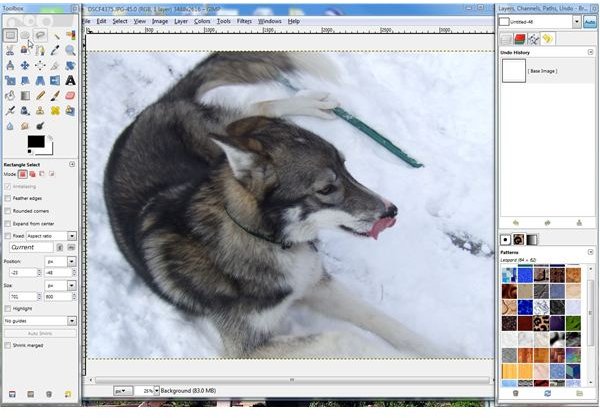
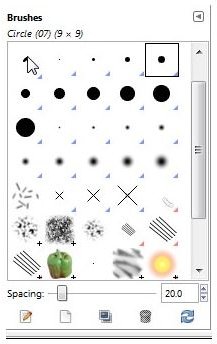
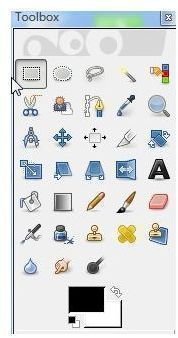
When you first open up GIMP, you have 3 screens come up. You have a toolbox screen that displays all your basic tools. Similar to Photoshop, GIMP has the basics: Pencil, Brush, Airbrush, Blur, Smudge, Crop and Color Picker, Clone Stamp and many others.
The canvas screen is similar to Photoshop and it has some nifty filters and advanced color management tools. Being able to undo history and use Layers has further increased its usability and competitive edge. The last screen is the display screen where you can see the history of all you have done and have access to channels and paths.
Compatibility (4 out of 5)
GIMP uses XCF file format natively. Although this is not a widely used format, GIMP has the capability to save to PSD formats and can read/write to BMP, JPEG,GIG,TIFF, PNG plus several others.
With only a bit of time getting used to the different interface, I was up and running. I was able to crop, rotate, apply several filters and touch up my test photo with ease. GIMP is very fast and nimble in applying the effects I tested on it.
Overall (4 out of 5)
The two drawbacks that keep this program from converting the professionals is its lack of CMYK color scheme advanced support and its use of 8-bit per-channel images vs. Photoshop’s 8, 16 and 32 bit-per-channel images. The GIMP team is working on adding 16 bit channel, but it won’t be ready for the upcoming Version 2.8. People who need the 16 and 32 bit channels are going to ‘cinepaint’ and ‘krita’ at the moment.
Here is an installation guide and the link to download the program.
With the way this program is improving with each version, I will state with some certainty that by the time Version 3 comes out, Adobe Photoshop is going to start trembling in its boots. This is an excellent program, and it still amazes me that it’s free!