Fedora 15 is the latest release of Fedora and is codenamed Lovelock. Have they managed to one-up Ubuntu and their new Unity interface?
Why Fedora?
Before saying anything, it can be said that Fedora 15 remains the choice for developers and nothing is going to change that. This version of Fedora, codenamed ‘Lovelock’, introduces some major changes. This is especially true for the user interface, GNOME 3 and the new GNOME-shell are the new default. For those of you who do not know, Fedora is a community project which is sponsored by Red Hat. As such, it is considered to be one of the most upstream distributions and is a natural choice of many developers, it is rumored that Linus Torvalds himself has used Fedora as his main Linux distribution. Fedora 15 is in many ways another leap forward for the Fedora project and its top-notch community.
Installation and First Impressions (4 out of 5)
I downloaded the Fedora 15 live CD from the official Fedora website and burned the image to a usb drive (you can burn it to a CD as well, but I did not have a CD handy). When I rebooted, the familiar boot screen appeared and everything went smoothly, just as you’d expect. Within a minute, I was already booted into the live CD desktop. Amazingly, the Noveau drivers worked just fine and the GNOME-shell worked as intended with no further configuration.
Clicking on the install option opened up the familiar install screen, no surprises here, everything was pretty straightforward. You just need to provide the required details (like root password, hard disk partition, date and time and so on). It took a few minutes and soon my machine had rebooted and I was creating a new user account.
Overall, the installation created no problems at all. However disaster struck when I rebooted my machine: GRUB could not recognize my Ubuntu and Linux Mint system (I multi-boot). It detected Windows 7 correctly though.
I logged on and to my amazement the sound worked perfectly, it had never worked “out-of-the-box” without me tweaking and reinstalling drivers, a nice surprise. The interface seemed streamlined and sleek. In short, first impressions: BAM!
The New User Experience: GNOME 3 (4 out of 5)
To be honest, I was quite fond of GNOME 2: the panels were sufficient for all my tasks and I never thought it necessary to have a completely new user interface for GNOME. However, after looking at what GNOME 3 has to offer, I am certain that this is a step in the right direction. GNOME 3 is in active development and it takes some time getting used to the new interface but once you get it, you will never dream of going back to GNOME 2. The GNOME panels are present and can be used as a fallback system if you system does not support hardware acceleration. After logging on, the new shell greeted me and it ran smoothly using the default Noveau drivers. I did not have to install the proprietary drivers at all. This is an indication that the Noveau project has come a long way and Free Software advocates should feel relieved.
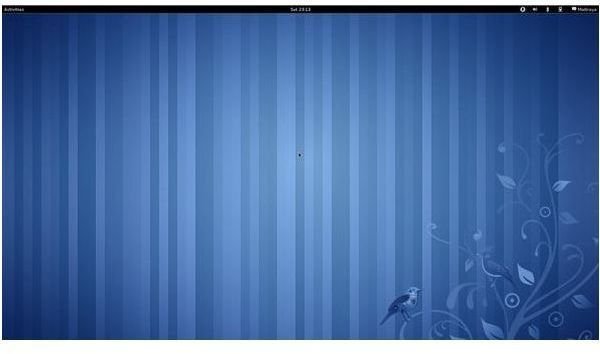
As mentioned, there have been some major changes in the user experience: the most notable one being the lack of a desktop! The desktop from now on has nothing but a background image and this is by design. The second big change is that the maximize and minimize buttons are missing! This is also by design. GNOME developers felt that a user should double-click on the taskbar to maximize and the minimize button was no longer needed to fit in with this new desktop concept.
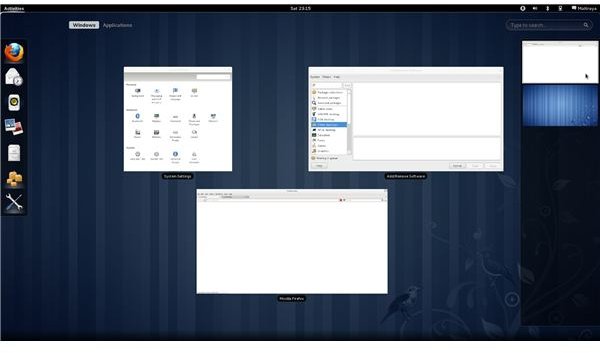
The conventional two-panel layout has been replaced by one panel which is present at the top of the screen. It houses the Activities button, the calendar/date/time and some useful widgets. Surprisingly, the shutdown option is missing. I later found out that the developers felt it was more appropriate to hibernate the system than to shut it down. So you need to change your habits if you want to use the new interface.
GNOME menus spread throughout the screen and are very easy to navigate. They are quite suitable for touch based devices. Another cool feature which is sure to appeal to many users is the introduction of various keyboard shortcuts. You can do almost everything with you keyboard. The same can be said for the mouse if you want to use it (mouse gestures like moving to the top left corner of the screen opens the Activities window).
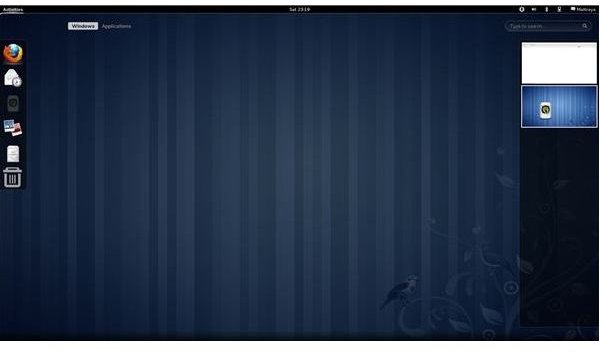
GNOME-shell has a totally new way to manage workspaces which I admit is really cool (it is better than the way Unity manages workspaces). Moving an application to a different workspace and switching between workspaces is a breeze. This helps Fedora 15 deliver on its promise for distraction free computing. Everything seems to move out of you way when you are using a particular application.
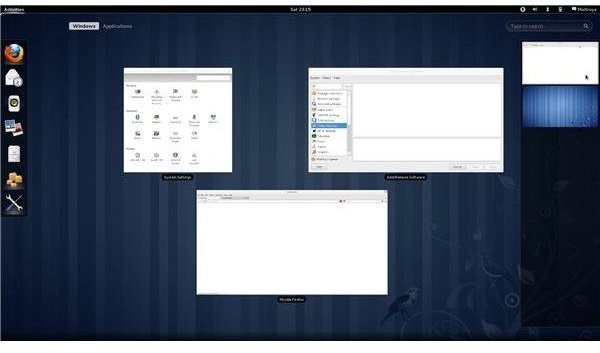
Clicking on the Activities button reveals a dock at the side, a search bar and a preview of all the windows present in the workspace. Needless to say, favorite applications can be added and re-arranged on the dock. The right side of the screen houses the workspaces. The default Adwaita GNOME-shell theme is present in Fedora (and there are no front ends to change the GTK3 and GNOME-shell themes). Certain applications (like Firefox) might look a bit odd on Fedora. Fedora also provides a great set of wallpapers with the default striped wallpaper being a derivative of the GNOME 3 wallpaper.
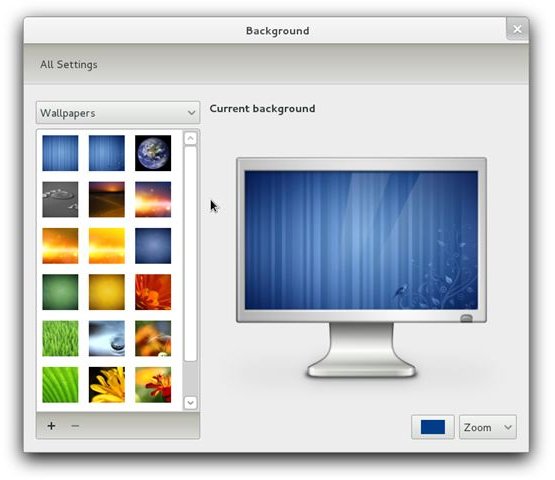
Overall, the system looks quite tidy and streamlined but there is still a lot of work to be done, especially by the GNOME team. The theme still has some glitches but compared to Fedora 14 the entire visual style has received a massive upgrade.
There is a lot of unfinished work (like GDM yet to be ported to GTK3) and various unusual problems, like the immovable floating dialog boxes, add to the discomfort. A user has to be patient enough to get used to the new way of interacting with your computer and wait for fixes for these minor bugs.
Better Applications (5 out of 5)
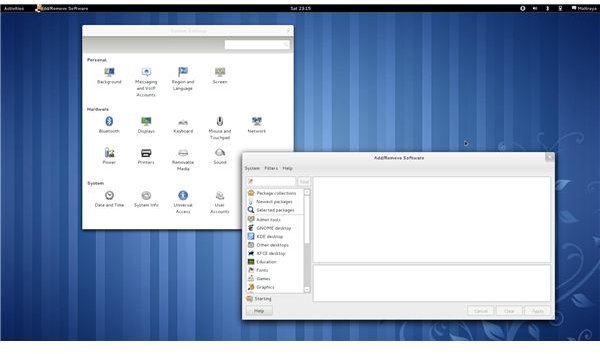
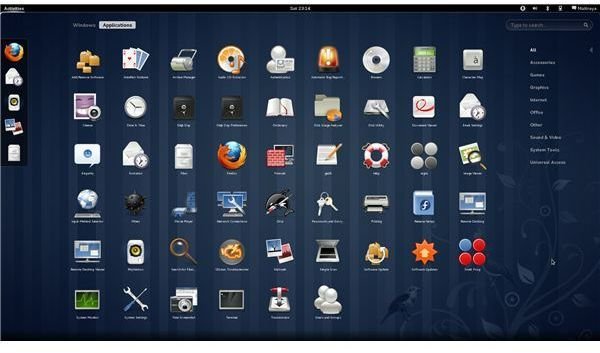
Like most major distributions, OpenOffice has been replaced by LibreOffice and many software titles have been updated (for example, Firefox has been updated to version 4). Shotwell, Simple Scan, Evince and Eye of GNOME are installed by default along with Empathy, Evolution, Totem, Rhthymbox, Deja Dup and many others. In short, a lot of the best software the FOSS community has to offer is provided in Fedora either installed by default or available for download.
The SELinux troubleshooter has been massively improved and Systemd has also been introduced in this release. Besides other functions, Systemd also allows support for the btrfs filesystem (which will replace Ext4 in the future). Some improvements have also been made in the area of visualization. Spice, is now fully supported and another useful tool called BoxGrinder has been introduced in Fedora 15.
Power Management, Bootup and Shutdown (4 out of 5)
Power management has been improved in Fedora 15 with Fedora’s redesigned power management utilities. Fedora system on laptops have been noted to have an average battery life of almost that of Windows on the same laptops.
As stated before, the introduction of Systemd speeds up boot times and shutdown and this is especially notable in case of a Solid State Drive (SSD) . The introduction of Systemd is definitely a step forward.
Overall, the power management provided by Fedora is not as good as it can be but it is a step ahead of previous releases.
What’s Else is Hot? (4 out of 5)
Aside from better virtual desktop support and the introduction of Spice, Fedora now has a dynamic firewall built-in. This dynamic firewall lets the user change firewall rules and settings without needing to restart the firewall. This is a great feature and is sure to be a favorite of many users.
Another improvement is seen in the way Fedora installs software. RPM 4.9.0, the software installer for Fedora has been upgraded considerably and can install software with many less problems. General bug fixes have been performed and various obscure features have been removed from RPM 4.9.0.
Lasting Impression
After reviewing Fedora 15, I cannot help but congratulate the entire Fedora team for their commendable work on this release of Fedora. Fedora has always included the latest and greatest cutting-edge technology and this release is no exception. After much controversy over GNOME 3 (especially the GNOME-shell), the Fedora team was bold enough to move forward with their GNOME 3 desktop. This was a huge risk to the good reputation of the project and the Fedora team pulled it off successfully. The desktop has been redefined by the GNOME team and Fedora. So after the initial plunge into the unknown, I actually enjoyed Fedora 15 a great deal and I hope that you do the same. Fedora has always been the operating system of choice for engineering students and developers. This time, it invades the desktop market. With Ubuntu using the unfinished Unity, many users have started considering Fedora as a viable alternative.
If you do not want to change your habits, Fedora is not for you. But if you are looking for a more productive environment that allows distraction free computing, look no further. A great deal of work has been done by the developers to make this system as usable as possible. I only hope that the present issues are fixed in the future releases. What are you waiting for? Go download Fedora now .
References
All images have been provided by the author.
System Specifications Used for Testing:
- Intel Core 2 Quad Q8400 @ 2.66 GHz
- Asus P5G41-M-EVO motherboard
- 2 GB DDR2 800 Mhz RAM
- Nvidia GeForce 9500GT
- Seagate Barracuda 7200 rpm 1 TB HDD


