Install Firefox 3 on your Linux Computer through your Linux Application or from Firefox
What is Firefox?
Firefox is the full featured, completely customizable, and open source web browser developed and maintained by Mozilla. Mozilla is more than an Internet development company. They are a community of like minded developers and users who are dedicated to the philosophy that the Internet belongs to the general public and as such, should be accessible to everyone. It’s for this reason all Mozilla products are open source and user/developers are encouraged to create and release add ons, and plug ins to extend the function and improve the look of Firefox web Browser. You’ll find a complete list of add-ons at the Firefox Add-On page.
Great features like tabbed browsing, and the Bookmark Toolbar combined with user created add-ons like the integrated weather bug, Foxmarks, and Google Notebook Plug in make Firefox one of the most versatile browsers around.
For developers, Firefox is updated nightly and anyone who is interested can download those nightly updates. Of course, the nightly updates are unsupported and oftentimes buggy, so if you go this route expect to get your hands dirty. For regular users, however, it’s recommended to stick with the official, and supported updates.
Downloading Firefox
Firefox 3 comes pre-loaded as part of Ubuntu Hardy Heron, but if you’re using an older version of Ubuntu or a different Linux distribution you may need download and install Firefox yourself.
There are several ways to download and install Firefox to your Linux system.
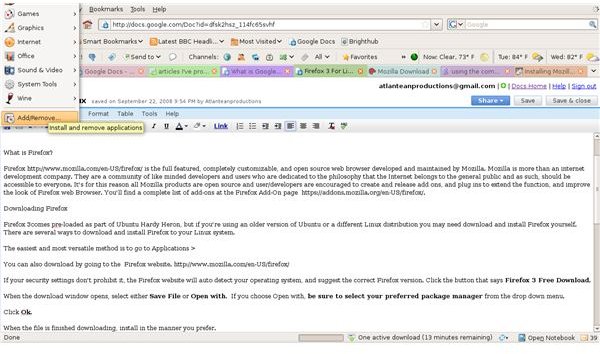
The easiest and most versatile method if you’re using Ubuntu, is to go to Applications > Add/Remove.
In the search bar, type Firefox, and press enter on your keyboard.Using the check boxes, select Firefox Web Browser, and any add-ons you would like.
When you’re finished, click Apply Changes.
You can also download by going to the Firefox website. If your security settings don’t prohibit it, the Firefox website will auto detect your operating system, and suggest the correct Firefox version.
Click the button that says Firefox 3 Free Download.
When the download window opens, select either Save File or Open with. If you choose Open with, be sure to select your preferred package manager from the drop down menu.
Click OK. When the file is finished downloading, install in the manner you prefer.
Cross Platform Compatibility
There are Firefox releases for Windows and Mac, as well as Linux, and most add-ons have been developed for all three platforms. Plus, there are a few add-ons, like Foxmarks, which synchronize your browser across platforms so your settings are available on any computer running any operating system.
This post is part of the series: Firefox 3 for Linux
Firefox 3 is one of the most popular web browsers available. This two part series explains how to download Firefox 3, and shows you what all the hype is about.