Unfortunately, we do not have too many e-book readers for Ubuntu (or Linux in general). There is one decent program for reading e-books on your Linux box and inside is a thorough review.
Introduction
E-books come in very different file formats: some of them are proprietary (Microsoft’s .lit), some of them require a certain hardware device (Kindle ) and the rest come in free formats. We will keep our open-source side and go with the free formats. For the rest, we will try to see what options are available.
FBReader
FBReader is the only e-book reader for Linux that I can use without problems. Ubuntu users can install the program via the Synaptic Package Manager without any difficulty. After the installation, you can start the program from Applications → Office → E-book Reader (in Gnome).
The program is designed for small-screen devices and you immediately feel this from the start. However, this is not a shortcoming but rather a very simple approach that lets you concentrate on your reading rather than trying to figure out the user interface. When you start FBReader, you will be greeted with “About FBReader” which gives you some brief information about the program. In this window, you learn that FBReader supports many e-book formats, fb2, html, chm, rtf, plucker and it also can read from compressed archives, zip, tar, gzip and bzip2.
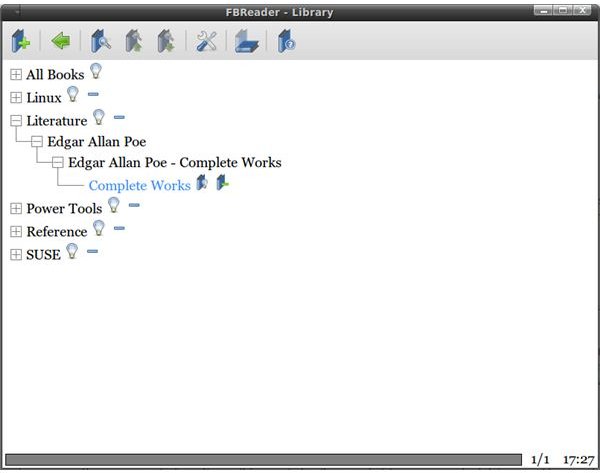
To add e-books to your library, click the “Add File to Library” button, which is the leftmost button on the program interface. You will be greeted with a simple file manager, which lets you add your e-books to your library. Do not forget to add tags and other relevant information to your e-books, since your library can get cluttered up in a very short time otherwise. When you finish adding books to your library, you can just click on the book name to start reading your book. The program does not let you add bookmarks, but fortunately it remembers where you left off so you do not need to go back and forth the next time you open your book.
Other E-Book Formats
If you need to have an e-book reader for your Microsoft .lit files, then you have two options: either you can install Microsoft Reader with WINE (however, there are some problems reported with this option) or you can convert lit files to HTML format. The second option is the safest, so I will go with this one. We will need two programs, convlit and epub-utils, which you can install from the Synaptic Package Manager. There is also a graphical user interface for convlit , which you can download from its website. The graphical program is a Windows program, but you can double-click and install it with WINE.
For Adobe Digital Editions , there is no solution for Linux, but there are some work-arounds. Users report to have Adobe Digital Editions installed on their Linux computers with WINE, but personally I did not try it. Adobe does not offer Digital Editions for download for non-Windows and non-Mac users, so I could not give it a try. So, if you are looking for a Linux-native program from Adobe, I can safely tell you that as of this time, there is none. But rumors are that a Linux beta is expected next year.
Conclusion
E-books are some of the weakest spots in Linux. There are not many programs to read them, and thanks to the proprietary formats and Digital Rights Management (DRM), it is not easy to develop them. We hope to see bookstores support the Linux platforms in the future.


