To use your webcam in Linux the way you want, from applying special effects to home surveillance, requires webcam software that delivers on your specific requirements. Here we discuss some of the common and creative uses of your Linux webcam and the applications that support their use.
Introduction
Webcams can be used today for any number of activities. Many immediately think of using a webcam for video chat, easily used with Skype in Linux , or the instant messenger of your choice. However, there are many other uses for webcams including installing one strategically as a surveillance system. Before you get started using a webcam, specifically in Linux, you will need a package manager with the appropriate software.
Note: If you are interested in playing with your netbook’s camera, then you can have a look at the article in which we discuss camera tools for your netbook .
Cheese
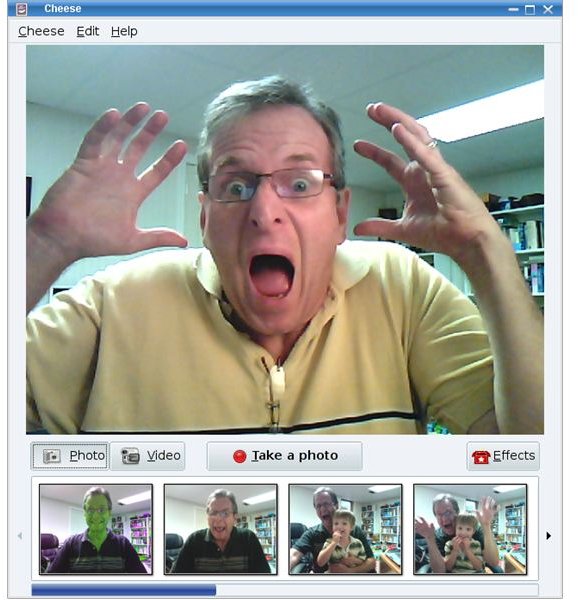
Cheese was developed as part of Google Summer of Code in 2007 and now is a part of Gnome. You can take photos or videos from your webcam and apply special effects for fun. There are optional export plug-ins for Cheese, such as postr to post your images quickly to Flickr, F-Spot exporting of images, and Nautilus-send to, for improved export using the Nautilus file manager. The latest version of Cheese was released on May 18th, 2009.
Image courtesy of Linuxplanet .
ZoneMinder
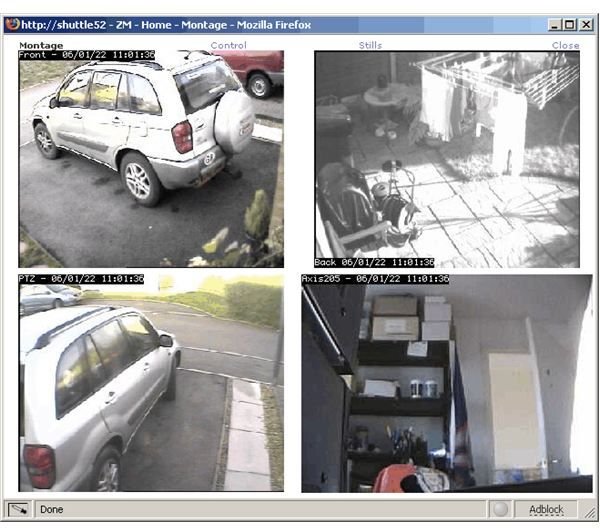
ZoneMinder is webcam software designed for a home surveillance program. Amazingly, it has has features that you can’t even find in commercial programs. These features include…
- The ability to add as many cameras as you want independently of their connection. You can add one USB cam to monitor your room and add various IP cams to monitor other rooms, garage and doors.
- Check all the states of the monitors with a single click - the information gathered from all the cameras will be displayed to you in a single window.
- Check the last 10 events that the program logged for each camera.
- You can also set motion detection for your cameras and set them to record upon detecting motion. The best part is that you can set zones to watch for movement, setting a zone to trigger recording when there is a motion, and at the same time define a zone to ignore motion even if there is movement.
- ZoneMinder also supports the zoom, pan, tilt functions of your camera.
Reviews of other cool Linux Webcam Software continues on the next page…
Webcam
With a simple, yet apt name, this product is an extension to the Apache web server which allows you to grab images from your webcam and upload them to your website. In order to configure and use Webcam and Apache you’ll need working knowledge of servers (and configuration). Because of this I am hesitant to recommend the program to newcomers of Linux. However being a little bit tricky does not mean it is impossible. If you want to get your hands dirty, go for it!
If you’re looking for more information on Linux web-hosting we can help you with that too!
HasciiCam
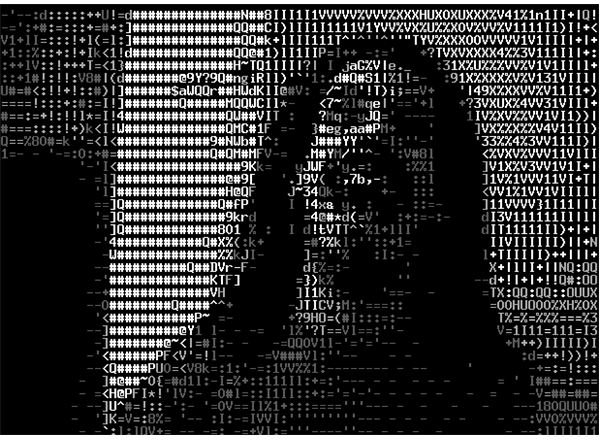
If you want to unleash your inner geek and use your webcam to tweak and dabble with configurations, settings, imaging, etc. HasciiCam is for you. It grabs images from your webcam and saves them as ASCII files (text files) in your computer. You can set up a web page that refreshes at a predefined interval and use your ASCII files that it receives from your camera. Don’t expect the crispest of output from this program but certainly expect fun results.
Image courtesy of Softpedia .
Geekast
If you are interested in Peercast , which is an open source multimedia multi-casting tool, then you would want to install Geekast , which is an interface to Peercast streams.
Conclusion
As discussed, there are a lot of programs to use for your webcam under Linux. Which one to pick? Well, it all depends on what you want to do with it. For fun photo-editing, Cheese and HasciiCam are the best options to go with, whereas ZoneMinder is an all-in-one surveillance solution for your home or office.
I’ve presented you with my preferred list, but there are many more options available. Search for “webcam” and “camera” in your package manager and check the results to find more webcam programs. Go exploring and have fun!


