While most window managers have a meter that shows you how much battery life your laptop has, there are some that don’t. And many aren’t completely accurate. If you drop to the command line though, you can use a pair of utilities that will check the life of your battery, and more.
Introduction
Laptop users learn something very quickly: always keep an eye on how much charge your battery has. If you don’t, you just might run out of juice in the middle of work.
Most window managers – like KDE, GNOME, and Xfce – come with good battery monitors. They will also manage screen brightness in most cases. Alost all of the previously mentioned window managers use PowerDevil to do so. But if you use a window manager that doesn’t, or if you want a little more accuracy, you can turn to the command line to help.
Using acpi
Just about every Linux distribution supports ACPI (the Advanced Configuration and Power Interface). It’s a fancy name for the way in which a computer manages and configures devices and its power supply. Of course, Linux includes a command line utility for using ACPI called … well, acpi.
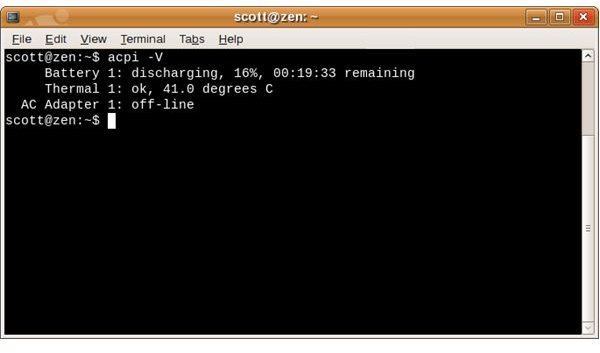
Open a terminal and run the command acpi. Note if you are running this command on Ubuntu or its derivatives, then you will have to install acpi. sudo apt-get install acpi will do the trick. This command returns how many minutes of power the battery has left, as well as the percentage of power it has – for example, 9%. Useful, but what if you want more information?
If that’s the case, then run the command acpi -V. This command displays the same information as the one above, but with a few extras like whether the AC adapter is plugged in and the temperature at which your laptop is running. If you’re plugged in, running acpi -V also displays how many minutes are left until the battery is at 100% power.
Looking at IBAM
IBAM is billed as “the Intelligent Battery Monitor”. To run it, open a terminal and type the command ibam. If ibam isn’t installed run sudo apt-get install ibam to install it. You’ll see the number of hours and/or minutes of battery life you have left, and if you’re charging the battery, how much longer it will be before the battery is fully charged.
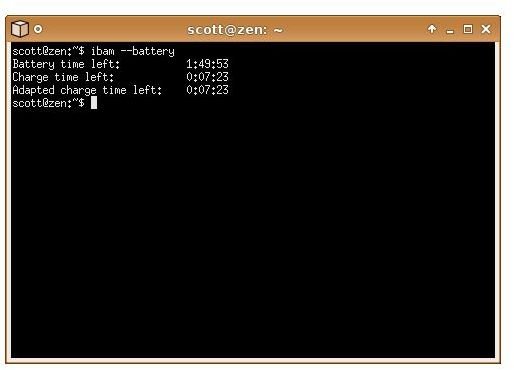
IBAM also has a number of nifty features. One of those features is to generate a graph of battery life and charge time. To do that, you need gnuplot (a tool for graphing all sorts of information) installed on your laptop. From there, type ibam –plot and a color-coded graph appears in a new window.
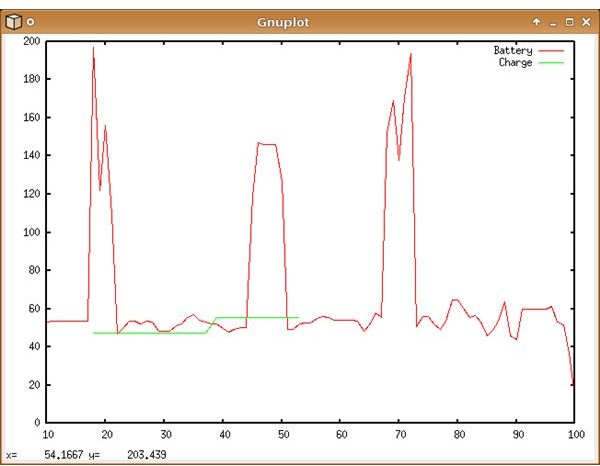
There’s a lot more under the hood. To see all that IBAM can do, type the command ibam –help. Note: in some cases running ibam will return “No apm data available.”. In this case you are running a kernel that is to new for ibam.
Drawbacks to this approach
If you’re not comfortable working at the command line, then you probably won’t like either of these solutions. On top of that, they don’t dynamically update. You have to keep running acpi or IBAM to get the latest information about your battery.
If you want to put the output from acpi or IBAM on your desktop, then check out Conky . It’s a monitor that displays system information on your desktop, either as text or in a set of graphs and charts. Conky can be a challenge to set up, but does its job without a lot of overhead.
Still, both acpi and IBAM give you a little more flexibility when monitoring your battery. Often, the information that these utilities return is more accurate than most desktop battery monitors. They’re worth a look for that reason alone.


