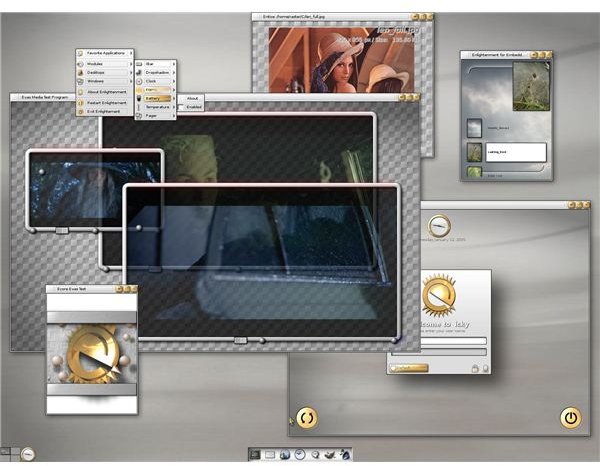
The Linux desktop is rife with possibilities. One such possibility, Enlightenment, might very well change the way you think of how you work on your computer. Enlightenment is fast, fun, and flavored very differently than your average desktop.
History
Enlightenment is not actually considered a “desktop” so much as it is thought of as a Window Manager. To the average user the difference between a desktop and a window manager isn’t as much “apples and oranges” as it is “oranges and nectarines”. They both do the same thing - they help to create a user-interface that allows the user to easily interact with the various installed applications and hardware.
The first version of Enlightenment came about October 30th, 1996 and was created by Carsten Haitzler (aka Raster). Enlightenment currently is enjoying two very different releases: DR16 (the current stable release) and DR17 (the current development release.) Enlightenment is based on EFL (Enlightenment Foundation Libraries). DR16 is a traditional window manager whereas DR17 is considered a complete rewrite creating a full-fledge desktop.
The Pieces of Enlightenment
Enlightenment goes about the desktop in a somewhat different manner than other desktops. Although DR17 is now leaning more toward the standard desktop metaphore (with much variation), DR16 is quite different. One of the first things you will notice about DR16 is there is no panel, no icons, and no system tray. What you have in DR16 is a mouse menu that contains everything you need. So a simple left mouse click will open up the application menu, a right mouse click will open up the settings menu (where you can configure Enlightenment), and the middle mouse button (the scroll wheel) will open up the window list (a listing of currently open applications).
Another interesting feature of Enlightenment is the Drag Bar. This is a bar that runs across the top of the screen that allows you to navigate between desktops. One feature that has been available to Linux since the inception of the Linux graphical desktop is multiple desktops. You can have multiple desktops set up to help you organize your work. The drag bar helps you move between these desktops.
In the DR17 version of Enlightenment there are a few new pieces added on top of the DR16 elements. The major elements added are Shelves (known as Panels in other desktops). Shelves contain application launchers, system tools, etc. You can place as many shelves on your desktop as you need.
Installing Enlightenment
Enlightenment is not your typical desktop so it is not always offered by a distribution. There is one particular Linux distribution you can install that does use the DR17 desktop. This distribution is gOS Rocket. ELiveCD (elivecd.org) is another distribution which uses the DR17 release.
Outside of installing a release you can install DR16 by opening up your package management tool (such as Synaptic or Yumex) and do a search for enlightenment. Select the entry and apply the changes. You can then log out of your session, select Enligthenment, and log in.
Installing DR17 is not for the feint of heart (and goes beyond the scope of this article). If you are interested in testing the latest release of Enlightenment, your best bet is to run one of the Enlightenment-based distributions listed above.
Best Candidates for Enlightenment
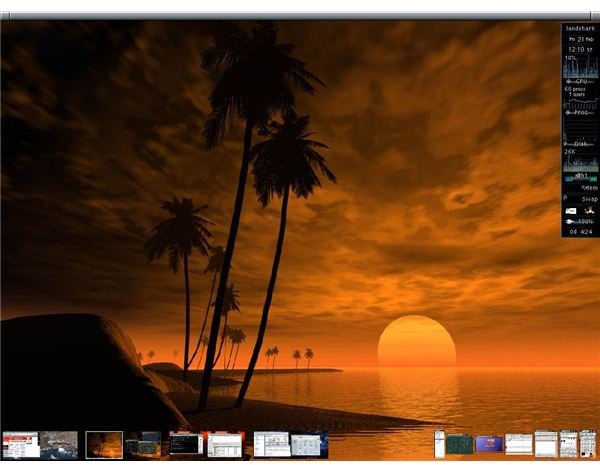
This is simple. If you have grown tired of the standard computer desktop, and want something different, Enlightenment will fit the bill. Enlightenment will give you more eye candy than your used to, and do it faster than any other desktop you have used.
Another good candidate is someone with an older computer who wants to give that outdated machine new life. Enlightenment has a very small footprint and is perfect for slower machines.
Final Thoughts
Enlightenment is a lot of fun. It is a desktop completely different than you are used to. Enlightenment embodies all that is Linux: It’s free, it’s open, it’s fast, it’s unique, it’s highly configurable, and it’s fun. Give Enlightenment a try, you will most likely never try another desktop again.


