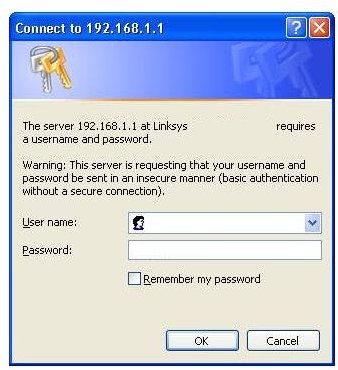
If you are unable to log on using your Linksys wireless router because you lost your password, take a deep breath and relax as there are a couple of ways to get connected to your router again.
Overview
If you have forgotten your Linksys password, you have a couple of options. You can try to use the default settings to log into the router settings and change your password, or you can simply reset the router and set it up again. Either way, you will need to create a new password to use in the future. Read on to learn what to do about a lost Linksys router password.
Try the Default
You can try to log in to the Linksys setup page and create a new router password using the default user name and password. This will only work if you did not change the default password when you originally set up your router.
Open a web browser window, such as Internet Explorer or Firefox. Type 192.168.1.1 into the address bar. Do not include any prefixes, such as https:// or www. Press Enter or click Go. A dialog box will open prompting you for a user name and password. Try leaving both fields blank and clicking OK. If this does not give you access, type admin into the User Name box and Password into the Password box. Click OK again. If you succeed, you can configure your router settings again and create a new password. Read the first article in this series, Configuring a Linksys Router Settings , to learn how to do so.
Reset the Router
If you are unable to log in to the Linksys router setup page using the default user name and password, you do have another option to solve your lost Linksys router password problem, which is to reset your router.
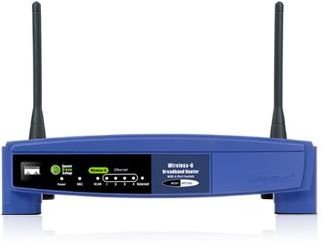
Look for a small Reset button on the back, front or the bottom of your Linksys router. The location of the button depends on the router model, so look carefully. As a precaution the buttons are small and inconspicuous, so that users do not accidentally reset their routers.
Once you have located the Reset button, press and hold it for at least ten seconds. You may need to use something with a small point, such as the end of a paperclip or a pencil tip to depress the button. Release the button and wait for the router to start back up. This will restore the router to its initial factory settings as it was when you first set it up. You will need to configure it again and choose a new password. Refer to the first article in this series for instructions on how to do so.
Related Articles
Once you are again able to log into your Linksys router, make sure it is secure. Read Is Somebody Stealing your Wireless Connection? to learn why you should be concerned with your router’s password and settings, and How to Secure a Wireless Network to stay safe and secure.
This post is part of the series: Linksys Router Tips
These articles will show you everything you need to know about your Linksys router, from setup to passwords to troubleshooting.


