PaperMaster Pro 7.0: An Effective Document Manager
Introduction
Beyond ariline e-tickets, it’s hard to find an area where there is less paper used today than ten years ago. In years past, the term ‘paperless office’ was often bandied about, giving rise to the thoughts of one day never seeing another paper document again.
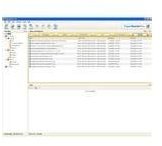
While there seems to be no end of the use of paper, PaperMaster Pro 7.0 is designed to reduce the amount of paper you use, but it does much more than that. Used to track and store electronic documents as well as images of paper-based documents, Pro 7.0 is one of the expanding pieces of software in the document management system (DMS) market.
User Interface (4 out of 5)
PaperMaster Pro 7.0 has a good set of features and a lot of functionality under the hood. Given that other document management systems can cost thousands of dollars, you get a lot of value from Pro 7.0; however, while the software is relatively easy to use, it is not completely intuitive, making the learning curve a little higher.
Price to Value (5 out of 5)
At around $200 when first released, PaperMaster can now be found for around six dollars, depending on where you look. The software, even for it’s day, is quite reasonably priced compared to other packages with similar functionality. The downside is of course that, with such a low price, some of the support options are limited or only featured in upgraded versions.
Installation and Setup (5 out of 5)
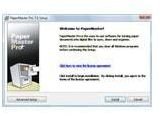
The installation and setup is easy using a standard Windows installation. You can simply run setup and accept the defaults for most installations. As part of the installation process, the program creates a directory called My Cabinets in your My Documents folder.
PaperMaster Pro works with scanners also, but only with TWAIN capable scanners. Most, but not all, scanner vendors have TWAIN drivers available. Configuring a scanner is a relatively easy process.
The software can auto-file Microsoft Outlook attachments into your filing cabinet. This is not the default, and if desired, you have to (easily) configure it to automatically place file attachments into the filing cabinet.
The other software options are rather intuitive, and it doesn’t take much time to get the product working.
Product Features and Performance (5 out of 5)
While designed to reduce the amount of paper you use, Pro 7.0 does much more than that. The product can be used as a
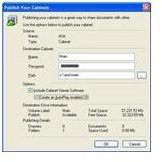
mechanism to collect, organize, search, and maintain your electronic documents and faxes. Using a computer and scanner, it can digitize almost any hard copy document. It has a built-in OCR to convert hard-copy documents into searchable, editable text.
The software performs relatively quickly at what it does. The most time consuming effort is the initial importing of files. If you have a large amount of documents, this can take a while, but will only require one import.
Security and Privacy (1 out of 5)
There is a serious lack of strong security controls. Ultimately, it is secure as the physical security on which your cabinets are stored. You can stamp a document with a default security level (confidential), or another customized security level, but the product has no functionality in which to support that security.
Because it was first released in 2007, this may explain the lack of security, however, given that one is putting all of their document eggs in one basket, a document management product such as this should have more security functionality.
Help and Support (1 out of 5)
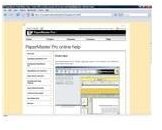
Although relatively easy to use, the help functionality was barely passable.
Most Windows programs will bring up a help menu when the F1 key is pressed, but the program doesn’t support that basic functionality. Manually going into the help menu brought up a minimal set of basic information. When exported, the entire help output was a scant 13 pages.
j2 Global Communications, the company that developed the software, has no phone support numbers listed and getting in touch with tech support appears easy via e-mail, but don’t expect to receive a reply.
Conclusion
PaperMaster Pro 7.0 is an easy-to-use piece of software for going paperless. My impression, however, is that the number of people who truly want to turn their reams of hard copies into digital files is limited. The time required to scan, index, and organize large amounts of hard-copy documents can indeed be significant.
But for those who are indeed serious about going paperless, they will find gigabytes of easily searchable data at their fingertips after their migration to PaperMaster Pro 7.0 is complete.
Product information and screenshots courtesy of PaperMaster Pro
