Using the Build Transition Effectively in PowerPoint
The presenter’s striptease
One of my biggest pet hates from the pre-powerpoint golden age of public speaking were the users of OHPs who manually used to cover up the lower portions to reveal the points one by one. It drove me mad for several reasons:
1. It is very difficult to do competently.
2. Consequently, it was very rarely done competently and bits of paper often ended up all over the floor.
3. It generally left me feeling frustrated, distracted and rather patronised.
The PowerPoint equivalent is the bulleted list that builds point by point. It’s much slicker than the old paper based process. But it’s still frustratingly controlling by the speaker. It can lead to a rather staccato style of presentation where the flow is destroyed by waiting for the next point to appear. It is worth remembering that whilst a talk has distinct phases and chunks, it is essentially designed to flow. Therefore a series of bulleted lists with each point waiting to be clicked is essentially at odds with a talk which should flow. For more on the problems that this can cause see https://www.brighthub.com/office/home/articles/9632.aspx
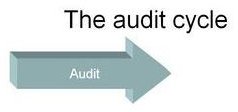
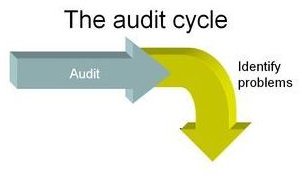
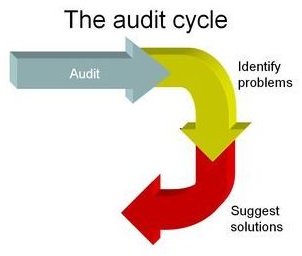
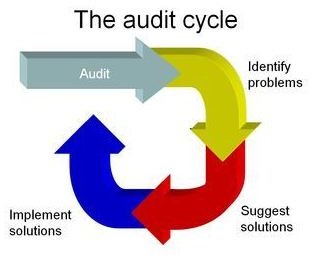
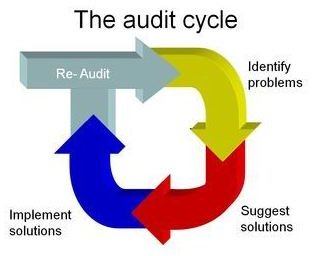
However, there are situations where this fragmentation can be used to advantage. In a situation where the task is to break up a process into its constituent parts then this becomes an advantage. Consider for example a slide intended to show the nature of the clinical audit cycle which I used recently. By breaking down the process into its constituent parts, the slide can actually reinforce the key message that the total waiting time is made up of a number of components, as in the example shown below.
This slide was produced in Microsoft PowerPoint using the drawing tool bar to good effect:
The arrows were chosen from the Autoshapes menu.
They were chosen from the Block arrows category.
A 3D effect is then added and colours to taste.
And remember: less is more use this effect sparingly!
Further Reading
Gillies AC (2007) The Art of Presentation: getting it right in the post modern era, Radcliffe Publishing, Abingdon
Phases of the slide
This post is part of the series: Get Creative with PowerPoint
Learn how to use PowerPoint to create awesome presentations.
- Get creative with Powerpoint part 1: go minimal
- Get Creative With PowerPoint: Less is More
- Get Creative With PowerPoint: Fluffy Clouds
- Getting Creative With PowerPoint: The Build Transition
- Getting Creative With PowerPoint: Using Images for Reinforcement
- Getting Creative With PowerPoint: Using All the Elements of a Talk
- Use PowerPoint Presentation Slides as Milestones or Signposts
- Getting Creative with PowerPoint: Bringing Down the Curtain
