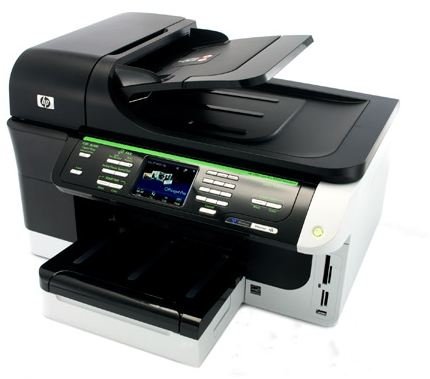
There is a sea of options that consumers have to choose from when shopping for a printer. But which is the best all round printer for home office use is a challenging question to answer. In this article we look at the one printer the chumps all for the top spot of best rated all round printer.
Choosing the best home office printer for small businesses is particularly challenging because the correct choice will vary greatly, as per the requirements of an individual user. The typical home office printer is expected to handle a moderate monthly duty cycle, output high quality text and photo prints, as well as double as a competent all-in-one workhorse. The HP Officejet Pro 8500 wireless printer easily meets these requirements
Except for its lack of autodial fax buttons, Bluetooth, and a dual paper input tray, the HP Officejet Pro 8500 wireless AIO (all-in-one) inkjet printer is a perfect solution for small businesses and home offices. This AIO device prints, scans, faxes and copies in less time than its competitors, while returning consistent high-quality outputs.
Design and Features
The $399 price tag is a bit steep but the Pro 8500 really justifies its asking price by offering lots of features. HP raised the bar by integrating all the must have features into this device. Some of these features include: auto-duplexing, a media card reader, 802.11b/g, a 50-sheet automatic document feeder, a 3.45-inch touch screen, and a legal-size scanner.
The focal point of the center console is a neat 3.45-inch color LCD touch-screen which can be used to access all the most commonly used menu options for copying, faxing, scanning, and setting photo preferences. The quick setup menu, and graphical gauge, shows an almost precise account of how much ink you have left in the tanks.
The front panel also has a full telephone keypad for typing fax numbers, and quick access fax and copy buttons, which allows you to scan and manage your images over a network. There is also an e-mail button that facilitates one-touch scanning and delivery. To the bottom of the front panel, there is an external card reader which allows for a convenient way to access and print your photos. The supported media include: Memory Stick, SD, PictBridge USB, xD, and Compact Flash media.
Though it has no bluetooth connection option, you can connect to the Pro 8500 in three ways: over a network with the built-in Ethernet port, directly through a USB 2.0 cord, and through 802.11 b/g Wi-Fi. The intuitive onscreen instructions will guide you through the process of pairing your desktop computer, which shouldn’t take more than 10 minutes for a user with average technical skills. Other computers in the network can also be configured to use the 8500, through the 802.11 Wi-Fi, or by the Ethernet option. The control panel will guide you through the setup process, with onscreen instructions that are easy to follow and troubleshoot.
The top of the printer houses a 50-sheet automatic document feeder for scanning and/or copying documents up to A4 and legal-size paper sizes. This can be easily raised to refill the ink tanks when the cartridges become low on ink. A small auto-duplexer installs to the rear for double-sided printing.
Continue on to the next page for more details about the performance of the HP Officejet Pro 8500 as well as a summary of some other honorable mentions for the best home office printer category.
Performance
In offices where time is of the essence, users of the HP 8500 will appreciate its fast print speeds and reliability. Especially on text prints, the 8500 doubles the average print speed of other inkjets in its category, at over 11.35 pages per minute. It is equally impressive on photo speed tests, which scored 1.39 pages per minute.
While these numbers aren’t earth shattering, and are far below HP’s claim of 35-page-per-minute text speed (probably on draft mode prints), the numbers are by no means disappointing, but are much better than can be had from other inkjets in this categories. The 15,000 pages per month duty cycle should also be more than enough for most small to medium-size businesses.
Summary
The HP Officejet Pro 8500 wireless is a sturdily built, feature rich all-in-one inkjet printer for offices with high monthly print volumes. With a well thought-out touch-screen and menu setup guide, the 8500 is a breeze to configure and use, whether you are scanning, faxing or doing a quick photo print from a media card. While it lacks autodial fax buttons, Bluetooth, a dual paper input tray and is a bit expensive, it compensates with a rich suite of features that justifies its higher asking price.
Pros: Has an automatic document feeder; auto-duplexer; an easy to use 3.4-inch LCD touch screen; painless 802.11b/g wireless setup; excellent prints quality; fast print and copy speeds and cheap inks.
Cons: It lacks: autodial fax buttons, bluetooth, and a dual paper input tray. It has slow scan speeds and is nearly $500 to purchase, fully equipped.
Price range: $238.97 - $488.00
Honorable Mentions
A laser printer, or two, would have been included in this roundup, had it not been for their general poor photo outputs. This naturally excludes them from roundups where users are most likely to do a few photo prints, such as what usually happens in a home office or small business. However, there are other inkjet printers that can compete for the coveted title of best all-round printer, but here are the printers that were upstaged by the 8500 for the top spot.
Canon Pixma MX7600
The Pixma MX7600 has good print speed, great output quality, and features galore.
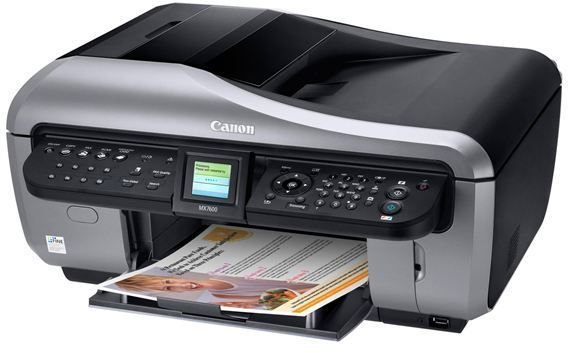
Pros: Has an auto-duplexer; dedicated one-touch fax keypad; intuitive photo-printing controls; increased faxing options; very fast photo and graphic prints.
Cons: It’s huge and has a high price tag compared to the competition. It also lacks Wi-Fi.
Price range: $279.99 - $493.31
HP Officejet 6500 Wireless All-In-One Printer
The HP 6500 printer series is a competent all-round printer that has low printing costs and above average print speeds. It would be easy to recommended, if it didn’t have that noisy character.
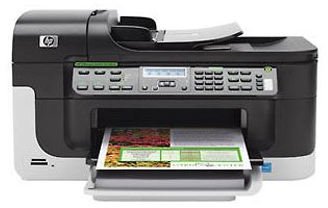
Pros: Inexpensive high yield inks; automatic duplexing; fast print speeds.
Cons: Very loud when printing; has software compatibility issues, especially with older HP software.
Price range: $139 to $215


