Are printer costs for inkjet or laser cartridges eating your home office budget alive? In this article we’ll look at the ten best ways to reduce running printer costs and maybe save the environment a little, too.
A Note about Marketing
Consumer printers are marketed like razors. The razor handle is inexpensive and comes with a blade or two, but the refills are much more expensive. The same is true of inexpensive printers. A printer manufacturer may lose money selling you the printer initially, but you can be sure they’ll make it up when you purchase your next cartridge!
That said, we know that printing costs can be a major expense in the typical home office. Some printers will end up being more expensive than others. For example, an inexpensive inkjet printer that uses one cartridge for multiple colors will be more expensive to use over time than a more expensive inkjet that has an individual cartridge for each color. That’s the kind of thing we’ll consider in this article.
So, let’s get started. Here it is – the ten best ways to save on printer costs.
10. Use online printing services instead of your photo printer
The current generation of photo-printing capable inkjet printers has brought the cost of home and small office photo printing down below a dime a print with several models priced at less than $100. However, if your printer is a couple of years old and especially if it has only one ink cartridge for both monochrome and color printing, it’s more economical to use online printing services such as HP’s Snapfish . At the time of this writing, Snapfish was offering 4 x 6-inch prints for nine cents each. (But 8 x 20-inch is not such a great deal at $2.99.)
9. Refill your own inkjet printer cartridges
Can you really save money by refilling your own inkjet printer cartridges? To find out, I compared the prices for a rather common, older but discontinued Cannon “BJC” home and office printer. www.inksell.com sells the original Cannon cartridge (model BC-05) for $38.95. This cartridge is rated at 300 pages at an actual 15% coverage. Not much of what is printed by a color inkjet is not in color, especially if printing from a web browser, so actual endurance is much less than 300 pages. That’s not cheap!
Next I looked at Automation Consulting and Supply, Inc. refill inks and kits at www.oddparts.com. According to their FAQ, The first time you’ll make a mess, the second time you’ll spill a few drops, and the third time you’ll be a pro. Perusing their website, I found that the BC-O5 cartridge uses cyan, magenta, and yellow inks.
I asked Brian Boley, president of ACSI Bulk Inks and found that the complete kit – a pint each of the colors, syringes for injecting the ink, and shipping runs $96.80. This will produce about 67 refills of this cartridge! However, the print head on the cartridge is only good for five to eight refills, so even with refilling, some new cartridges will need to be purchased.
What if you were buying a new inkjet or all-in-one printer and wanted to make sure it was economical to refill? Mr. Boley has some specific recommendations.
8. Print selected text instead of the entire page
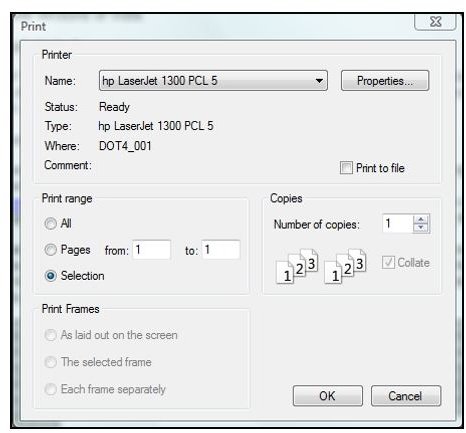
If you commonly print text from your web browser, a good way to save on ink or toner is to only print the text that you’ve selected.
A handy free utility from HP called Smart Web Printing allows users of Internet Explorer to intelligently select segments of a webpage or segments from different web pages and combine them on one page for printing. Smart Web Printing is not compatible with Firefox 3, but here’s what it looks like in Internet Explorer.
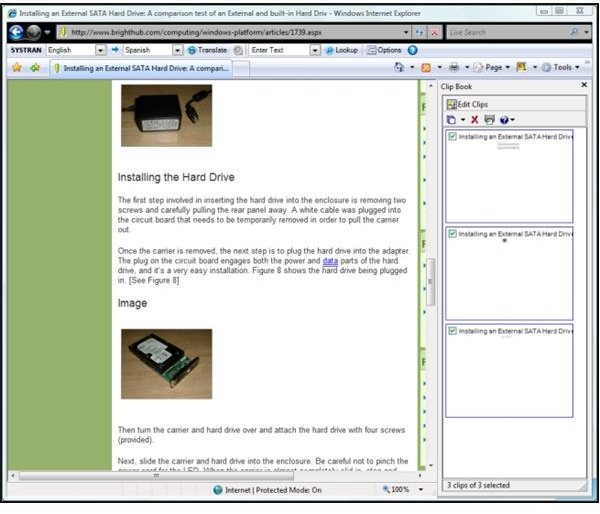
To use Smart Web Printing, click the icon at the right of the menu bar and click and drag to select text or images. When you release the mouse button, you’ll be given the choice of clipping the content or immediately printing it. In the image above, three segments of my popular article about installing a SATA hard drive in an external enclosure are visible in the “Clip Book” pane on the right.
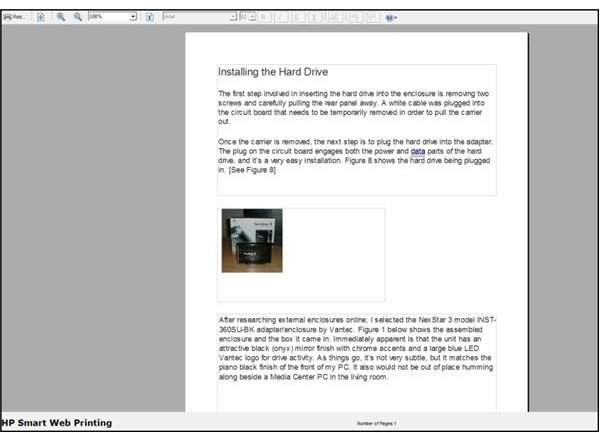
The image below shows the Clip Book editing screen. Here the image and two selected (“clipped”) segments have been dragged onto a single page. This was a bit buggy with Internet Explorer and did not work as shown in the Help file. Ironically, the three clipped segments produced eleven pages in the editor! It took a few minutes to drag the outline edges for each page to the minimum space needed, but in the end three different segments of the web page were printed on one sheet of paper.
7. Print using draft settings if just checking your work
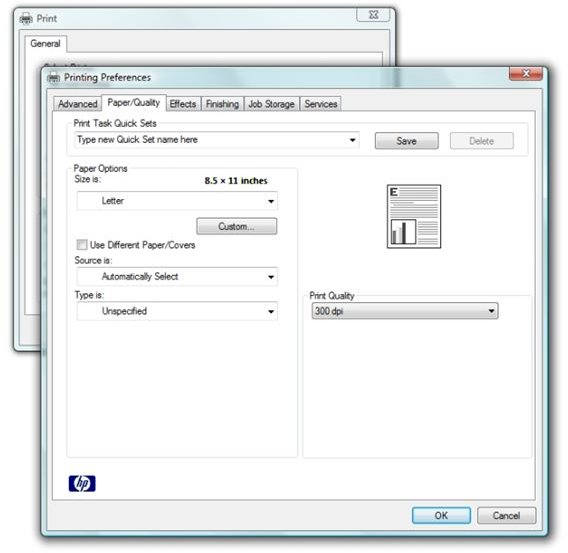
If you’re printing just to check your layout, use the lowest quality setting your printer can manage to save ink or toner. Some printers may not have a setting called “draft” or “quick print.” If that’s the case, you may be able to click “Preferences” and select a lower print quality to achieve the same effect.
6. If printing for yourself, capture text and images in Evernote instead of printing
Evernote is a Windows, Linux, and Mac OS application that acts as like a combination of a calculator tape and a scrapbook. It can clip from web pages, other applications, PDF files, and then makes it easy to find your information by folder, timeline, and even provides an OCR-like functionality to find text inside graphic files.
It backs the data that you want to access from different PCs and mobile devices to an online account. The basic version of Evernote “Web” is free and includes a version that also runs on Windows Mobile devices. There’s even a mobile web version that works with Palm OS devices such as Treos.
For more information about Evernote, please see Evernote Web is Everywhere: It Works!
5. Use print preview to print only what you want
When printing web pages, such as this one, it’s always a good idea to use Print Preview to ensure that you’re only printing the information that you want. And, as a related tip, many applications, including both Internet Explorer and Firefox include a “shrink to fit” feature available in Print Preview. (In Firefox 3, it’s hidden under Print Preview → Page Setup.)
4. Give the inkjet to the kids and buy a laser printer
In researching this article, I found several HP LaserJet 5, 5L, and 5M laser printers on ebay.com for less than $200. These printers are both popular and well-known workhorses that are still chugging along in thousands of offices and schools. Though not as fast and fancy as the most recent printers, their output is still crisp and professional. They are also reliable. (Their design life was 500,000 pages.)
The LaserJet 5 models have the advantage of being as common as dirt, and this commonality results in commodity pricing for supplies. At the time of this writing, Staples sells the cartridge for the LaserJet 5 for $112.19 and it’s rated for 6,800 pages.
Let’s compare the LaserJet 5 to the HP P2305, a current laser print with a “street price” of around $200. The cartridge sells for direct for $88.95 and is rated for only 2,300 pages!
This is the difference between a consumer-grade printer and a business class machine.
And you’ll be buying that cartridge soon for the P2305. The cartridge that HP includes with the machine is only good for 1,000 pages! (I had the same experience when I purchased my LaserJet 1300 a few years ago. It was less than a warm and fuzzy feeling.)
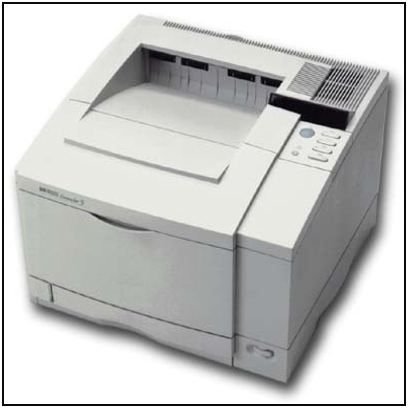
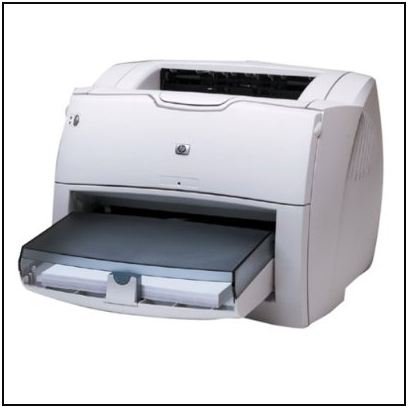
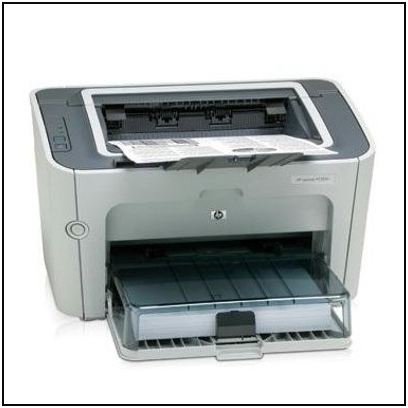
Photos: HP
3. If you print a lot, get the extended cartridge
HP also makes extended cartridges for most of their laser printers. The standard cartridge for the LaserJet 5 produces 6,800 pages for $117.99. The extended cartridge, however, costs $122.99 and yields 8,800 pages. In other words, that’s 2,000 more pages for five dollars.
2. Use third party laser printer cartridges
Purchasing remanufactured (inspected, refilled, and tested) laser printer cartridges from a third party supplier can make for substantial savings. Also, despite what the original equipment manufacturers like to imply, the use of alternate cartridges will NOT invalidate the warranty. Note that “remanufactured” implies that the process starts with an original cartridge.
And with that said, one must be careful when purchasing! A Google search for “remanufactured laser printer cartridges” produces a plethora of links, some dubious and doubtful, and some more promising.
Desirous of the more promising, we selected Barcode Printers, Inc. of Oceanside CA and got prices from their www.inkjetcartridge.com website. A remanufactured cartridge for the LaserJet 5 goes for $29.95 (3 for $82.95, 5 for $129.95). A cartridge for my LaserJet 1300 is $39.95, and they don’t have a listing for the HP P2305 yet.
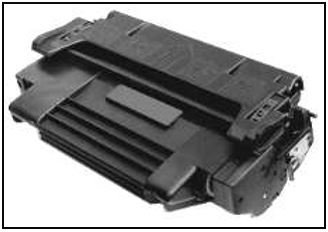
Image: inkjetcartridge.com
1. Don’t print!
Finally, and similar to #6 and #10, save some ink or toner and maybe a tree or two by printing documents to PDF rather than to paper. Consider emailing your documents as a PDF attachment rather than physical pages.
You can also choose to store your camera images on your PC and distribute them via CD or DVD rather than using your high-cost-per-copy photo printer. Online file and photo sharing sites make it easy to share your images and documents as well.


