How Does Skype Work: Guide to Installing & Using Skype

Install Skype
The first step is to install Skype on your computer. You can install Skype on Windows 2000, XP or Vista, as well as Mac, Linux and even Windows 7. Go to the Skype download site and the download should start automatically. When the File Download box opens, click the Run button. If you receive a security message asking if you want to install Skype, click Run again. The download may take a few minutes to finish, depending on your system and type of internet connection. When it is complete, follow the steps on the Skype Setup Wizard. Open Skype once the installation is complete and you’re ready to learn how does Skype work?
Note: Click on any of the images in this article for a larger view.
Your Skype Profile
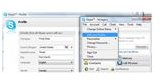
Update your personal profile on Skype, so that your contacts will know it is you. On the Skype menu, go to the File menu on the toolbar and select Edit Your Profile. Enter as much or as little detailed information as you choose. At the very least, you should enter your name and email address, so that contacts can find you more easily. You can always go back and add more information later, if you choose. When you have added your information, click the Update button.
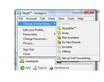
When you start Skype, you default status will be Online. You can change this status at any time by going to the File menu, pointing to Change Online Status, and making a selection. For instance, if you are on a deadline and don’t want to be contacted unless it is urgent, you can choose Do Not Disturb. Contacts can send you a message if they need to, but will be aware that you are busy. You are learning how Skype works already and will soon be a pro!
Using Skype
Now that you have your basic information entered, you can start finding contacts that are also on Skype. Go to the Tools menu and select Add a Contact. Enter your contact’s email address, full name or Skype name and click the Find button. Select your contact from the results list and click the Add Skype Contact button.
More Tips on Using Skype
Once you have added contacts to your Skype profile, you have several different contact options. Skype has an intuitive instant messaging program. To send an IM to one of your Skype contacts, right click the contact’s name from the Contacts tab and select Start Chat. A chat window will open, into which you can type a message and click Send or press Enter. If your contact is not signed in to Skype, they will receive the message the next time both of you are logged into Skype.
Another way to get in touch with another Skype user is with a call. Both you and your contact must have a microphone headset to use this Skype feature. To place a call, right click the contact’s name in the Skype menu and click Start Call. A window will open showing to whom you are placing a call. This window will show the call duration and have features, such as a Hold button, a Mute button and a Hang Up button to disconnect the call.
If a contact calls you on Skype, a small Skype window will open on your computer screen and you will hear a ringing sound. The window will show you who is calling. To answer the call, click the Answer button. If you are unable to take the call at that time, simply click Reject.
Who needs a big office to hold a conference? You can use Skype to make a conference call to several users at once, as well. Click Call on the toolbar, and then click Start Conference Call. Select a contact to include in the call and click Add. You can add up to 24 contacts. When you have added your contacts, click Start.
Once learn and know how does Skype work, you can learn how to do even more using Skype. Check out this Bright Hub tutorial, 10 Useful Skype Extras.
