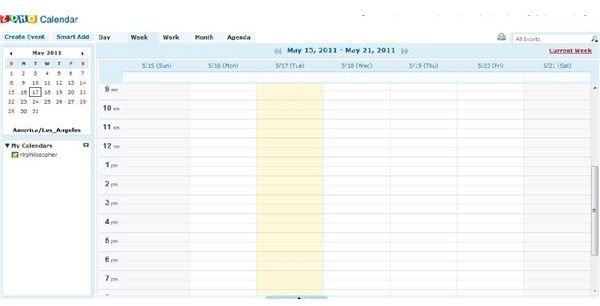
Working at home, especially after the initial excitement of having the home office wears off, can have pitfalls for productivity. One of these pitfalls involves arriving late to and missing appointments. Not only can software help you track your appointments, but you can also plan your time better.
Determining What Type of Software You Need
When you’re trying to find the right appointment planning software for your needs, it can be overwhelming since there are so many different kinds of programs available. Free software can be great for those with light planning needs while others may want to invest in more robust software to meet their planning requirements.
One of the reasons that you need to determine what you are looking for before you go looking, when it comes to appointment software, is that everyone plans a little bit differently. For example, I plan from the long-term working backwards. I set my goals, and then ensure that the steps I take and appointments I make align with my goals. However, some people work forwards, setting appointments and then looking at what they spend time doing before setting goals. Here are some questions for you to answer before you determine what software will work for you:
- Do you use a specific methodology when planning (i.e. GTD, Covey, or Julia Morgenstern)?
- Do you assign times to tasks or do you prefer to assign times to types of tasks and keep a running to-do list?
- Do you need a program that you can access from anywhere, or are you okay with a program that only works on the computer it has been installed on?
- Would you like to access your schedule on your mobile phone or PDA?
- Do you like to keep contact information with your appointments?
- How much do you want to invest in an electronic appointment system?
- Do you want to be able to print your schedule?
While these points may seem to only apply for calendars, they’re also important to keep in mind when thinking about appointment software. This is because the software that will work best for you to use when planning appointments and meetings needs to be in line with the methods you use when you’re planning your schedule in a calendar program . If you like to simply set times that you will be available and share those times to potential attendees and have the process be hands-off, the program you choose will look different than that of someone who likes to create specific times for specific types of meetings and have a more hands-on, collaborative role in appointment setting.
You may even find that you come up with other requirements you would like your appointment planning software to have. For instance, I use the GTD methodology and I like to have all of my information in one place. For this reason, I tend to look for PIM software that allows me to track appointments, emails, contacts, and tasks in one place. While I use Microsoft Outlook’s meeting scheduling features , there are a lot of really good options out there for the home office worker to investigate.
Zoho Calendar
Zoho Calendar can be a great resource for those wishing to manage their appointments. If you’re looking for a program that allows you to work online, from any computer, then this is the tool for you. Not only does it integrate with other Zoho products, but it also allows you to sync your appointments with Microsoft Outlook. In addition, you can subscribe to other calendars. If you’re starting to bite your fingernails, convinced that this program cannot possibly be affordable, get your fingers out of your mouth. Zoho Calendar is free.
Pros:
- The program integrates with other products including Zoho Invoices, Projects, and Docs.
- Easily share calendars to find a common meeting time
- Publish your calendar on a website or blog in order to share your schedule with others
Cons:
- The program is only available online - unless you download the Outlook plug-in, if there is an Internet outage, then there is no access to your schedule
Tungle.me
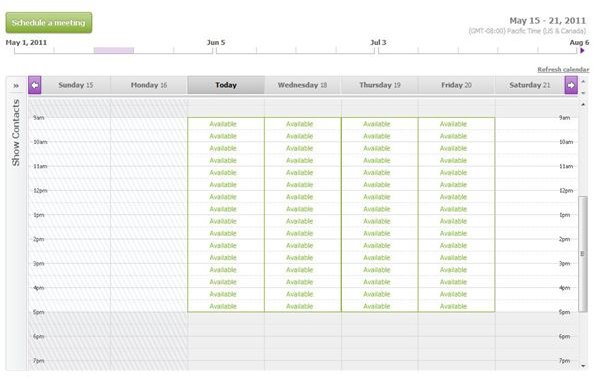
Tungle.me provides users with an outstanding option for scheduling appointments. Clients and customers can select an available time. You can share details of your schedule, or you can just show times as free or committed. Your calendar can either be included in search results or private. One reason you might want it included in search results is that it makes it easier for prospective clients to contact you and schedule consultation appointments. The program is free for the basic pack or $4.99/month for the premium edition.
Pros:
- Send people to your Tungle site and have them select the available times that fit their schedules best
- Customize your site with your logo and personal information
- Sync the program with your preferred calendar application
Cons:
- You need to be certain that you set the application to be unsearchable if you do not want everyone to be able to access it
- You need to be very aware of the information you place on the calendar and share with the public
Time Trade
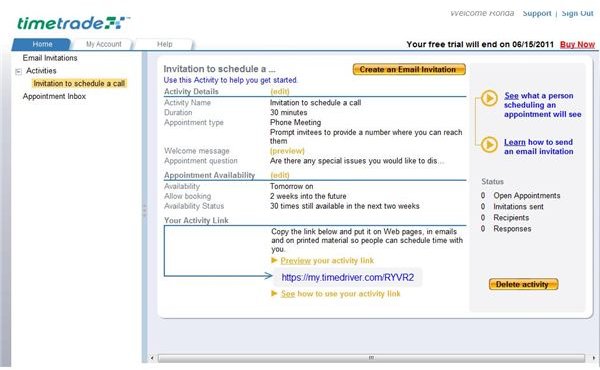
Time Trade is another great option for those looking to find effective appointment planning software. This program works with either your Outlook Calendar or your GMail Calendar , and it allows you to send email or web invitations for people to schedule appointments with you. You can customize your appointments letter, and choose to allow physical meetups or only phone appointments. When you sign up for the program, you get one month as a free trial period. To continue using the program after that, it costs $29.95 annually.
Pros:
- Allow your clients, customers, and colleagues to select times for phone appointments that work best for them
- Sync your appointment scheduling software with the calendar you use most often
- Choose whether you will accept requests for appointments on the day of the appointment
Cons:
- If you use an alternative calendar program, it may not be as easy for you to use this program
- You cannot edit the available times until someone requests an appointment with you – while this is good should your schedule be subject to change, it creates an extra step in the planning process.
agreeAdate
The program, agreeAdate is a neat uti
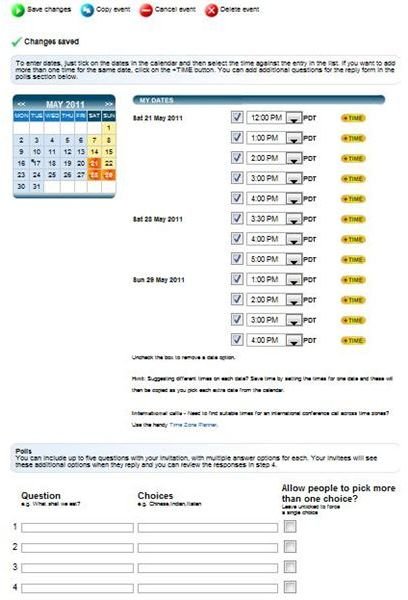
lity. Not only can you use the program to plan business meetings, but you can use the program to plan any event in your life. The program has different templates you can use when planning appointments. For instance, you can plan a social event, a business meeting, sports meetings, and much more using this program. The free edition allows you to create unlimited events with up to ten attendees per event, but you may only store up to 20 contacts. Should you need more attendees or more contact storage, you might opt for the silver edition (allowing you to store up to 100 contacts) or the gold edition (allowing for storage of up to 500 contacts).
Pros:
- The program is extremely easy to use
- You can create polls - for instance, if you’re creating a morning meeting, you can ask whether people would like donuts or muffins
- The program is free and offers enough flexibility for most home office workers to use it; should you need to upgrade, the upgrades are very affordable
Cons:
- You cannot simply set times and have at it, you need to create events and interact with the program
- The limited storage space for contacts can create a problem early on, especially if you have a large address book
Appointment-Plus
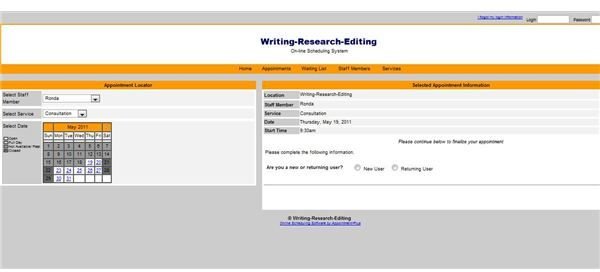
This program is perfect for those who need to offer a variety of services and who do not wish to individually schedule appointments. Set times for different services, set the prices for those services, and set your available times for appointments in this program. Appointment-Plus has a lot of great features that you will need if you have a high-volume of appointments to schedule. The waiting list is one of the most notable of the features and works well for clients who would like an appointment and who are waiting for a cancellation.
Pros:
- Provides a robust scheduling system for businesses and home workers who need it
- Simplifies the scheduling process
- Is a totally hands-off method for creating appointments
Cons:
- This program is expensive - it starts at $39/a month
- The program does have a learning curve, though once you get used to it, the program becomes easier to use.
References:
agreeAdate https://www.agreeadate.com/
Appointment Plus https://www.appointment-plus.com/
TimeTrade https://www.timetrade.com/
Tungle.Me https://www.tungle.me/Home/
Zoho Calendar https://calendar.zoho.com
All screenshots provided by Ronda Levine


