Have you been wondering about video playback and the programs that are available for this process? Are you curious to find out which software is the best? Well, look no further. Learn about the options that will work best for you.
Video playback software allows you to adjust how fast or slow frames move on a screen and do other editing functions, including encoding and merging video. It also allows you to adjust the corresponding music to move at the same speed as the video. This is a relatively new area of technology in the digital video arena, but many companies have been ramping up their offerings as video playback has become more popular.
Picking the Right Software
But, there are some things that you should know before you start downloading this type of software. With most of these programs, you need a relatively fast CPU. You also need to be aware of the type of video card that you have and the type of chip it requires. This could affect the quality of your video production.
What software program should you go with? New playback software programs have been popping up all over place. Xorg and XFree86 are highly recommended by most in the business. Both of these programs allow you to see your video as drawable objects. This will allow you to have high-quality output no matter what machine you use.
Available Options
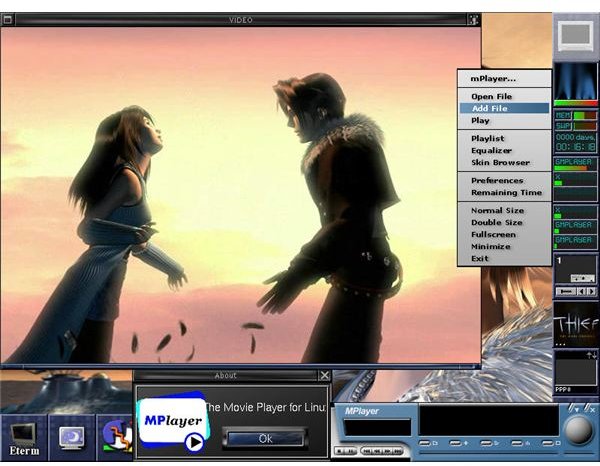
The makers of the video playback software, MPlayer, have been ramping up their services and providing you with the ability to put out better
quality video. The keystroke controls and some of the options are a little awkward at first. Once you’re mastered them, however, you can get some great video playback.
FreeBSD Ports Collection is another set of applications that you can use. But, you must be wary of this software series. You may have experience some bugs, including the inability to play back a video or the same file being played differently on a different machine.
One more suite of tools that can come in handy is the transcode utilities. While not technically a software program, these tools can help you encode both video and audio files. You can repair broken video code and combine files.
While these are the main software suites that are available, there are many other types of programs, including Google video playback and Xtheater. Finally, whichever video playback software you decide to use, you should make sure that it works with your computer system
Things to Remember
Before you start purchasing video playback software, consider your needs. You may not need all of the functions offered by the programs. Think about your needs. What do you really want to do with the program? Is the program offering way more than you need? Think about how much you can afford too. Just because a program is cheap or free doesn’t make it a bad thing. It may just be exactly what you need, especially if you are already working on a tight budget.
References
Software.informer.com, https://video-playback.software.informer.com/
MPlayer, https://www.mplayerhq.hu/images/screenshots/gui-preview-01.jpg


