Artizen HDR is mainly a photo editing and enhancing utility, with added HDR toning capabilities. You can perform multiple tasks simultaneously using the batch processing tools available. This tool has enough image editing capability to impress even the most experienced desktop publisher.
Artizen HDR Overview
Artizen HDR is a comprehensive collection of photo editing and enhancement tools, with the added bonus of HDR tone mapping tools. You can easily enhance your photos professionally using Artizen HDR’s toning tools.
Screenshot 1
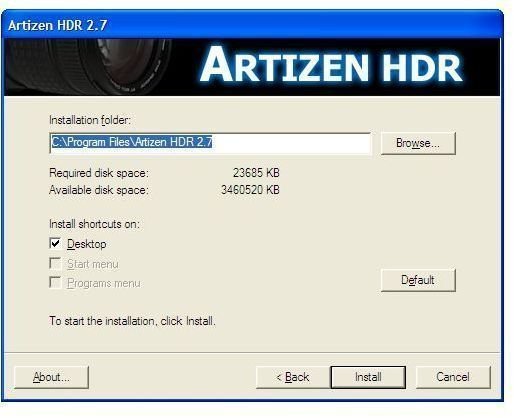
Installation & Setup (5 out of 5)
The installation phase is very easy and quick. You can specify your own installation folder and the installer does the rest.
Screenshot 2
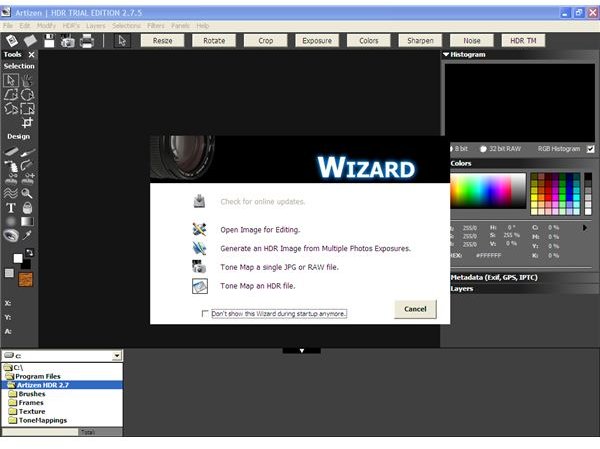
Artizen HDR User Interface (5 out of 5)
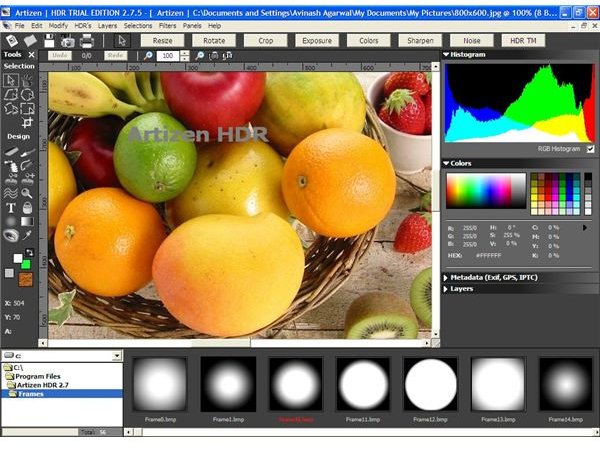
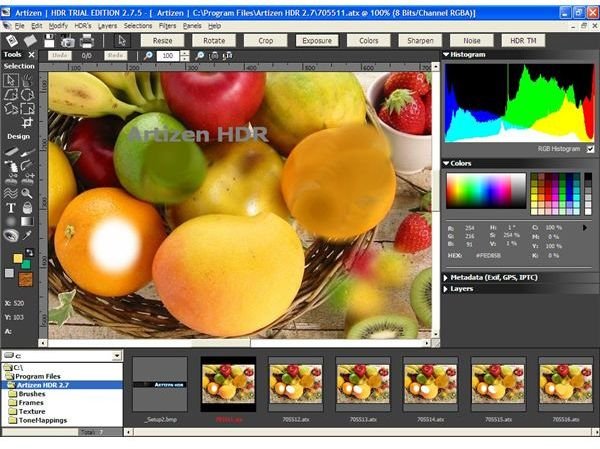
The user interface is very well structured and easy to use. All the tool icons are designed with high-end graphics that give it an air of professionalism. Each and every utility and tool is easily accessible via the workbench, which makes for quick and easy functionality.
Screenshot 3
Artizen HDR Features (5 out of 5)
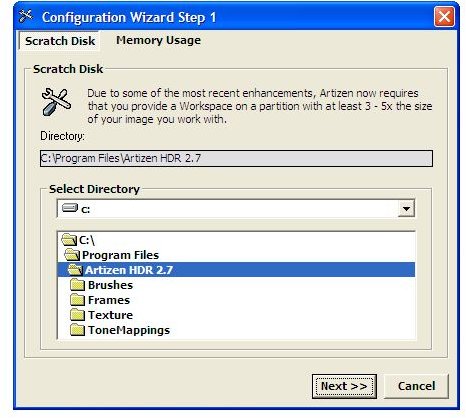
When you first get started using Artizen HDR, you will see a configuration wizard to allocate space and memory for all your work.
All the basic tools, such as cropping, resizing, rotating, and so on, are presented as buttons on the workbench for easy access. Artizen HDR also has a variety of advanced features like the color adjustment feature, which allows you to set color levels in photos and perform color balancing, reduce noise levels, sharpen photos, or control exposure levels.
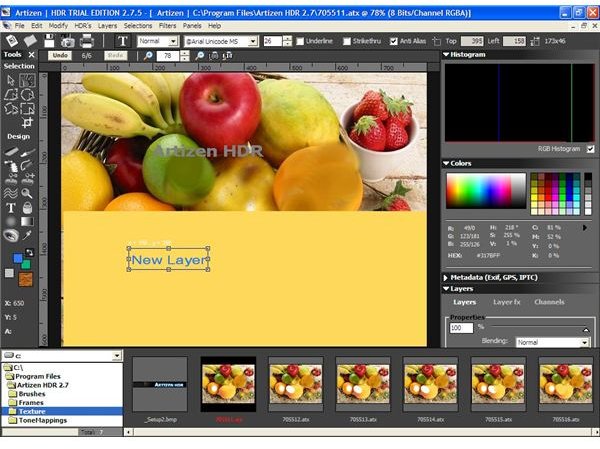
You can also create your own designs using the pen tool and other design tools and then fill them with different colors using the advanced painting tools available. There are also some region management tools to assist in editing and enhancing activities.
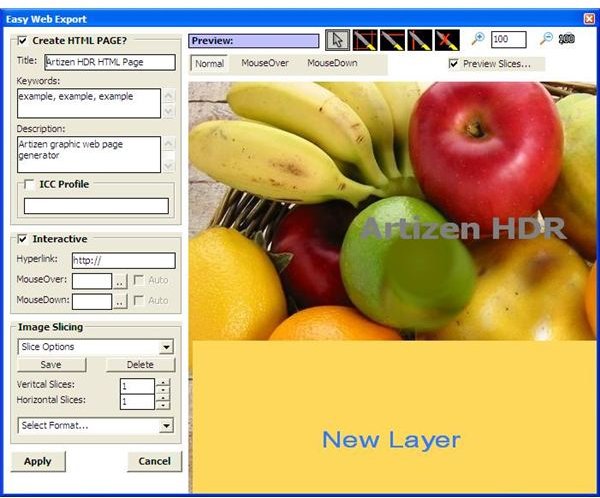
There is also an option to save the images directly in a web format with basic DHTML functions. It allows you to slice the images into various regions and use mouse over and mouse down to perform hyperlinking functions.
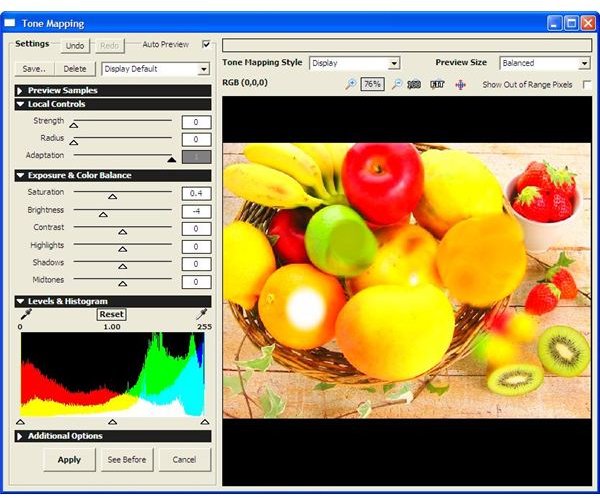
One of the most advanced features is the tone mapping utility provided. You can use it to control every aspect of the photo from the saturation levels and brightness and contrast levels to the strength, radius, and adaptation levels. You can view the status of the image after application of the toning effect and then apply the changes.
It also has advanced histogram controls and a one-click color palette to help you to finish the work faster. You can create and modify different layers on a photo using the various layer tools provided. The workspace gives you one click access to all the brushes, frames, and textures available in the various folders.
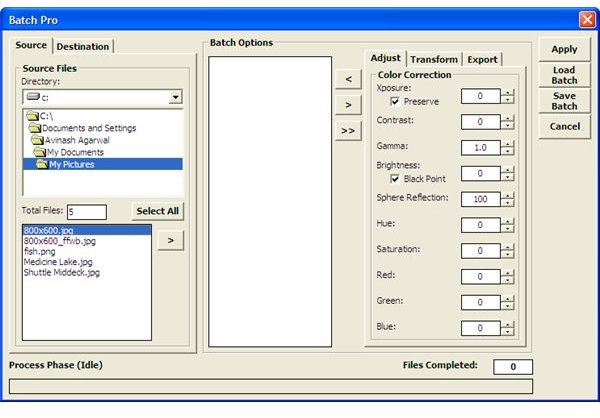
There is also a feature called Batch Pro that allows you to work on multiple files simultaneously. You can easily add new batches and modify existing ones to automate the work. These features allow you to perform simultaneous and sequenced color and resizing functions with advanced importing and exporting capabilities.
Screenshot 4
Screenshot 5
Screenshot 6
Screenshot 7
Screenshot 8
Screenshot 9
Price to Value (5 out of 5)
Artizen HDR standalone version without the Photoshop plug-ins costs $45.97 and the bundle package with the Photoshop plug-ins costs $69.95. With all the advanced functionality, the price tag is reasonable.
Performance (5 out of 5)
Artizen HDR incorporates both speed and functionality. It comes with all the advanced tools for photo editing and enhancement with added functionalities like HDR (High Dynamic Range) toning capabilities and batch processing utilities.
Final Tag
Artizen HDR is a one-stop destination for all photo editing and enhancement needs. You can use its advanced HDR (High Dynamic Range) toning tools for professional photo enhancement. It also supports a variety of Photoshop plug-ins for added functionality as per your requirements.
Screenshots