Top Five Photo Editing Programs for Desktop Publishers - Choosing Desktop Publishing Software
Five Popular Photo Editors - Which is Right for You?
Whether you want to design your own graphics for your business cards or company logo, edit images to include in family or company newsletters, or simply liven up a personal calendar, having a photo editor installed on your computer will make your job that much easier.
There’s a vast array of photo editing software available. Let’s take a look at some of the more popular ones and discover what they have to offer, starting with the most expensive.
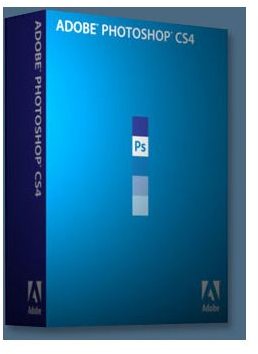
1. Adobe Photoshop CS4
The mother of all photo editors, Photoshop CS4 will, undoubtedly, meet all your photo editing/desktop publishing needs. But is it worth a whopping $699 to you? I hate to say it – in fear of die-hard Photoshop fans hunting me down – but chances are, a cheaper photo editor will probably meet your requirements. Photoshop CS4 does give you the most control over your image editing, but again, probably more than you realistically need.
Compared to other photo editors, Photoshop offers some advanced text formatting for the typographer nuts out there. Another useful and time-saving feature that Photoshop CS4 offers is their Automating Tasks features. With the data-driven graphics feature, you can create a project template, and then very easily design numerous versions of the project using different text and/or images. Another automated feature allows you to record a series of edits you make to a particular image and have Photoshop remember it so that you can apply the same sequence of steps to batches of other images. When told, Photoshop CS4 will get to work and edit as many images as you want it to, all while you’re sitting in the break room drinking your coffee.
Another plus to Photoshop CS4 is that Bright Hub offers several free tutorials on how to perform desktop publishing-related tasks, perfect for the novice and professional.
As I mentioned above, Photoshop might not be worth your money, depending on what features you’re looking for in a photo editor. However, if you already own an older version of Photoshop, upgrading may be worth it. There are benefits to sticking to a familiar photo editor, especially if your employees are already Photoshop veterans. Upgrading only costs $199 which, compared to the photo editors mentioned below, is only about $100 more. Because there will be minimal time lost on learning how to use a new program, it could be more cost-effective to take this route, rather than lose money on wages paid for training.
Please continue on to the next page to discover the remaining 4 of the top 5 photo editors perfect for desktop publishing, all of which are under $100.
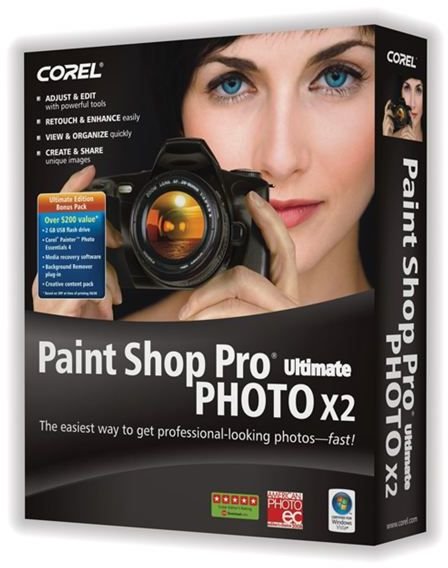
2. Corel Paint Shop Pro Photo X2
With an intuitive user interface, this photo editor is easy to use, yet packed full of excellent features. Corel Paint Shop Pro Photo X2 Ultimate is selling at a reduced price of $79.99 (originally $99.99). But don’t let the sale price confuse you into thinking the product isn’t great; in fact, this is probably my favourite photo editing program. This Paint Shop Pro Photo review will provide you with more detail on what the software has to offer, including new creative content that’ll surely come in handy for several different projects. When you purchase Paint Shop Pro Photo X2 Ultimate, you also receive a copy of Corel MediaOne Plus, Corel Painter Essentials 4 and a 2GB USB flash drive. For less than $80, this photo editing software package is probably one of the best deals out there; couple that with the fact that the program has so many features, I’m sure you won’t be disappointed. Additionally, if you do purchase this photo editor (or even download the trial version), there are several free tutorials that can help you learn how to use Paint Shop Pro Photo. From useful tutorials, like learning how to use the color changer tool, to fun tutorials, like giving your subject a realistic looking tattoo, Bright Hub’s got your back. Oh, and I should mention all the plugins that are available – including freebies - to help enhance the product even further, if that’s at all possible.
Update__: Check out the review of Corel PaintShop Photo Pro X3, the latest version of this awesome program.
3. Adobe Photoshop Elements 7
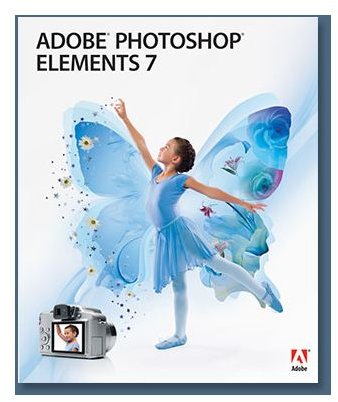
Another very popular photo editor, Adobe Photoshop Elements, offers excellent user support and a very helpful user interface. The newest version of this photo editor provides users with enhanced effects options, a customizable user interface and several new tools and features.
Photoshop Elements 7 costs $99. However, you do have the option of purchasing this photo editor as a package, which also includes a Photoshop.com membership and Photoshop Elements Premiere. Purchasing this software as a package will, undoubtedly, give you more bang for your buck, and it’s very competitively priced to other similar products. This Photoshop Elements review will provide you with additional information to help you decide which photo editor is right for you.
Update: This review of Photoshop Elements 8 will provide you with details on the newest version of this program to help you decide if you should upgrade.
On the final page of this Top 5 Photo Editors article, we’ll look at Corel PhotoImpact X3 and Serif PhotoPlus X2 Digital Studio. You’ll learn what these photo editors have to offer you and your desktop publishing needs. You’ll also be provided a list of free photo editors.
4. Corel PhotoImpact X3
For under $70, PhotoImpact X3 is quite affordable. This photo editor is compatible with several plugins designed for Photoshop and Paint Shop Pro Photo, but doesn’t offer full layer support like the above mentioned photo editors. Like Paint Shop Pro, PhotoImpact X3 comes packaged with Painter Essentials and MediaOne Plus, as well as an abundance of royalty-free images.
Some additional features that PhotoImpact offers that can come in handy for the desktop publisher include a Photo Project Wizard, which allows you to, almost effortlessly, design greeting cards, DVD or CD labels, collages, calendars and fun comic strips and loads of great templates that will get your projects completed in a flash.
Read our review of Corel PhotoImpact X3 to find out more about what this photo editor has to offer (and doesn’t).
5. Serif PhotoPlus X2 Digital Studio
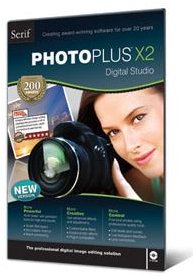
This photo editor probably doesn’t get the credit it deserves. As Bright Hub’s reviewer, Michele McDonough says, “…the application is geared more toward the creative user than the technical editor”, which makes PhotoPlus X2 ideal for the desktop publisher. Don’t be mistaken though, this photo editor does offer numerous photo editing features, but also provides the user with a number of creative filter effects, artistic brushes, drawing tools and animation features. This program also comes with PanoramaPlus 3, making the $79.99 price tag quite attractive. To learn more about PhotoPlus X2 Digital Studio, please check out our review of this photo editor.
Don’t Want to Pay for a Photo Editor?
If you don’t want to pay for photo editing software, or if your projects only need some minor enhancements, there are an abundance of free photo editors out there, some of which are quite comparable to paid-for programs (such as GIMP). This Top 10 Free Photo Editing Programs article will provide you with a brief summary of some of the more popular freebies, and will also direct you to more detailed reviews for each program.
