Genuine Fractals 6 is the latest version of the industry standard image scaling plugin for Adobe Photoshop from onOne Software. So what’s new with version 6? Is it worth the time and money? Let’s find out in this software review.
Enlarging Images
Have you ever shopped at an electronics store for a camera? If you have then you would know how the sales staff try to impress upon you the megapixel count as a advantageous feature of the camera - the more the megapixels, the better! Well, for normal day to day uses such as printing images on your inkjet printer or neighbourhood studio you actually don’t need a lot of megapixels. When it comes to making poster sized prints or printing images for display at galleries the resolution becomes an important factor. The more the megapixels the better the quality when printing at larger sizes. What do you do when the image resolution is not high enough for large size print? Photoshop has a feature that will enlarge your image, but now onOne Software’s Genuine Fractals is designed exclusively for the purpose and easily outperforms Photoshop. Let’s take a look at the current Genuine Fractals 6 and see what its got to offer.
Genuine Fractals 6
Genuine Fractals 6 by onOne Software
If you’ve used any of the Photoshop plugins from onOne Software then you know that they are one of the premier plugin makers whose products such as PhotoTune and PhotoTools are industry leading applications. Similarly Genuine Fractals is the defacto standard for enlarging images. Genuine Fractals carries the well known powerful and efficient interface design that is prevalent in all onOne Software tools making it a breeze to use.
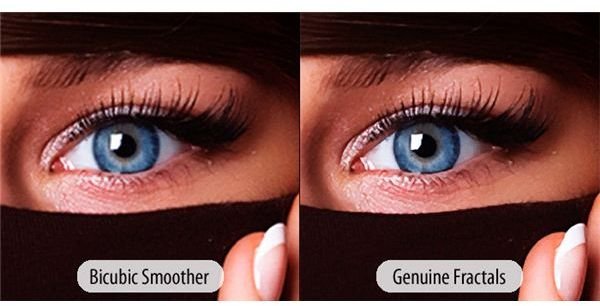
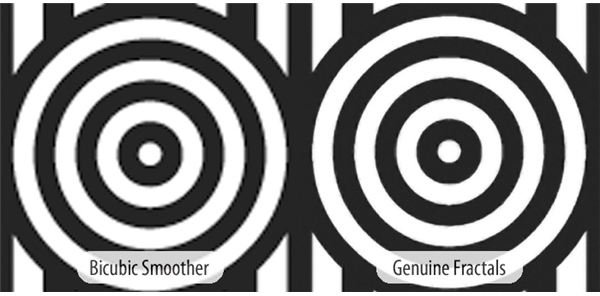
Image enlargement or scaling involves the use of mathematical algorithms that allow you to add pixels to an image by detecting edges and other aspects of an image. Adobe Photoshop provides the ability to employ a Bicubic algorithm to enlarge or scale an image, whereas Genuine Fractals makes use of a patented fractal based scaling. The difference in the quality of the image obtained is remarkable.
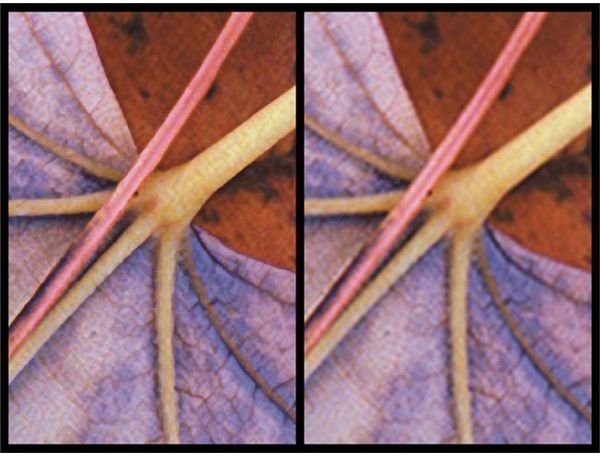
As shown in the image to the right the image to the left part was scaled using Genuine Fractals and the right one using Adobe Photoshop’s scaling feature. The difference is obvious.
Usability & Interface (5 out of 5)
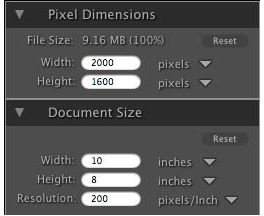
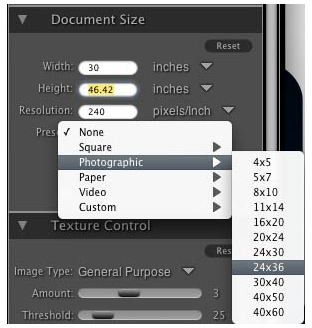
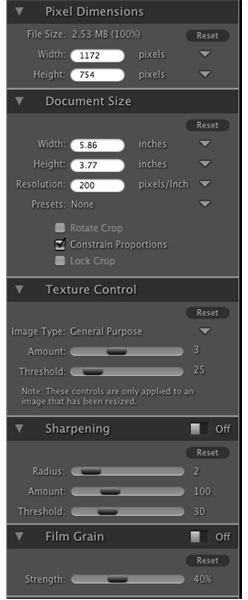
As is the norm with any software application out of onOne Software stable, Genuine Fractals 6 comes with a fabulous interface. If you’ve used any of the other tools such as PhotoTools or PhotoTune you will immediately feel at home with the interface. Even for a first time user the tool provides all the necessary features is a neatly ordered menu. At times if you don’t want to poke around all the options but just want your image scaled up, it’s just a matter of entering the required size in the menu. To make the process even more simple there are a selection of presets that can be easily selected to automatically scale and adjust your image as necessary.
The application is supported by very clear instructions and comprehensive tutorials and webinars online for free. Better yet opening up the application and you are greeted with a couple of screens of “getting started” instructions that explain the user all about the tool in just a couple of screens.
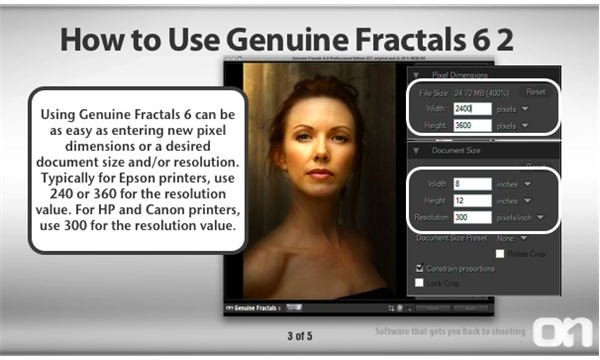
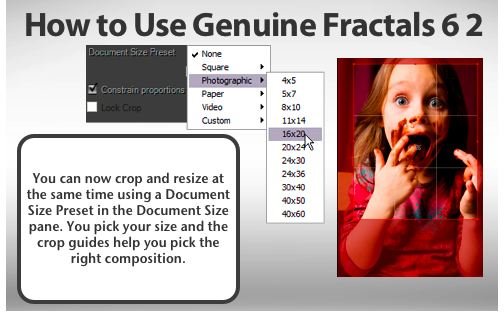
The presets feature of the Genuine Fractals application is a very handy tool. Most cameras shoot images that have different aspect ration when compared to paper sizes that are used for printing. That means when you need to scale your images to fit a particular paper type you need to enter the paper size, the presets features comes with a collection of paper sizes and presets that get you going without scratching your head on paper sizes. Scaling up an image should be done after all manner of post-processing have been completed with an image. With Genuine Fractals 6 you do not need to flatten your multilayered files since it is capable of scaling the individual layers as well.
Features (5 out of 5)
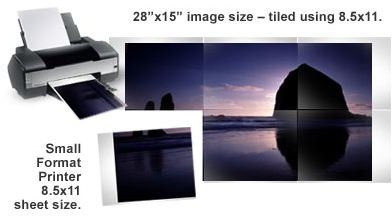
At times resizing images that are not of a particular aspect ratio can make things difficult. With Genuine Fractals you have a re-sizable box that allows you to select that part of the image that will be retained during the enlargement and change in the aspect ratio. Texture control presets just add more to your enlarged image and applying them is as easy as selecting them from the dropdown menu.
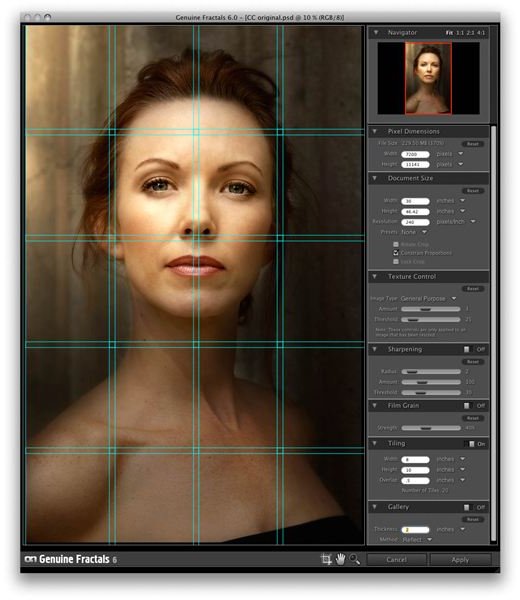
The version 6 of Genuine Fractals has added and improved several aspects of this industry leading tool. A gallery wrap feature allows you to print images with margins that make wrapping the image on a canvas display easier. If you are looking to print sizes larger than what your printer can manage the tiling feature comes in handy where the image is divided into tiles and the individual prints can be assembled into a large print. Batch processing capabilities in the current version comes in handy for studio work or commercial requirements where processing multiple files is a mundane task. Included in Genuine Fractals 6 is a revamped texture selection feature. Although the previous version of the app did contain the textures control, it wasn’t well described and hence prevalently under utilised. The current version however includes comfortable presets that can just be selected depending on the type of image like landscape, portrait, etc. and amount of texture that will be ideal for such an image is automatically maintained. This makes scaled images much more natural and realistic, reducing loss of detail.
Verdict
A software application such as Genuine Fractals has a very targeted audience in mind. Professional photographers who often require displaying their image at galleries and shows, graphic artists who scaled images for designing banners and posters etc. Stock photographers who constantly require humongous resolutions for their images and a few other users will find Genuine Fractals to be a wonderful application in their toolkit. As the audience of the application are specialized the price is as well targeted at these users. Depending on your requirements Genuine Fractals is available in a Standard Version at $159.99, Professional version $299 and an awesome upgrade version for just $99.
If you find that Genuine Fractals is requirement in your line of work or hobby, then the Standard version makes sense for most users, if you need the best then of course the Professional version is the way to go. If you are already a owner of previous versions of the application you definitely go ahead with the terrific $99 upgrade price. Whatever your requirement is for scaling images, Genuine Fractals 6 would definitely be an asset in toolkit. Available from onOne Software are the demo versions which you can play around with and understand the power the application provides the user.


