Serif PhotoPlus X4 Review: Fast Photo Editing Software with RAW File Support
Overview of PhotoPlus X4
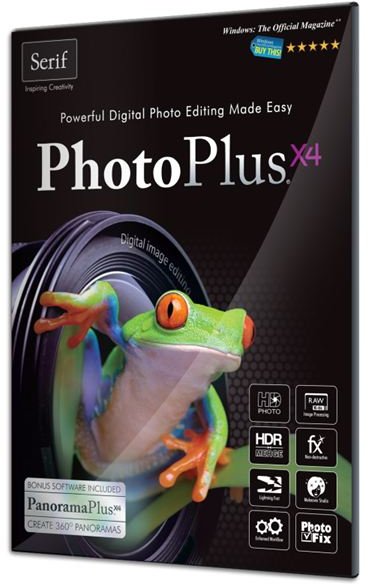
Nowadays, there’s definitely no shortage of photo editing applications to choose from – ranging from completely free photo editors all the way up to Adobe Photoshop CS5, with a price tag of $699 that’s high enough to make many of us visibly cringe.
Serif PhotoPlus X4 falls somewhere in the middle of these two extremes – this option may not have every single feature available in Photoshop CS5, but it does far outclass all of the basic free photo editing apps out there. In addition, with a suggested retail price of $89.99, PhotoPlus X4 is clearly a more budget-friendly alternative.
As we review PhotoPlus X4, our real question centers around whether or not the software is worth the price. So, let’s take a closer look and find out.
Installation and Setup (4 out of 5)
Like most Windows software products, the installation and setup process for PhotoPlus X4 is very straightforward. During the install, there was only one minor annoyance – a dialog box popped up several times recommending a restart even though a restart wasn’t really needed. Still, simply ignoring the recommendation and continuing with the installation worked just fine.
It should also be noted that PhotoPlus X4 is a Windows-only product, compatible with Windows 7, Vista, and XP.
Ease of Use (5 out of 5)
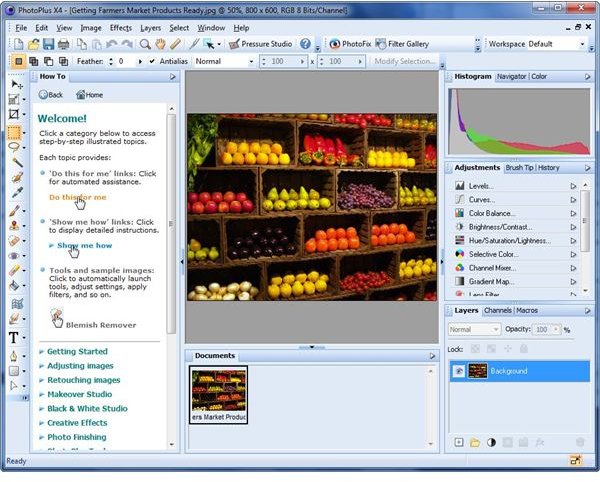
If you’re new to photo editing software in general, expect to face a little bit of a learning curve. Although the sheer number of features might make PhotoPlus X4 seem a little overwhelming at first, there are several built-in utilities designed to make getting started with the software much easier.
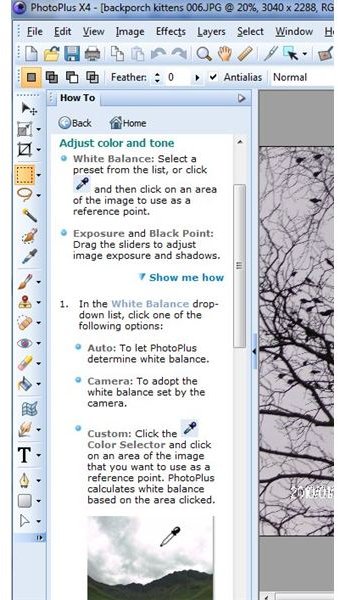
One of the most convenient of these tools is the How-To panel. This handy guide will walk you through the steps of almost any basic editing process (and several more advanced ones as well) without having to leave the PhotoPlus interface. In addition, this panel is easily hidden so you can expand it when you need a helpful reference and collapse it again when done in order to free up more room in the workspace area of the application.
Performance and Features (5 out of 5)
The photo editing software industry is part of a very competitive market, and developers have responded to that competition by constantly looking for new features and capabilities to include in new product releases. On one hand, this is great because it allows users of the software to really get their money’s worth when investing in a program. On the other hand, this introduction of new features has been known to result in some speed and performance sacrifices, especially if your computer isn’t exactly “top of the line.”
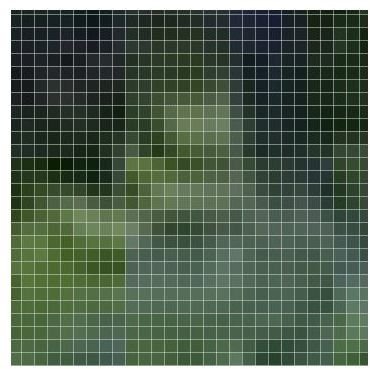
This is one area in which PhotoPlus X4 really shines. Even though the latest release of the software includes a number of great new and improved features – such as a pixel grid that lets you zoom in and easily edit individual pixels in a photo – the application is still as fast as ever, and in some ways, even faster. Also, PhotoPlus X4 sports a wonderful improvement to the Undo feature that makes “undoing” image edits up to five times faster.
Other new features include a very intuitive Cutout Studio that makes it easy to remove objects from a digital photo, improved selection tools such as the new Selection Brush that lets you “paint” a selection, a photo organizer with mapping capabilities, and an improved and expanded filter gallery.
Price to Value (4 out of 5)
With a price of $89.99, PhotoPlus X4 is right in line with its two major competitors, Adobe Photoshop Elements (the “trimmed down” version of Photoshop) and Corel Paint Shop Photo Pro. It’s definitely a good value for the money, especially when considering the program’s unique features and fast performance.
Overall Rating (5 out of 5)
The great thing about PhotoPlus X4 is that it still has all the features we loved in previous versions of the product along with a lot of new ones that help you focus even more on the creative aspect of photo editing without getting bogged down by all the technical details. Also, in the categories of speed and performance, PhotoPlus has a very definite edge over the competition. Basically, the latest release has all the things we look for in a software upgrade – great new features without additional bloat, improved speed and performance, and a renewed focus on ease of use.
