The Showcase Creator is an inexpensive application distributed by Laughingbird Software that allows users to create customized presentations using their own digital photographs. How well does it work? Read on to find out.
Overview of The Showcase Creator
The Showcase Creator is a recent release from Laughingbird Software that allows users to construct slides and presentations “showcasing” their digital photograph collections. There are a number of predesigned themes that come packaged with the software, but the real treat is the collection of backgrounds, graphics, fonts, and other design items that can be mixed and matched to create your own slide layouts.
The application also has the functionality to export individual slides or the entire presentation as a JPEG image (or collection of JPEGS if multiple slides are exported), PDF file, or flash animation. This capability allows for a smooth way to convert projects designed in The Showcase Creator to a universal format that can then be used to display your dressed-up photos in digital scrapbooking pages , online or printed portfolios, or even as an embedded file in blogs or web pages.
Now, the real questions are how easy is the software to use and how well does it work?
Download and Installation (5 out of 5)
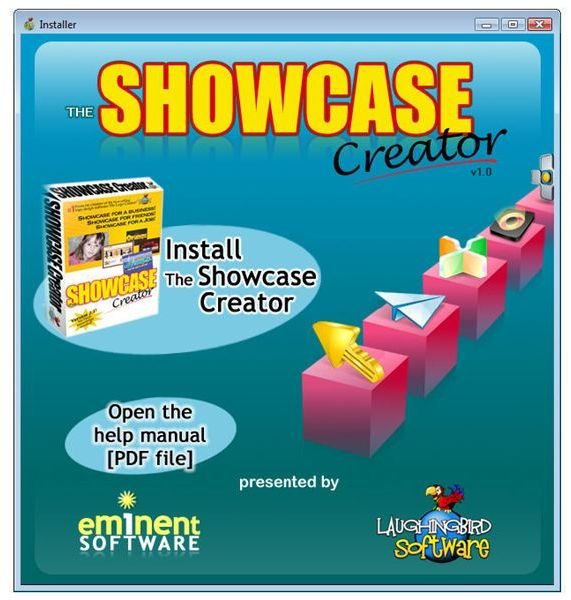
Download of The Showcase Creator was problem free, and the file comes packaged with an automated installer that makes setting up the application a breeze. You shouldn’t have a problem running the software as long as your computer meets the following system requirements.
-
Windows XP/Vista or later, Mac OSX 10.4 or later
Advertisement -
1 GB RAM
-
500 MB HDD
Advertisement -
Adobe AIR (comes packaged with the software and installs along with The Showcase Creator if not already present on your machine)
-
Adobe Flash Player (only needed for viewing SWF exports – can be downloaded free here )
Advertisement -
Adobe Reader (only needed for viewing help manual and exported PDF files – can be downloaded free here )
Ease of Use (5 out of 5)
When you first open The Showcase Creator, you’ll be asked if you want to create a series of slides based on one of the several themes that comes packaged with the application or start with a blank slate. At this point, you’ll also be given the option to import an entire folder of up to 20 images or photos into the project. If you choose this latter option, a new slide will be created for each image.
(Click any image for a larger view.)
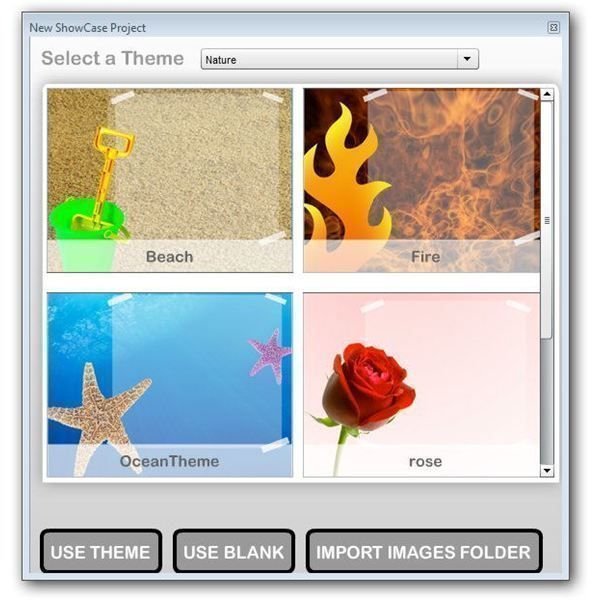
No matter which of these options you choose, you’ll enter the new project with the first slide of your presentation shown in the main editing window. From here you can choose to import other graphical objects or use the design elements that come packaged with the software.
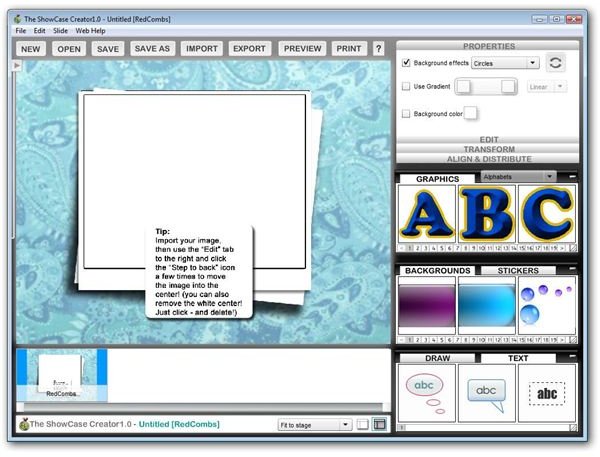
The user interface of The Showcase Creator is extremely intuitive, and it should only take a short time to get accustomed to the look and feel of the design tools and editing features. This is actually an application that’s fun to play around in, and just like with other Laughingbird products, there’s a lot of “hidden” power in many of the features. That is, on the surface, they’re quite easy to understand and use in terms of basic function, but if you experiment a little, you can create some really amazing effects.
Next: Continue on to page 2 of this review to find out more about the features, both good and bad, of The Showcase Creator. We’ll also take a look at the availability of user support and software documentation.
Features (4 out of 5)
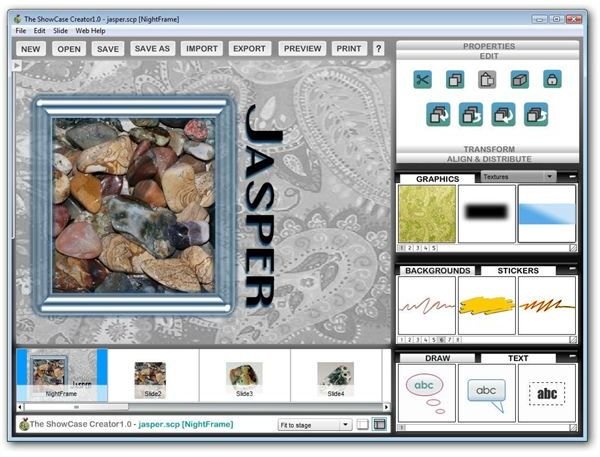
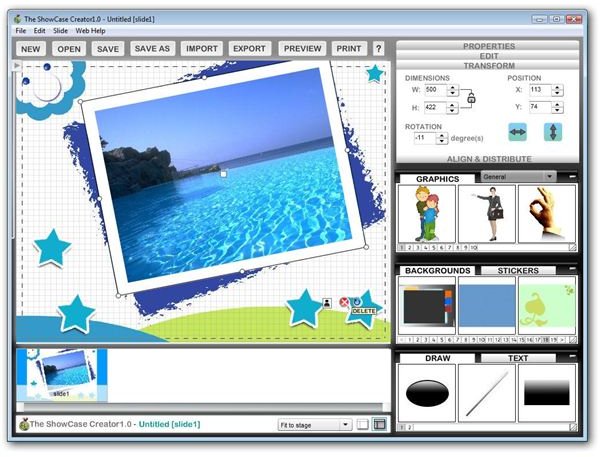
The ability to import photos or images of any kind and have full editing control of these objects is one of my favorite features in The Showcase Creator. Normally, I would not expect an application in this price range to give such a broad range of options in this category. In particular, the positioning abilities of the application let you move things around “the easy way” by clicking and dragging with the mouse or, if you need more precise alignment and placement, you can input the coordinate details in the Transform side panel as shown below.
One thing missing from The Showcase Creator is an easy way to “undo” actions. Yes, you can delete individual components of each slide and reconstruct them from scratch, but if you modify a single element and decide you don’t like the change after all, you’re a bit stuck if you didn’t save the slide first. So, if you’re an “I wonder what this will do” person like me, don’t forget to save a copy of your slide before trying something new.
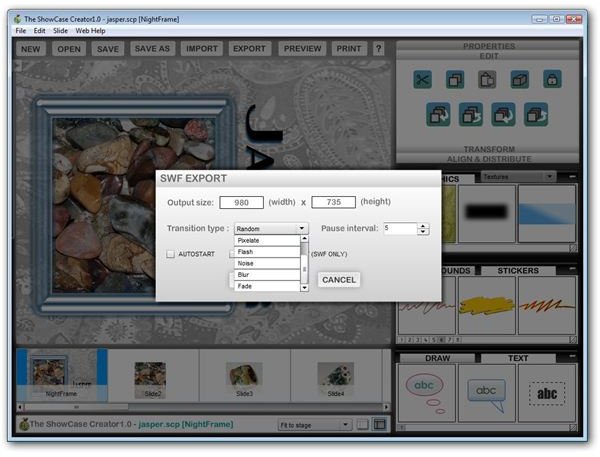
I’ll have to admit that the biggest thing that drew my eye to this application was the export to SWF feature that allows you to turn your slideshow into a flash animation, complete with chosen transition effects. I had a minor problem with this feature at first (which I’ll speak more about in the next section), but after that was resolved, this tool worked perfectly and it really made me realize just how versatile The Showcase Creator is.
User Support and Documentation (5 out of 5)
In addition to the detailed PDF manual that comes bundled with The Showcase Creator, Laughingbird Software hosts a technical support forum where users can get help with all of their products. This is pretty common nowadays, but when most software companies offer this option, you usually have to depend on other users of the same application to help you out.
That’s not the case at all in the Laughingbird forums. Here, the developers monitor the question threads on what seems like almost a constant basis, and they take a genuine interest in each reported problem. That’s not to say that the other users aren’t helpful – in fact, it’s quite the opposite. The entire community not only assists in answering questions and providing support, but they are constantly sharing design tips and ideas.
In the previous section, I mentioned that I had minor problem the first time I tried to export a slideshow to an SWF file. It was early on a Saturday morning, so I posted a note in the forum, checked the option to be notified by email if any response was made to the thread, and went on to work on other things figuring it might be a day or two before anyone responded.
To my surprise, it only took an hour for a developer to respond, giving me a solution to the problem and offering to take a look at my main Showcase file if, for some reason, that answer didn’t help me. The advice he gave worked just fine, and I was able to get back to experimenting with the software. While this story may be anecdotal, it’s certainly not uncommon at Laughingbird. If you browse through the technical support forums there, you’ll see what I mean.
In short, the user support and customer service provided by Laughingbird Software for The Showcase Creator, as well as all their other products, is among the best I’ve ever seen. If there was some way to rate them higher than a 5 in this category, I would do so without a second thought.
Next: On page 3, the final page in this review of The Showcase Creator, we’ll look at the price to value and overall rating of the application. Also, we’ll spend a couple of moments discussing the potential compatibility with Windows 7 and share a screenshot of the application running in the current Windows 7 beta environment.
Will it Work with Windows 7?
With the open beta for Windows 7 starting to move into full swing, one of the questions on many people’s minds when considering a software purchase is if the application will work in the new operating system. It’s impossible to predict what things may change between now and the official release, but I went ahead and fired up a copy of The Showcase Creator in the Windows 7 beta environment I have installed on my machine. As you can see from the screenshot below, it loaded up fine.
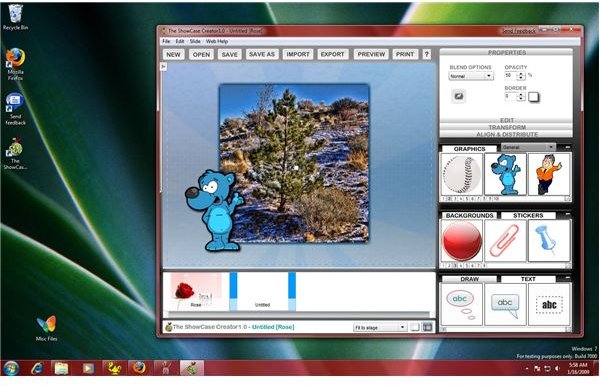
Just to make sure that the basics were working alright, I designed a few slides using a variety of different tools and features from The Showcase Creator. So, while I can’t give a 100% guarantee here, I can say that it doesn’t look like there will be any major compatibility problems for now.
Price to Value (5 out of 5)
Laughingbird has a reputation for providing quality, easy-to-use software at a reasonable price, and The Showcase Creator is no exception to this rule. It’s currently listed at $19.95 for the download version, but you have the option of adding a backup CD to your order for an additional $10.95. (I recommend skipping the latter and backing up the installation file yourself.)
This does seem to be an introductory price though, as most other applications on the site are listed in the $29.95 - $39.95 range. Even at those prices, it would be a good value because of its versatility and wealth of applications.
Overall Rating (5 out of 5)
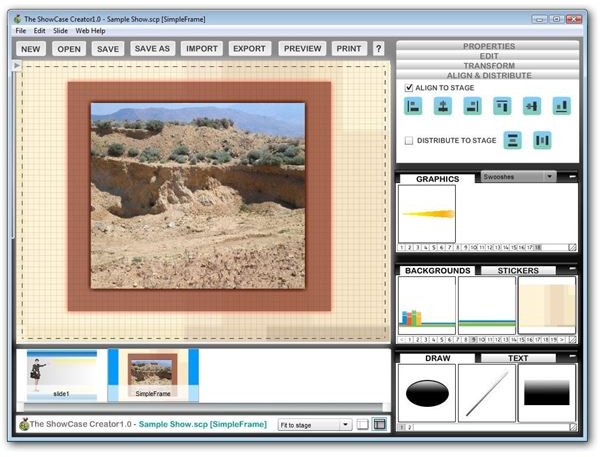
I’ve been a fan of Laughingbird products for a couple of years now and use others, such as The Logo Creator , in a lot of my design work. While there are a couple of features that I would like to see in The Showcase Creator, like an “undo” command and a way to group/ungroup objects for easier design, these things are more wish list items than actual faults with the program.
Like other applications released by Laughingbird, The Showcase Creator is deceptively powerful. That is, if you experiment enough with the software, you’ll find all kinds of “unintended” uses for it. For instance, after working with the drawing tools a little bit, I realized The Showcase Creator could be used to quickly and easily create new, interesting textures that could be exported to a JPEG and used in Paint Shop Pro . Plus, as I alluded to earlier, there are all kinds of ways to take advantage of the SWF export feature.
Overall, I found The Showcase Creator to be a very nice application, and I expect to continue to find additional ways to incorporate it into other projects. It’s definitely a good value and worth the investment, whether you intend to use it for personal projects, business, or both.


