Picasa Review for Digital Photographers - Including Link to Download Picasa - Free Photo Editing Software
Picasa 2
Picasa is Google’s software application for organizing, editing and sharing photos. At first glance, it seems to contain only the most rudimentary functions. However, upon further exploration, it proves to be a robust application with a minimal learning curve.
Organizing
The first time Picasa opens, it scans your hard drive for photos, lists the system photos and displays thumbnails in a large adjacent window. It differentiates efficiently between “actual” photos and does not import system or temporary internet pictures.
The two basic organization options in the program work with existing Windows folders or with Picasa Albums. Working with Windows folders is much easier to use in Windows Explorer, so Albums work better in this instance. Picasa Albums are extremely easy to create and use, and they help to simplify the use of other options.
One outstanding feature is the Timeline option. It does exactly what it sounds like, sorting your folders by photo creation date. This is useful for chronicling a long family vacation or more easily organizing childhood photos.
Editing
There are three different sections to Picasa’s editing features: Basic Fixes, Tuning and Effects.
Picasa2’s Basic Fixes are basic, but one might consider them necessities. They include Crop, Straighten, Redeye, Auto Contrast, Auto Color, and Fill Light. One unique fix is the “I’m Feeling Lucky” option which optimizes the color and contrast levels and deepens bright and dark colors with just one click.
Tuning refers to Picasa’s lighting effects which allow you to manipulate the lighting in your photos by adjusting the Fill Light, Highlights, Shadows and Color Temperature.
The Effects section offers the most interesting editing options for your photos, containing Sharpen, Sepia, B&W, Film Grain, Tint, Saturation, Soft Focus & Glow. Some special effects include:
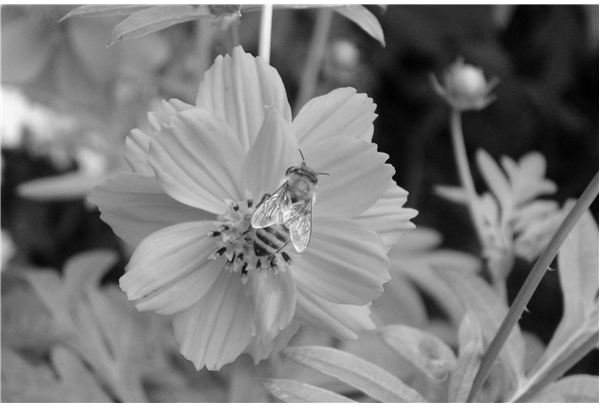
- Filtered B&W. It turns your photo black and white as if you were using a colored lens filter. You choose what color filtered effect using the color picker and can see the differences in real time.
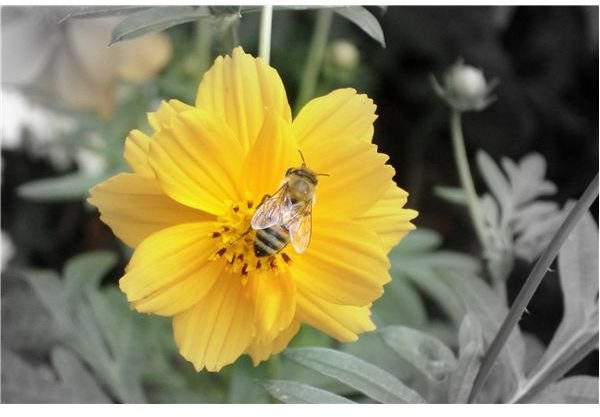
- Focal B &W. It turns your photo black and white, while leaving a portion of your choice in color.
- Warmify. It increases the warm tones, enhancing skintones.
.
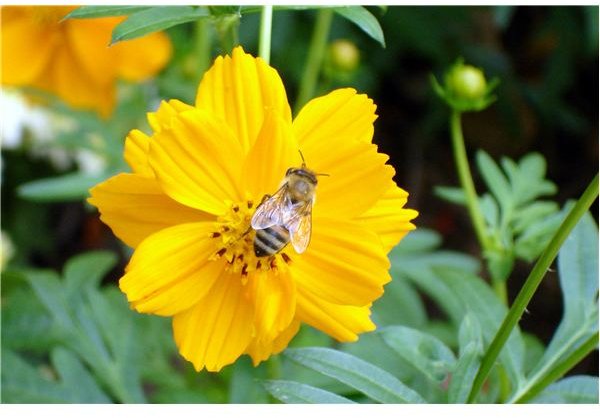
Image Effects Samples - Click on Image to Enlarge or Hover for Description



Sharing
After you are done organizing and editing, you can put all that hard work to good use by sharing your photos. Picasa contains a wide array of choices, most of which integrate seamlessly with some of Google’s other products. You can email, print, save to a Web Album, order prints, upload it to a Blogger blog. It also has a nice feature called the Gift CD which not only saves your photos, but also includes a built-in slideshow on your CD for easy viewing.
Conclusion
Google provides Picasa for free, but it can be invaluable for the digital photographer who wishes for more control over his or her photos.
To download Picasa, please visit: https://picasa.google.com/
