How to Make and Install Nokia 3360 Free Ringtones
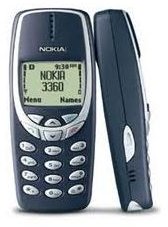
Nokia 3360: Free Ringtones
There are plenty of websites that offer free ringtones for the Nokia 3360. However, this model is very old, and you can only install composer ringtones and keypress ringtones on it.
Composer ringtones are in the form of codes. You have to type the codes correctly so as to set the perfect tempo of the ringtone. On other hand, if you want to install keypress ringtones, you will need to download them to your computer first, and then just send them to your phone via SMS. You will also require software that converts the keypress ringtones so they can be sent in the form of SMS to your phone.
How to Compose Ringtones on Nokia 3360
-
Firstly, go to the main menu.
-
Go to the Tones section by scrolling the menu.
-
Check the spaces available in the Tones section, i.e., check how many ringtones you can install or compose in the phone.
-
Choose any empty space and press OK.
-
If you don’t have any space, just delete undesired ringtones present in the phone.
-
Now, it’s time to choose your desired ringtone. Click on the links of websites given below to get codes of the ringtones.
-
After downloading the desired codes, start typing the codes in your phone accordingly.
-
You have to type them correctly so as to avoid messing up the melody of the ringtone.
-
After typing the ringtone, play it to check whether it is done correctly or not.
-
If you think that the composed ringtone is correct, select the Save tab present in the Option menu.
Websites for Composer Ringtones
Plenty of ringtones are available on this website, which are sorted by the name of the artists. Click on the first letter of the artist, you will find the codes of almost all popular songs of that particular artist. Ringtones are also separated by genres.
<strong>Phoneringsong</strong>
It’s also a good website offering composer codes of various ringtones for Nokia 3360. The main advantage of selecting this website is that you will find the ringtones separated by number of lists. They are sorted by movies, alphabetically, songs, genres, and artists. The popular songs are displayed with a separate list, and all the ringtones are available absolutely free.
How to Install Keypress Ringtones
- Go to websites offering a good collection of keypress ringtones.
- Download your desired ringtone to your computer.
- You will need to download software that sends ringtones to your mobile via SMS. SMS it and Send to Phone are good options, which are free to download and easy to use. You can download any of them to send the ringtone.
- After downloading and installing the software, just start it.
- You will need to fill in the location of the ringtone that you want to send.
- Click the Send button.
- Now, install the ringtone on your phone from the SMS by pressing the Save tab present in the options menu.
Websites Offering Keypress Ringtones
<strong>Free-Nokia-Ringtones</strong>
It’s one of the best websites that provides free keypress ringtones for your Nokia 3360. It has a big collection of popular ringtones. You can get free logos and wallpapers for your phone as well.
<strong>Free-Ringtones</strong>
It’s another good website for ringtones. They are separated by the name of the artists. You can download popular ringtones of almost every artist.
<strong>Phoneringsong</strong>
Ringtones are sorted by artists, songs, films, and TV shows. Everyone can easily find their favorite ringtone on this website.
Summary
You can install both composer and keypress ringtones on your Nokia 3360. Free ringtones are easy to find. However, it is better to download keypress ringtones. This is because it will save you time, and to avoid any mistakes during typing. Furthermore, comparatively better collections of keypress ringtones are available on the web.
References
Image: Nokia 3360- cellphoneaccessories4all.com
