Is There Firefox for iPhone? Take a Look at Firefox Home for iPhone and iPod Touch
Note: iPhone App Approval Process
At the time of this publication, the Firefox Home app is still undergoing the approval process. Because Firefox is such a big player and because the app does not directly infringe on Safari’s function, I would predict that it WILL be approved. If you can’t find it at the App Store, I’d check the Firefox Home page for details on the release.
What It Is…
The purpose of Firefox Home is to give you, the Firefox browser user, a way to port a lot of your Firefox “stuff” over to your iPhone. This “stuff” includes your browsing history, your bookmarks, and your open tabs. The first two features are a no-brainer for me. Firefox already has a robust platform for syncing your personal info across browsers. If you have a lot of commonly-visited sites, you can quickly call them up from this app and surf in Safari.
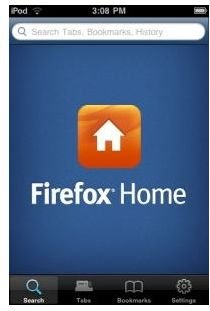
The open tabs syncing feature is much cooler for me, personally. I frequently leave a whole bunch of tabs open to represent projects I’m working on. Back in the day, open tabs used to eat up a lot of RAM, but most modern browsers have fixed the RAM leaking issues. Anyway, now you can access that digital “to do list” from your iPhone too. On the Firefox Home page, the Mozilla team demos this function with information about a flight that the user left in an open tab. After accessing Firefox Home, she is able to see that very same tab on her iPhone.
Here is <strong>Mozilla’s promotional video</strong>, for the visual learners out there!
One last feature of Firefox Home is the Awesome Bar. While Safari does have some “awesome bar” functionality (addresses and bookmarks are combined but not search), searching from the Firefox Home app lets you conveniently search with the full power of your Firefox search history and bookmarks behind it. Personally as a Windows user, I don’t bother syncing bookmarks onto the iPhone’s Safari browser, so the native bookmark feature does little for me.
…and What It Isn’t
The first thing to realize is that Firefox Home is NOT a Safari alternative browser. Think of this app instead as an extension of Firefox’s existing Firefox Sync desktop application. Sync does all of the same things that Firefox Home does, but on multiple desktops.
It is possible to surf the web on Firefox Home after finding a bookmark, but that browsing experience is simply Safari encapsulated in the app. Again, the app is really designed to extend the function of Firefox Sync, not challenge the dominance of Safari on the iPhone.
One last point, Firefox Home differs from Firefox Sync in that Home cannot send information BACKWARD to your PC. It can receive information from the Sync servers, but as it cannot actually open new tabs or save new bookmarks, you cannot add to your pre-existing user information. Even so, it’s certainly handy in a pinch!
How Do I Install Firefox Home?
The installation instructions are fairly simple (and can be viewed at the Mozilla page), but here is the short version:
- First, you must have Firefox Sync already installed and functioning. Make sure you create or look-up your “Secret Phrase,” which is part of your account setup process. You’ll need it in a moment…
- Find Firefox Home on the App Store through iTunes (or download it over Wi-Fi via your iPhone’s App Store). Download and install the free app.
- Open Firefox Home on your iPhone home screen and sign in to your account.
- Supply the app with your specific Secret Phrase when prompted.
- That’s it, you’re all ready to go now!
Keep in mind that the above instructions also work for the iPod Touch and the iPad.
Tell Us What You Think!
Even though Firefox Home isn’t true Firefox for the iPhone, it still may come in handy. Let us know what your experiences have been with the app and if you think Mozilla did a good job.
