How To Maintain the iPhone 4's HD Video Quality When Importing It
720What?
One of the iPhone 4 features that people were most excited about was the promise that it could take HD video at 720p. This would be a major step forward, not just for the iPhone but for the very concept of the cell phone as a video device. When it came right down to it the iPhone 4 could record at 720p HD, but it could not share video as that. When you try to share the iPhone’s video through things like web published sources it only exports it as 568x320 video. Though it is nice to just take the video and upload it from your iPhone, you are going to need to go through a different route to actually do this and maintain the iPhone 4’s 720p HD video quality. Here is a very easy tutorial on how to maintain the iPhone’s HD video quality when publishing it on sites like YouTube.
Importing iPhone Videos
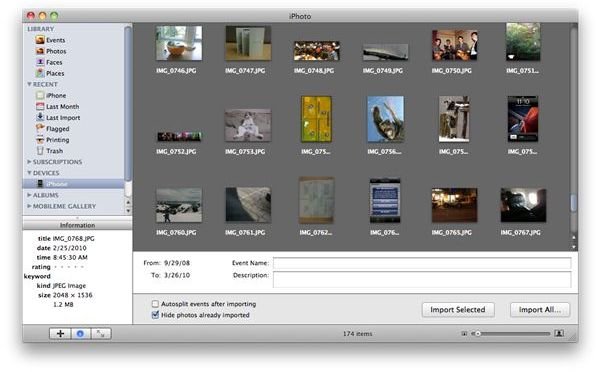
Instead of managing all of this from your iPhone you need to bring your computer into the equation. How you want to do this is going to be up to you, but you may just want to utilize iPhoto. Plug in your iPhone and then have iPhoto open to identify the video files that you have already recorded with the iPhone 4’s 720p HD video. From here you will want to select to import the videos from your iPhone, but also prevent it from deleting the videos from your iPhone as you may want to reference them again. This will put the original 720p HD videos onto your computer without downsizing them. From here you can then log in to your YouTube account directly through your web browser and initialize an HD video upload. When you upload the HD video directly from your computer it will come in full size and will not be downgraded as it was from your iPhone 4. This process is going to have to be done no matter what size the video is from your iPhone as it is going to downgrade all videos, no matter what length or overall file size.
Why Does This Occur
There is not an objective reason as to why the downgrading of iPhone HD video is occurring on the iPhone 4, but the main assumption is that this is because of the new restrictive iPhone data plans that limit iPhone 4 data usage. The overall size of the iPhone’s HD 720p videos would be quite large and would use a fair amount of the data allowance, which may cause a backlash from iPhone users. The problem is that even when a Wi-Fi connection is being used the video degradation occurs, which means that it is simply the standard for the iPhone 4’s video function and sharing capabilities. All videos should still run through the centralized home computer that is used for syncing the iPhone, and if you are not running a computer the majority of the time then you will have to give up on sharing videos in their original HD format.
