If you want to access your favorite media more quickly, you’ll want to learn how to configure the iPod menu bar on iPhone. With this simple tweak, you can access your media in less time, saving you a lot of frustration.
Configure the iPod Menu Bar on iPhone: Getting Started
By now, most iPhone users know that they cam customize the layout of the home screen and menu bar. But did you know that you can also customize the menu bar of the iPod app on your iPhone? It’s easy to do, and will allow you to reach your favorite media faster and easier than the default setup. But, you won’t find this option in your iPod settings. Instead, this neat and helpful customization feature is buried in the app itself. Here’s how to access this feature to make it work for you.
Finding the Screen
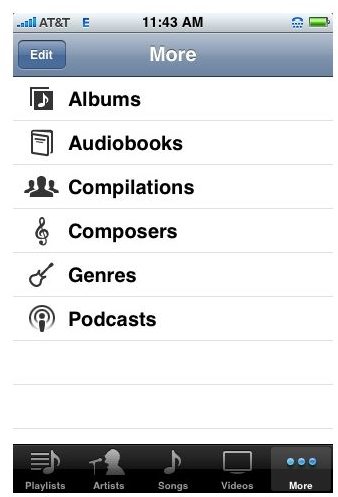
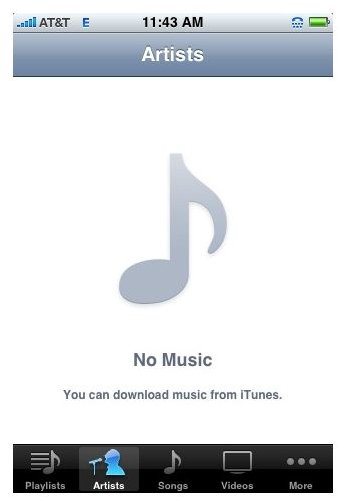
Getting to the customize screen buried in the iPhone’s app is pretty simple if you know where to look to find the right buttons. First, launch the iPod app on your iPhone. You will see four category buttons in the menu bar, along with another button marked “more” as you can see in image 1. Tap the “more” button.
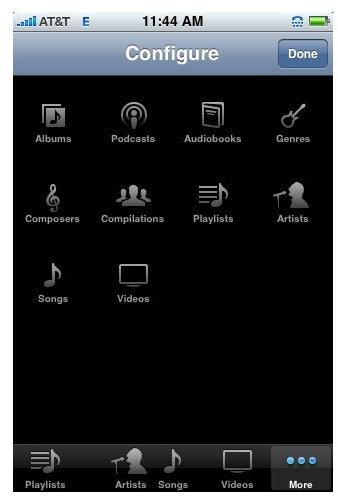
This will give you a list of additional categories, as well as a button in the upper left corner marked edit. You can see this in image number 2 below. When you tap edit, you will be taken to the “customize” screen shown below in image 3.
Categories
Next, choose the categories that you use most on the iPod app. Once you have decided which buttons you would like to place in each position on the menu bar, place and hold your finger on the button you wish to use as you would do with an app on the home screen. Now, drag that button to the spot you wish to use. The button already in place will glow. You can now let go of the button you are dragging and repeat the process for the remaining buttons you wish to change on the iPod menu bar. Tap done to hold your choices.
Now you have fast access to the media you use the most on your iPod app in your iPhone. You can repeat these simple steps at any time, so that the app’s menu bar always reflects the media you use the most. That’s just another good chance to make the iPhone your own.
Images