Mileage Ledger Review: Android App for Tracking Mileage
Overall Use - Makes Mileage Tracking a Snap (4 out of 5)
To get started with Mileage Ledger I first set up several vehicles within the program. Since I could track various vehicles it meant I could log how many hours I used a business car for personal use and a personal call for business use.
The program is very simple to use, I started by choosing the category I wanted to track, such as “personal” or “business” along with the name of the destination, the vehicle from a dropdown list that I wanted to track, the beginning odometer reading and even any notes I want to include such as “picking up business supplies during the work day.” The data entry screen is very simple to use which makes managing the application very simple.
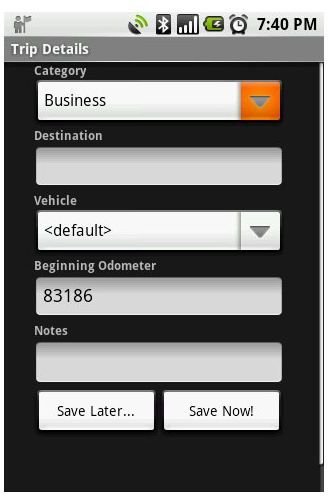
The program then tracked my mileage use once I started my trip, this ensured that my GPS did the figuring and not me, a nice option for the absent minded, again myself included.
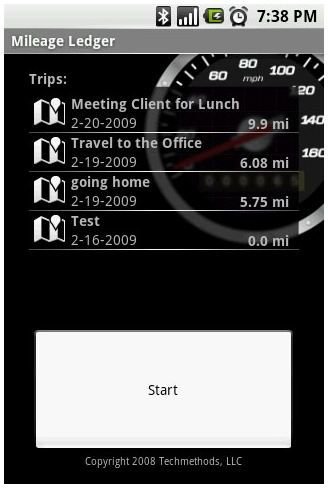
After I had finished my daily trips I could then view how many miles I put on my vehicle for business and personal reasons. The summary screen shows the date of travel and the reason for the travel along with the distance in miles used for those tasks. The screen is laid out nicely and I really have no qualms.
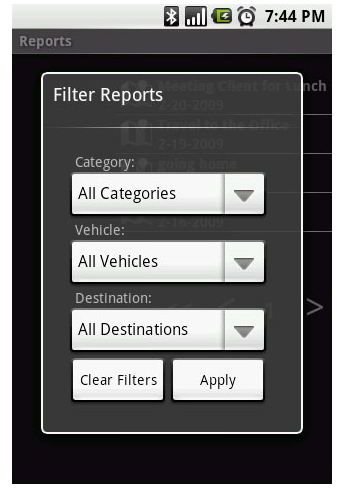
Reports can also be filtered based on the category you want to search such as Business or Personal, the vehicle you want to track and the destinations traveled.
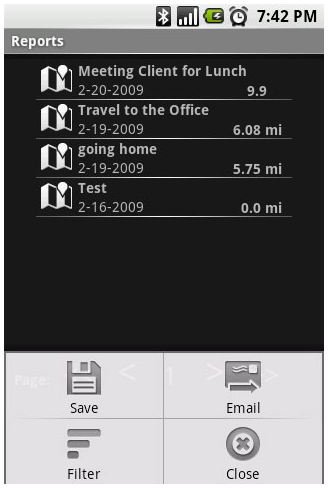
Once you’ve found your results you can then choose to save the information you’ve created or email the reports to yourself. The program again offers a simple intuitive interface for sharing your collected information via a simple pop up menu that appears at the bottom of the screen with finger friendly (large) icons for quick navigation.
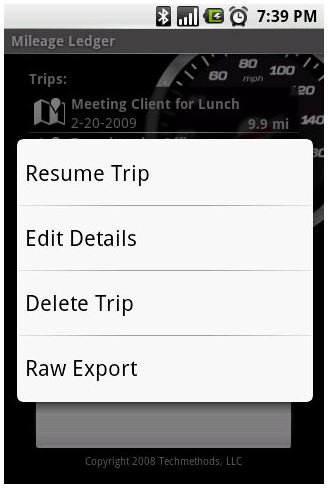
If you’d prefer you can also get a raw export of the data found on the application, edit and resume trips all from a simple menu. I was even able to delete trips if I realized they weren’t needed. Here’s the edit and export screen. You can access this screen with a long press on your devices display.
Conclusion
I found the Mileage Ledger application to be very accurate when it came to detailing exactly where I travelled. I also really enjoyed being able to track various vehicles and categories. If you work for various clients and you bill them for expenses you could even change categories to various client names to track where you travel for each client.
The cost of $8.95 annually is well worth the download, especially considering the hassle it can save you come tax time. You can download the program from the Android Market by searching for “Mileage Ledger.”
I really liked the intuitive menus the program offered and I found the features to be on par with many other mileage tracking programs. Overall a great option for users looking to easily track business travel and multiple vehicle usage.
